
Artisan Crafts
Client
N/A
Year
2025
Tag
UI/UX
Duration
1 month

Client
N/A
Year
2025
Tag
UI/UX
Duration
1 month
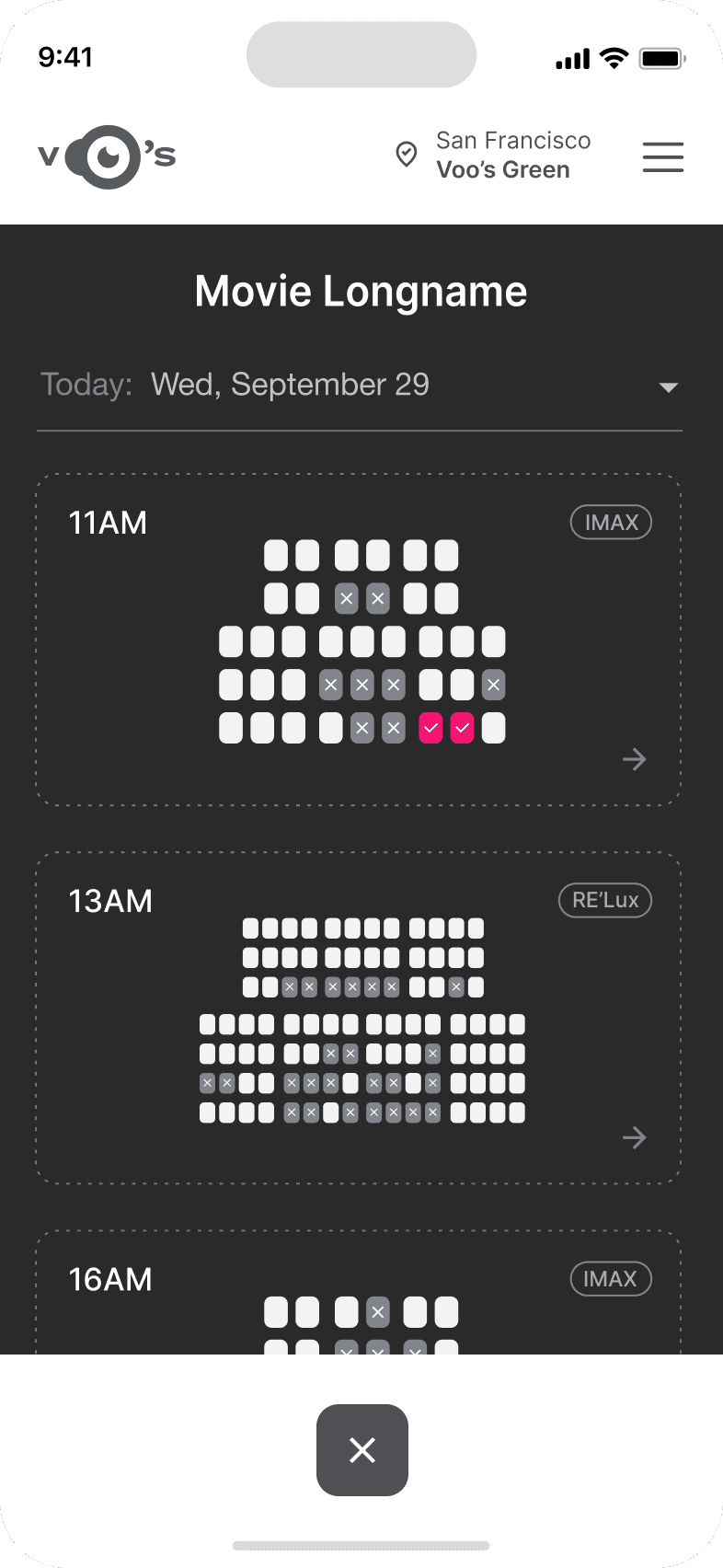
The project itself :
ArtisanCrafts is a handcrafted goods brand that traditionally sells products through local pop-up markets. While these markets allow artisans to connect directly with customers, they limit the brand’s ability to scale and reach a broader audience.
Handcrafted marketplaces often struggle to recreate the personal connection that customers experience when buying products directly from artisans at local markets.
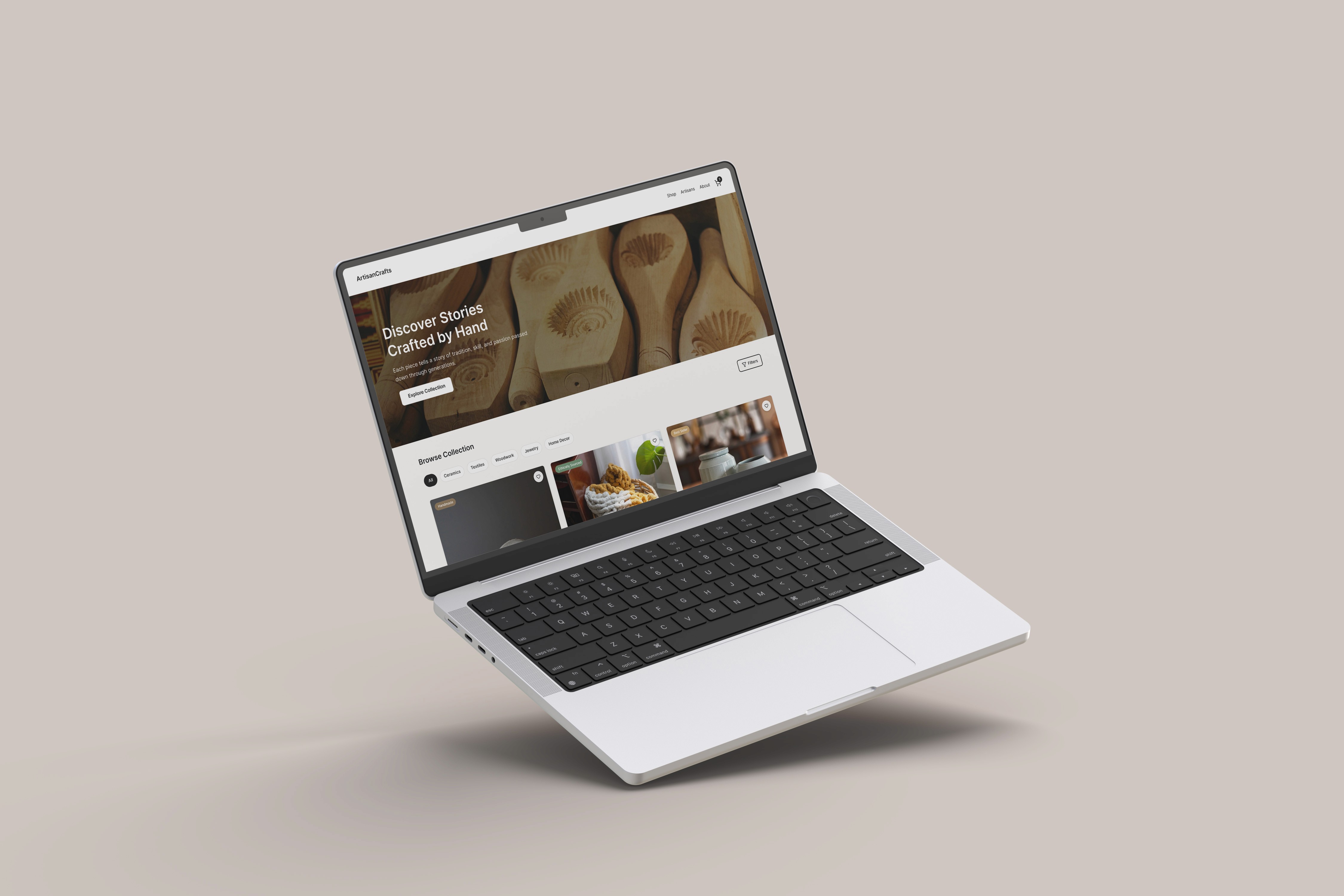
The goal of this project was to design a responsive e-commerce platform that preserves the authenticity of handcrafted goods while providing a seamless online shopping experience.
UX/UI Designer responsible for product concept, user research synthesis, interaction design, and interface design.
User research
Wireframing
Prototyping
Hi-Fidelity mockup design
iterating on designs,
making high-fidelity prototype
All about the user :
Handcrafted marketplaces often struggle to recreate the personal connection that customers experience when buying products directly from artisans at local markets. At a physical market, shoppers can meet the artisan, hear the story behind the product, and understand how the item was made. Traditional e-commerce platforms rarely capture this experience. This creates several challenges for independent artisans:
Difficulty standing out among mass-produced products
Limited opportunity to share their story and craft
Challenges justifying higher prices for handmade goods
Highlight artisan stories and craft processes
Emphasize product authenticity and uniqueness
Build trust through transparent product information
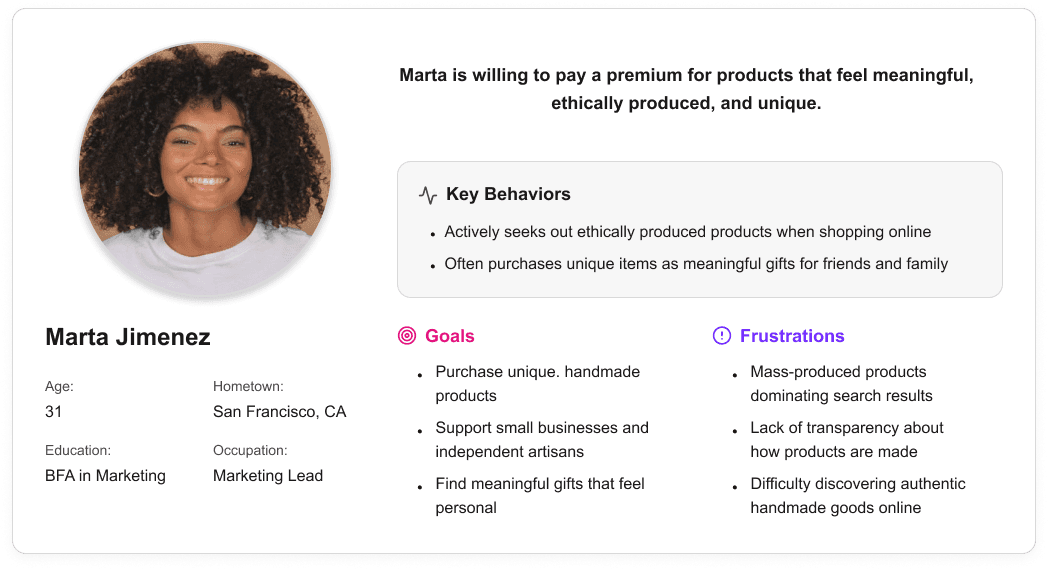
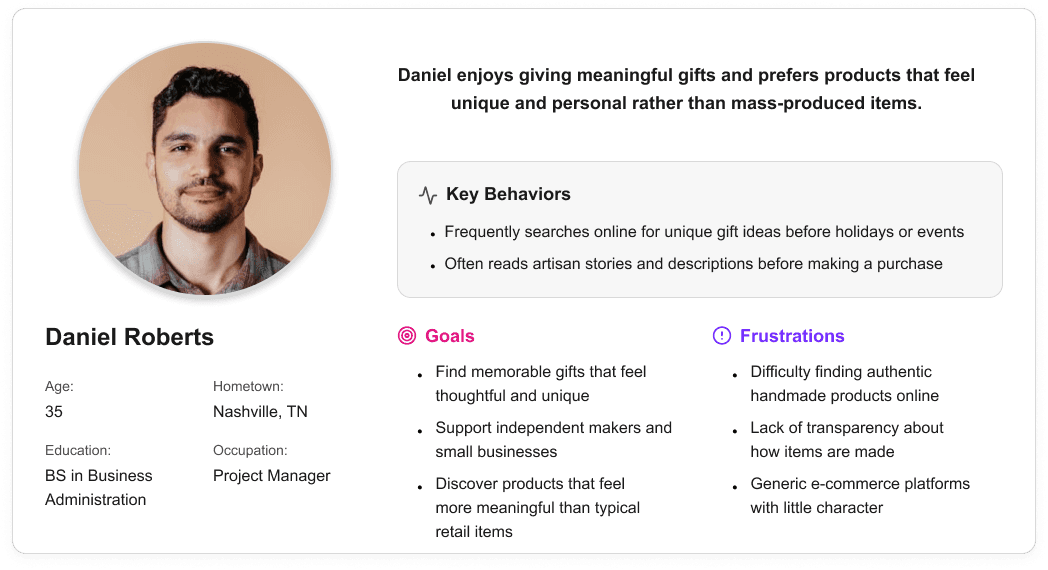
The primary audience for ArtisanCrafts consists of eco-conscious millennials who value handmade and ethically sourced products. These users often shop online for unique gifts or home items but prefer brands that demonstrate transparency and ethical production.

It is the series of experiences Carlos has as he achieve a specific goal. It was built on the his experience.
Existing infotainment development workflows are spread across disconnected tools and disciplines, creating friction during iteration and review. Interface concepts are often evaluated without accurate physical context, making it difficult to assess spatial relationships, reach, and visibility early in the process. As a result, feedback cycles slow down and misalignment between teams can persist until later stages of development.
A spatially accurate reference environment to evaluate layout, scale, and visual hierarchy in context
Clear alignment between digital interface behavior and physical hardware constraints
It is the series of experiences Carlos has as he achieve a specific goal. It was built on the his experience.
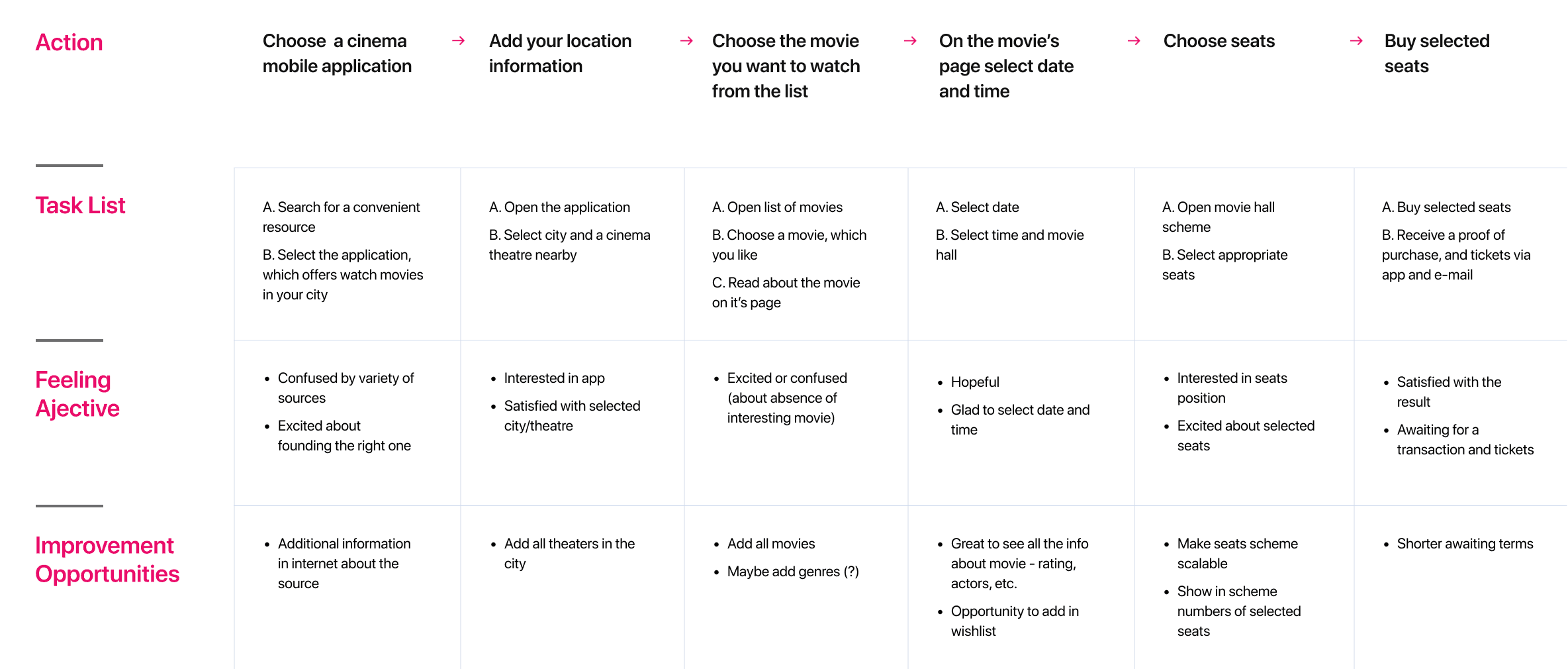
I developed a user journey map of Carlos's experience with the app to highlight potential pain points and identify areas for improvement.
After figuring out our user group, we created a survey for Gen-Z commuters to help draw out insights that might lead to design opportunities. This survey was equipped with two different types of questions:
Current driving questions
Future thinking, Level 5 questions
It is the series of experiences Carlos has as he achieve a specific goal. It was built on the his experience.
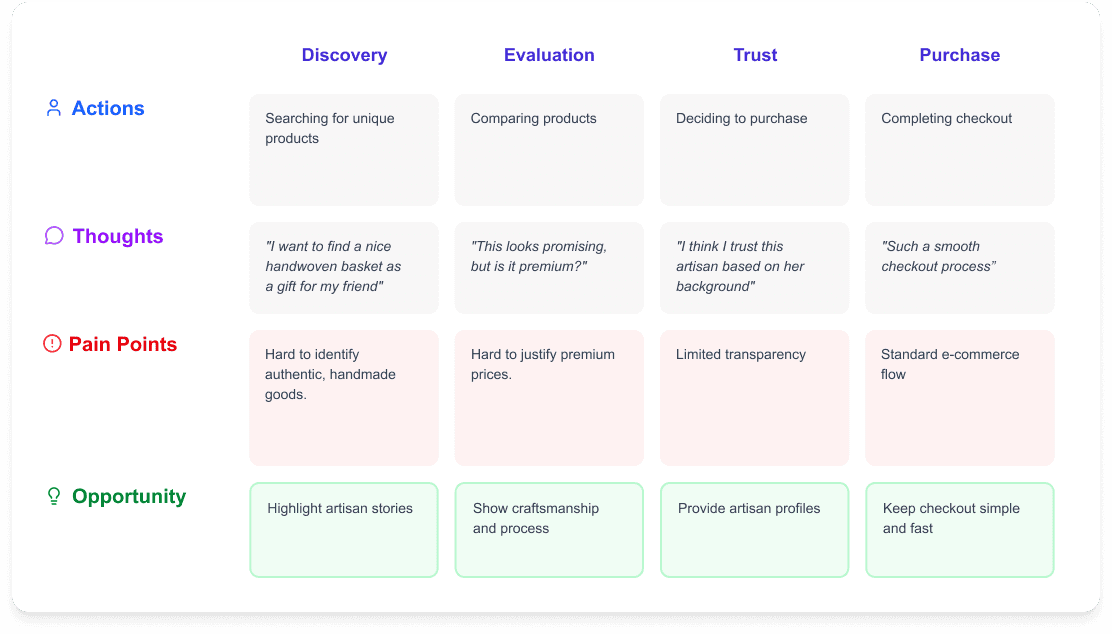
The purchasing journey for handmade products was mapped to understand where users struggle when shopping online.
The ideal journey begins with discovering unique products, learning about the artisans who create them, and completing a seamless purchase. By emphasizing artisan profiles and storytelling, the platform strengthens trust and emotional engagement.
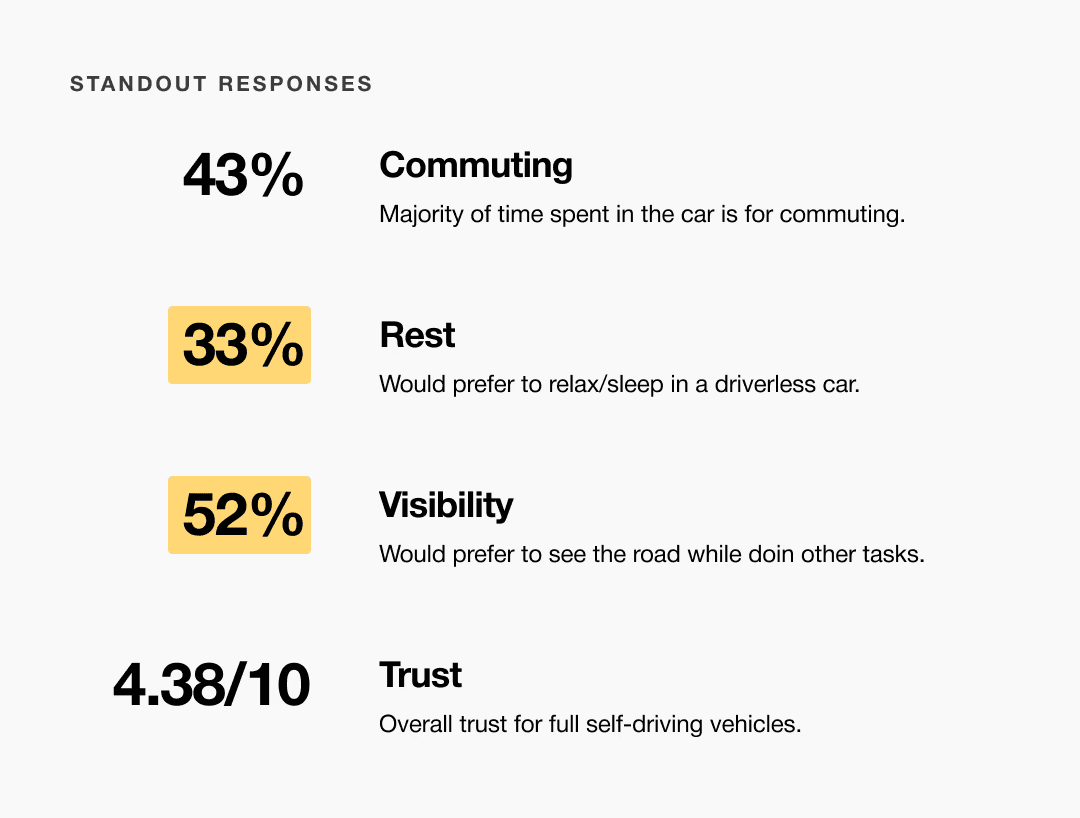
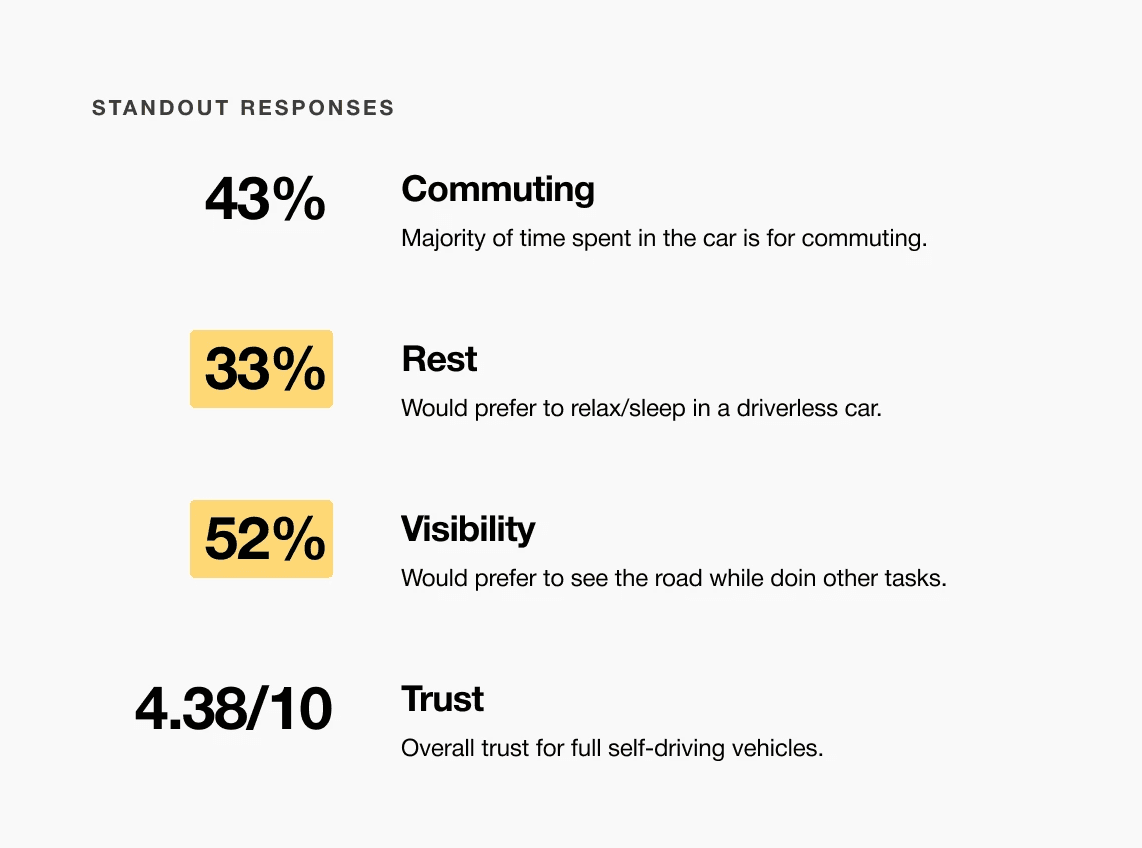
A slight majority of surveyors would like to rest in a driverless car, but getting additional work done was a close second.
Visibility to the road is important to surveyors, so the HUD should not clutter their view.
Commute time often feels underutilized or disconnected from passengers’ goals
It is the series of experiences Carlos has as he achieve a specific goal. It was built on the his experience.
ArtisanCrafts bridges the gap between physical craft markets and digital commerce. By showcasing artisan stories alongside product listings, the platform helps customers connect emotionally with handmade goods while supporting independent creators.
Choose a good movie in a cinema theatre nearby and select seats in an app in a fast and clear way
It is the series of experiences Carlos has as he achieve a specific goal. It was built on the his experience.
Accurate alignment between physical and digital environments was critical to the success of this system. Scan data required careful reconstruction to preserve production vehicle proportions while meeting fabrication and simulator constraints. Considerations such as driver eye point, seating position, reach zones, and mounting tolerances informed how the digital model was engineered and how physical components were integrated, reinforcing the need for a tightly coupled physical and digital reference.
Choose a good movie in a cinema theatre nearby and select seats in an app in a fast and clear way
The project schematically :
Concept exploration focused on translating the experience of browsing a craft market into a digital environment. The design emphasized strong product imagery, artisan storytelling, and clear navigation. Early design explorations focused on balancing storytelling with traditional e-commerce usability.
The series of hand-drawing frames that visually describe and explore a user's experience with a product.
Storyboards illustrated the experience of a user searching for a unique gift, discovering an artisan product, and learning about the maker before completing a purchase. These storyboards helped clarify how storytelling could influence purchasing decisions.
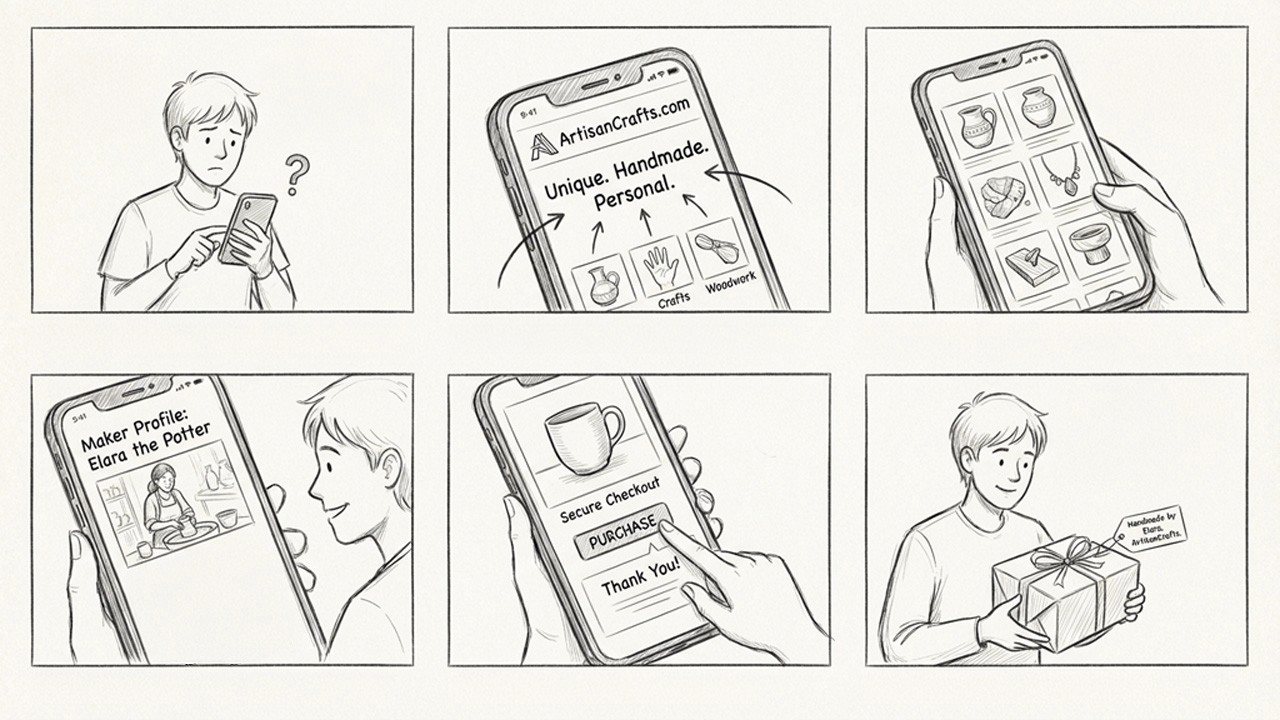
Big picture storyboard, which focuses on the user experience. It's about how people will use the Voo's app during their day and it will be useful.
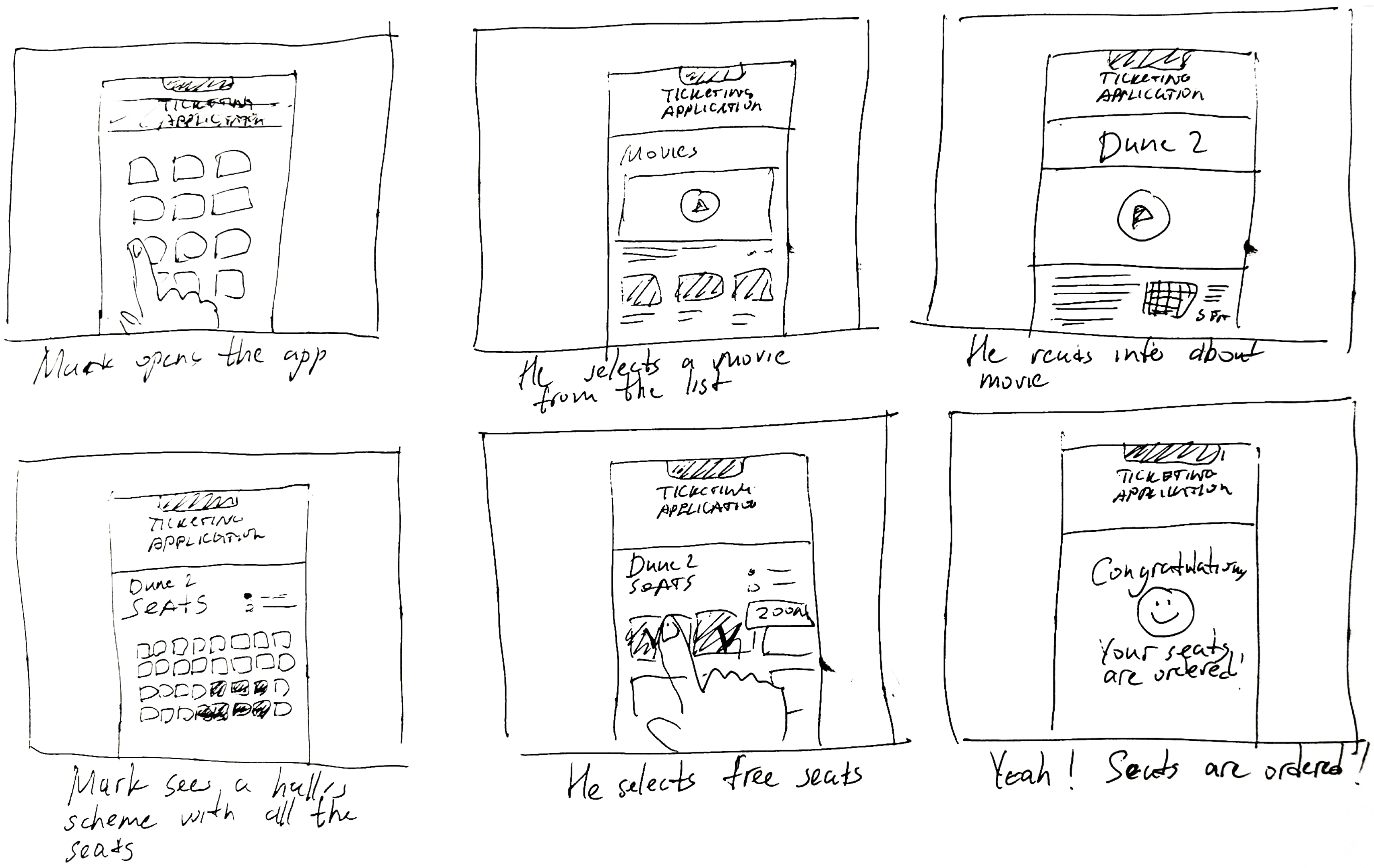
Close-up storyboard focuses on the app instead of on the user experiencing that product. Shows what happens on each screen of the app.
We were able to determine three zone of legibility when testing text elements on the HUD. From here we started creating an information hierarchy based on these zones to identify what should be displayed where.
When testing, users reported eye fatigue when there were large blocks of bright colors on the HUD. We pivoted to muted/ transparent elements in later designs.
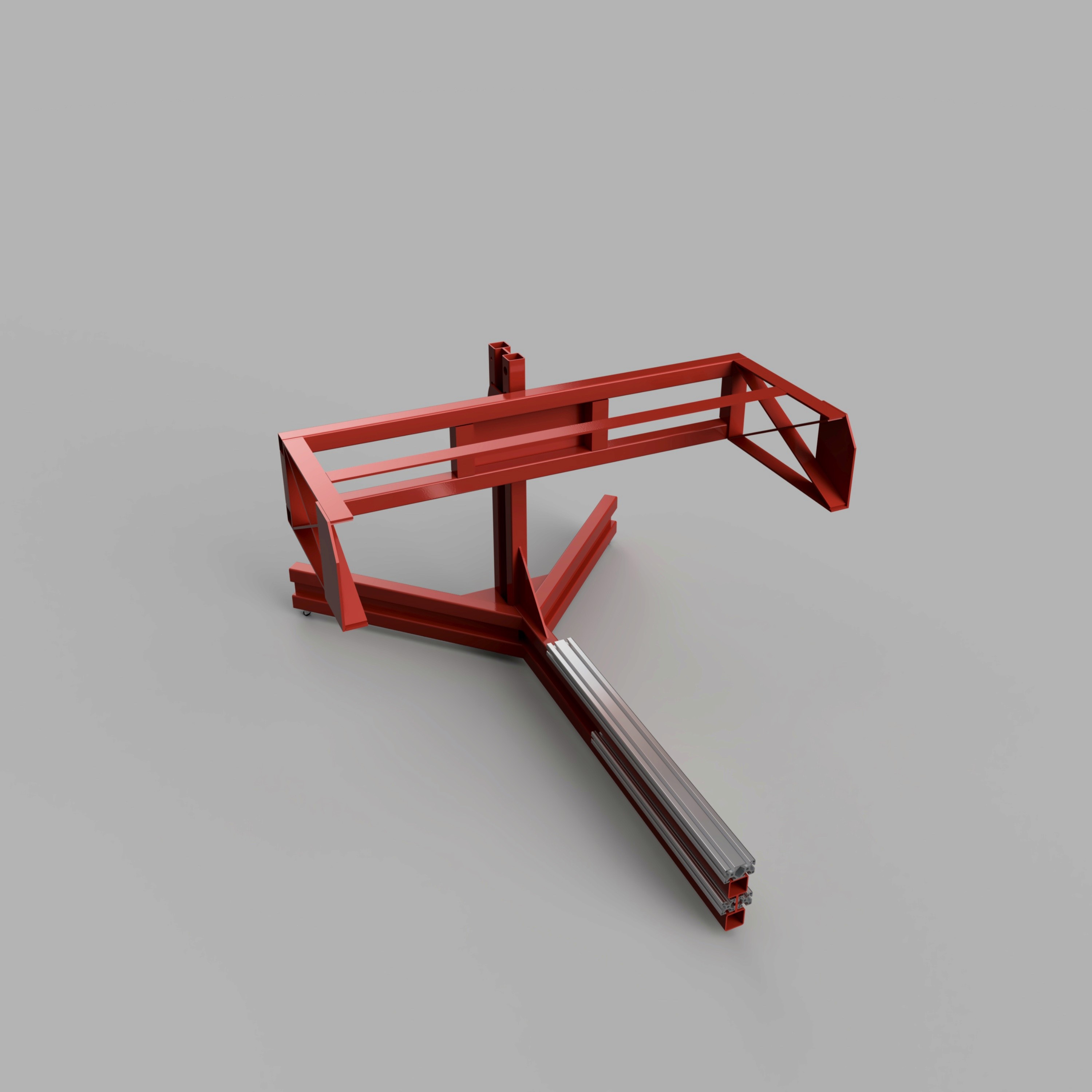
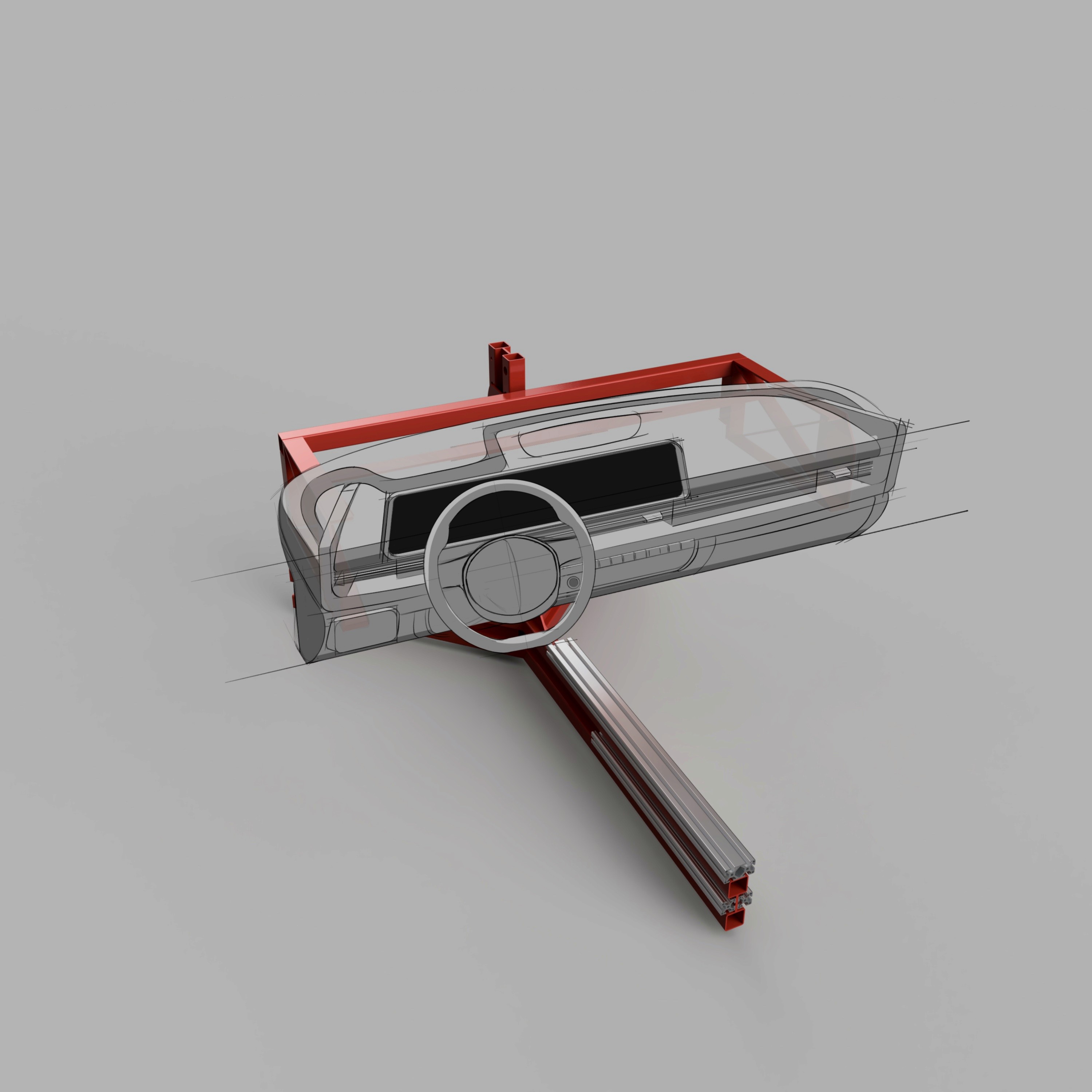
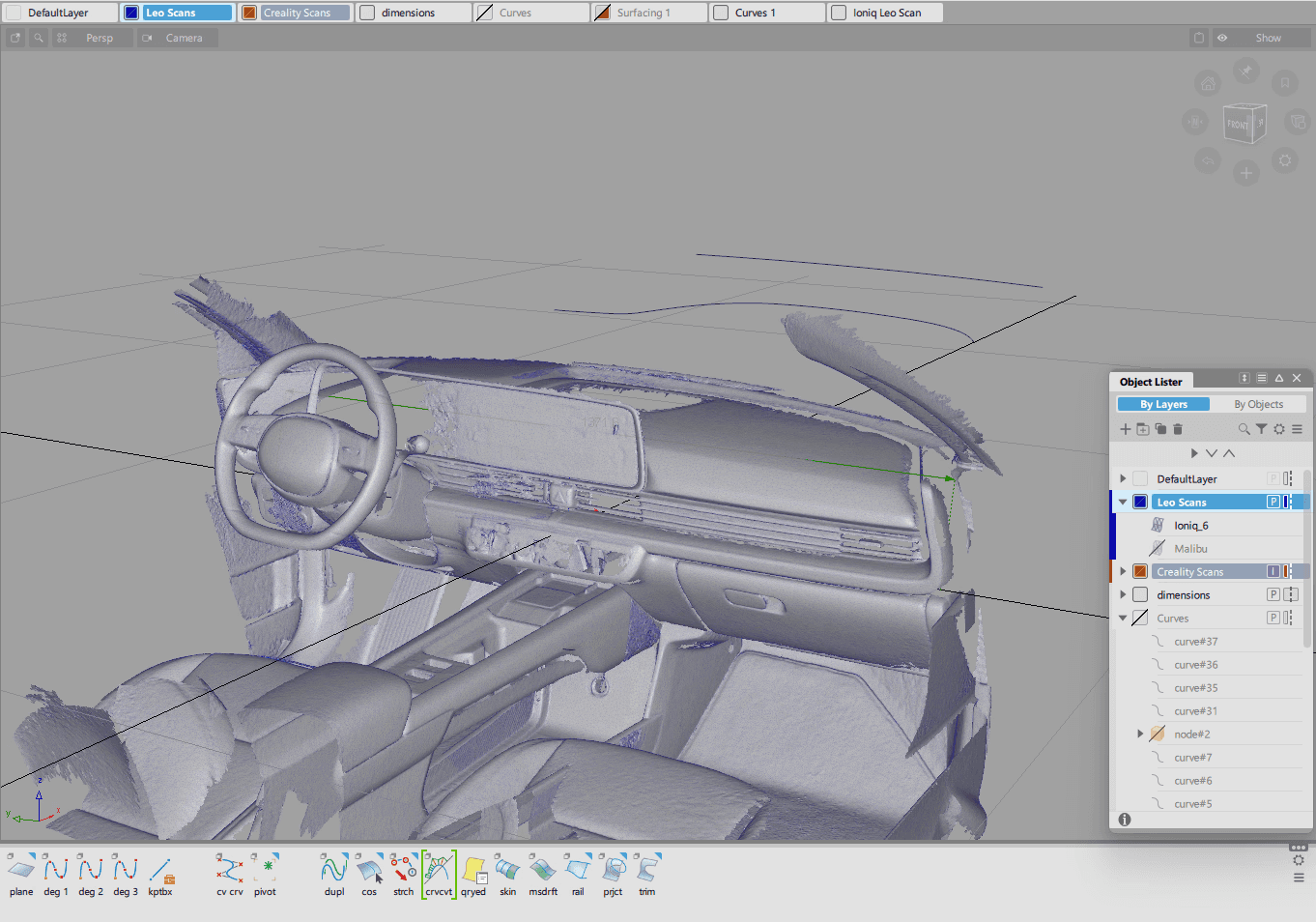
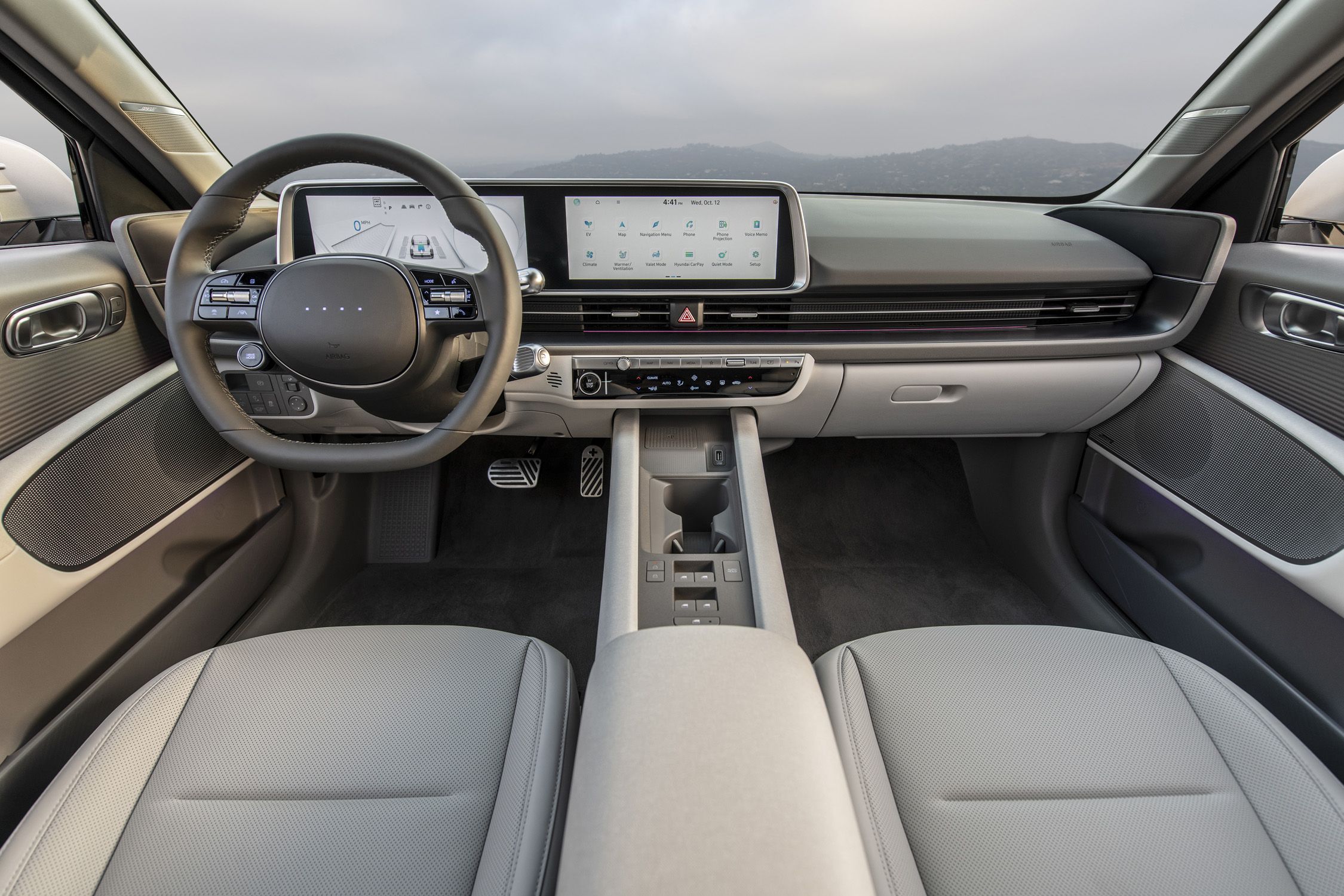
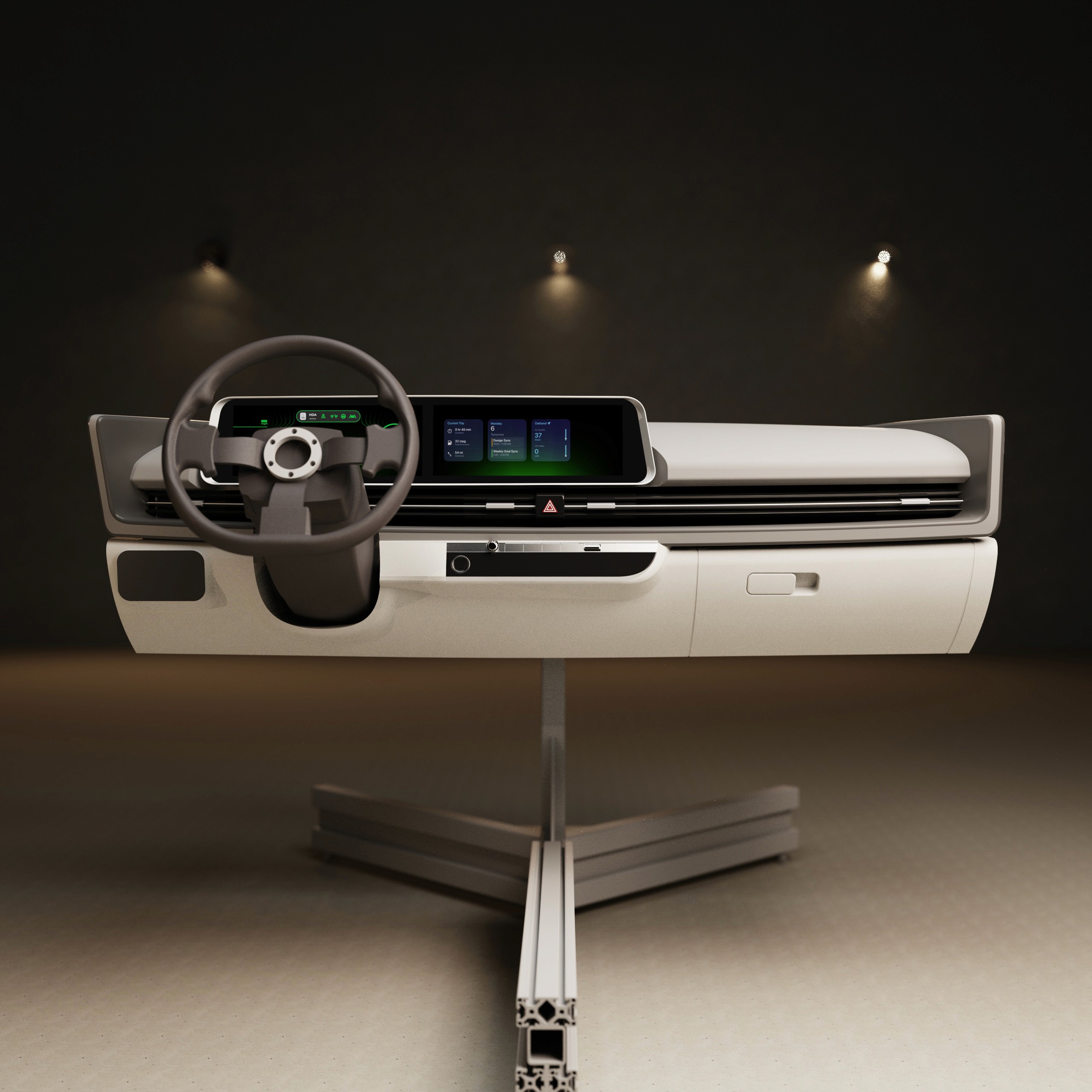
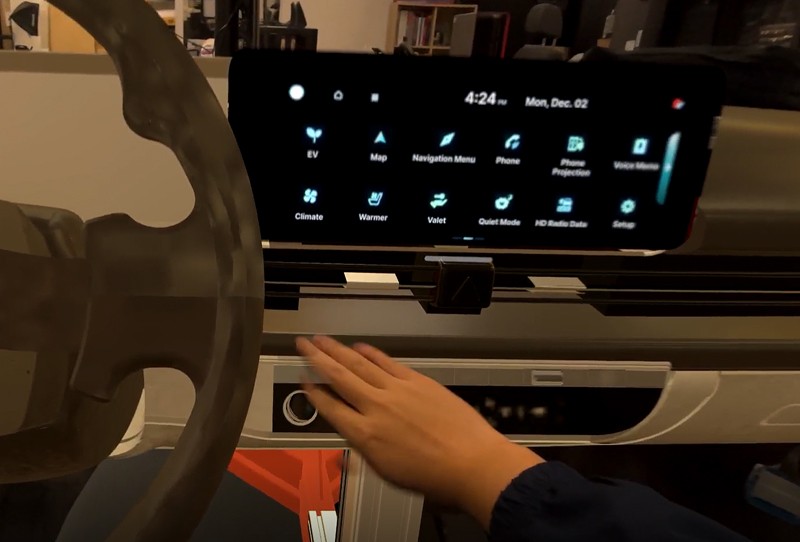
After capturing the interior data of the Ioniq 6 with the Artec Leo 3D scanner, this mesh data became the digital reference that the team would use for the dashboard and all surrounding geometry to work from. The scan captured accurate proportions and spatial relationships, giving us the baseline needed for downstream modeling.
These are a high fidelity design that represents a final product
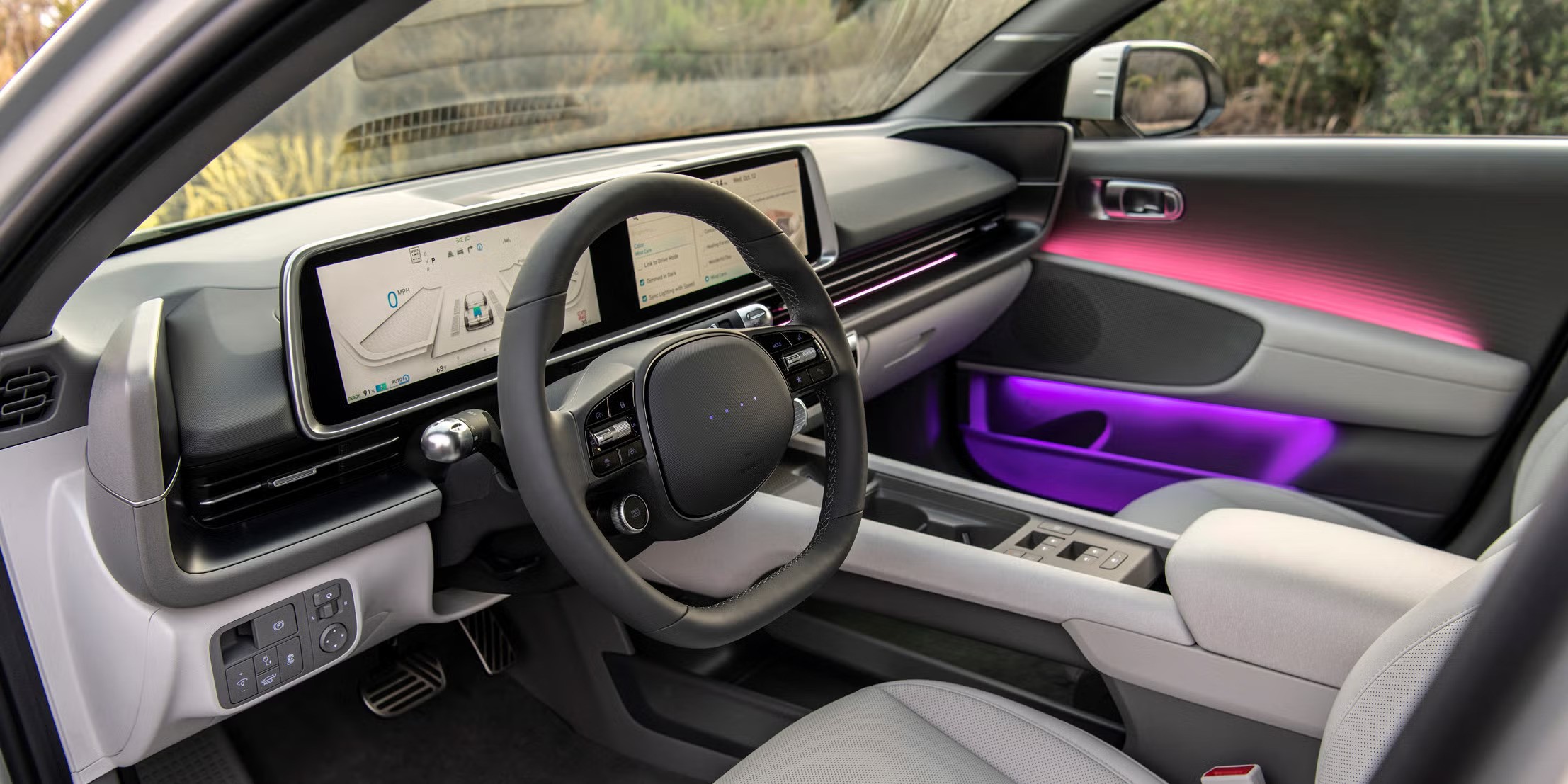
At the start of the project, the team identified the 2023 Hyundai Ioniq 6 at the target platform to test this mixed reality experience.
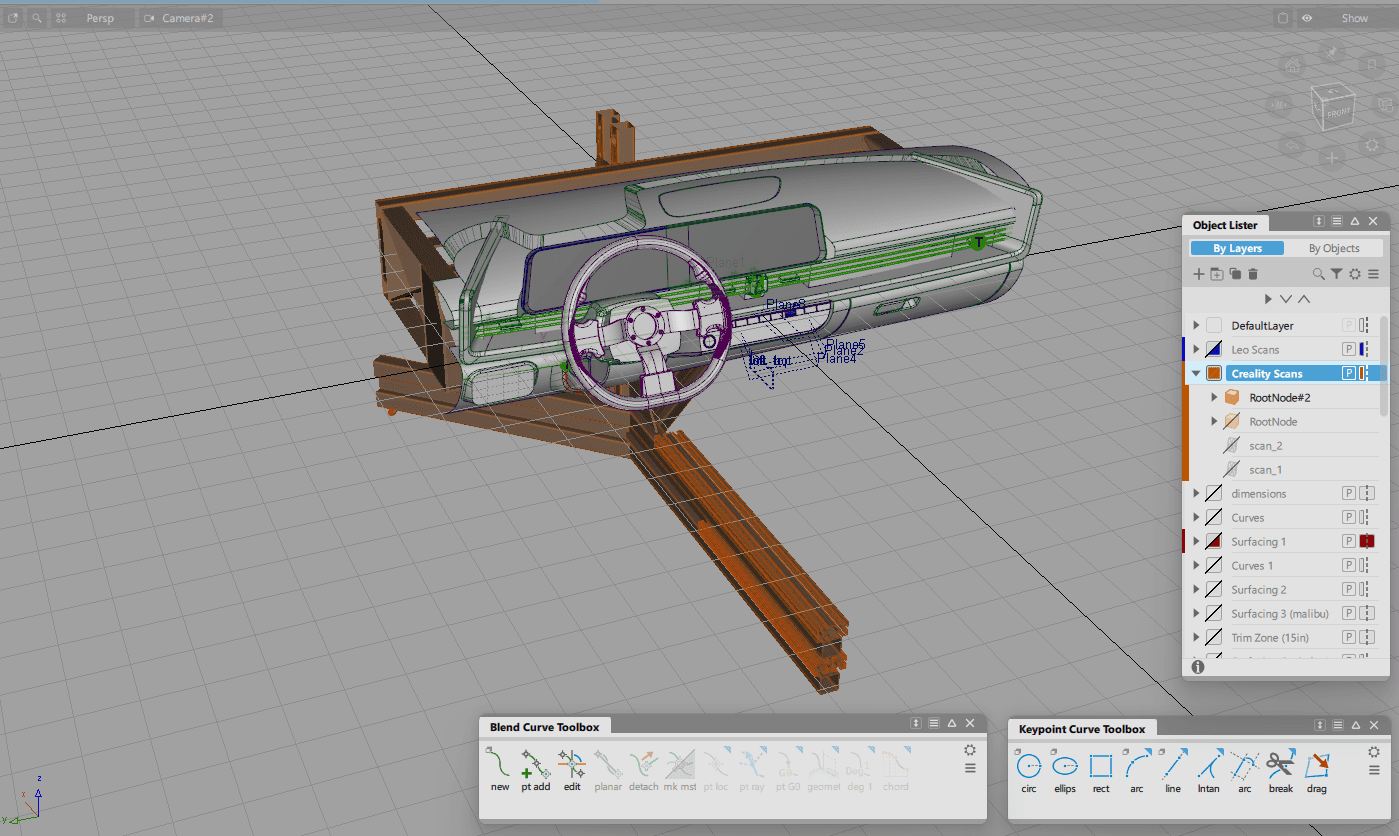
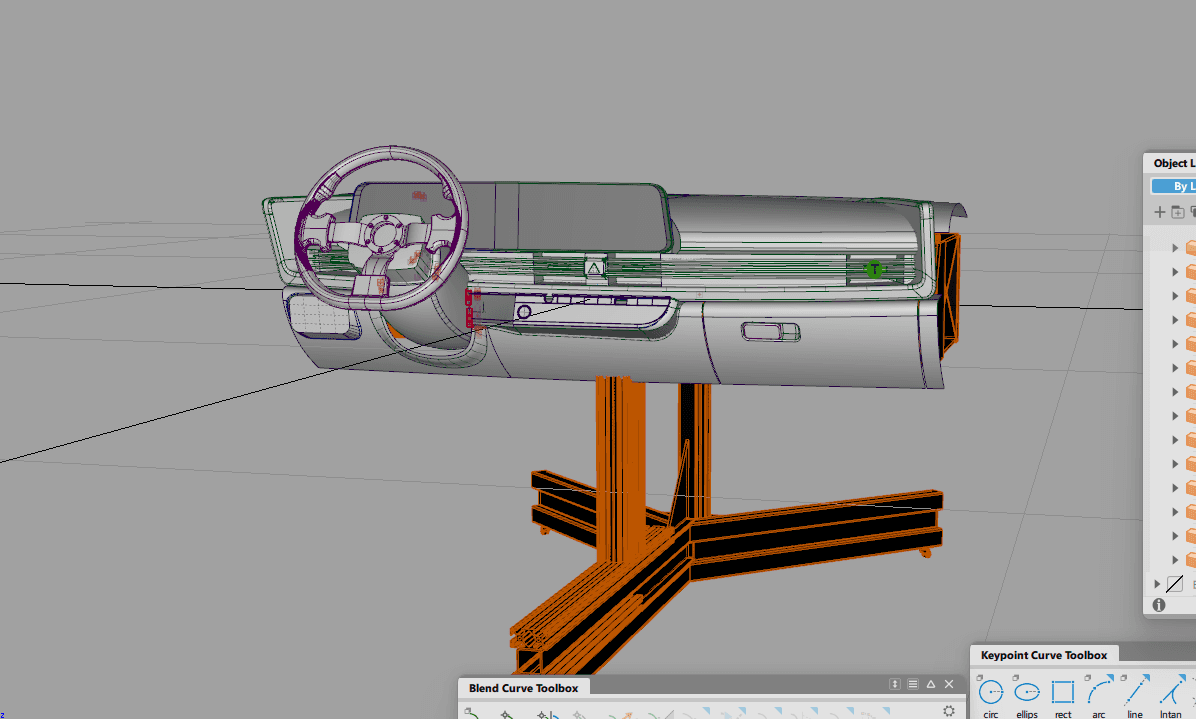
After placing the 3D scan into Autodesk Alias, we using the point data of the scan to guide the resurfacing of the Ioniq 6 interior. This shows the rebuilt surfaces in Alias.
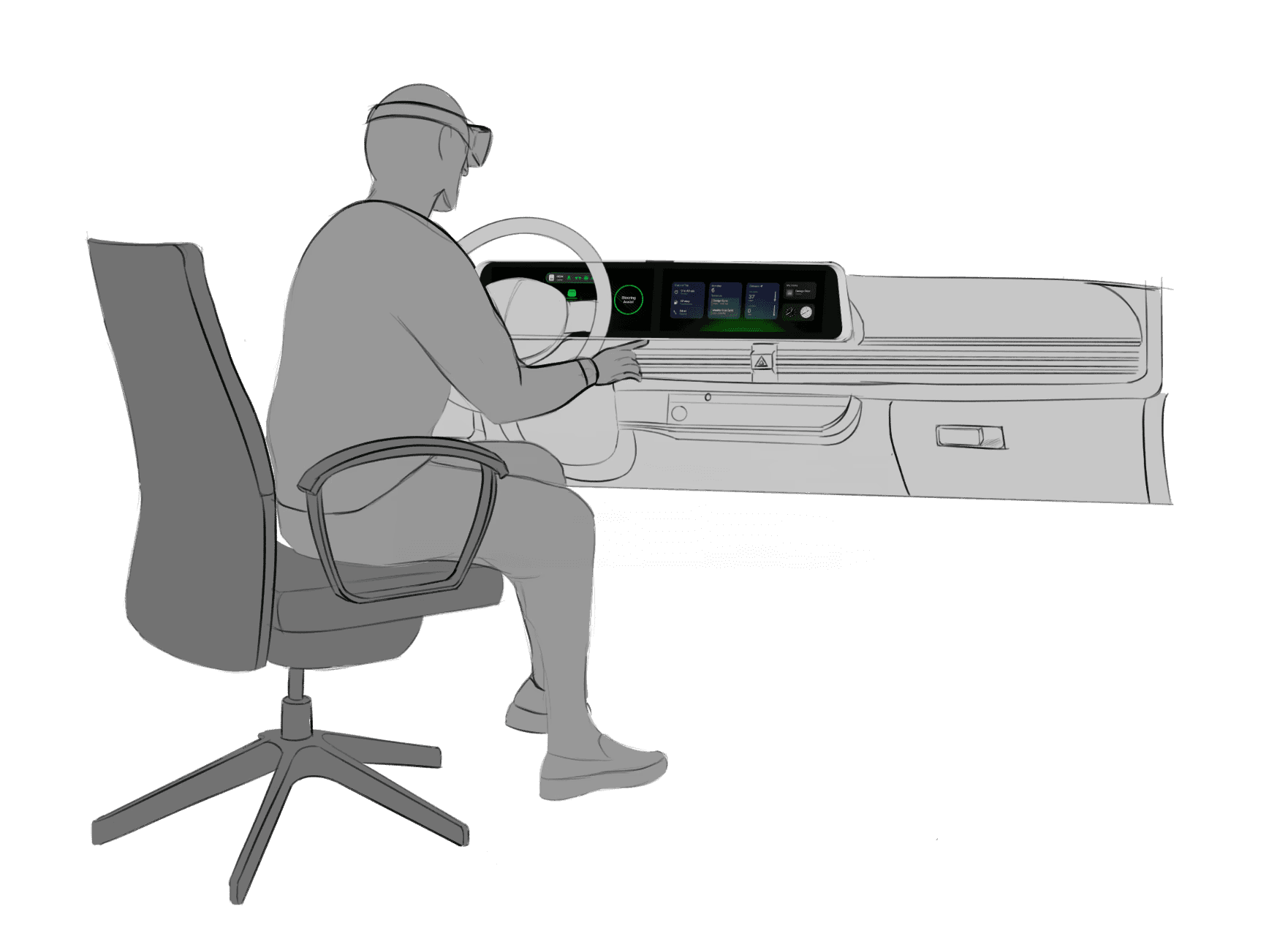
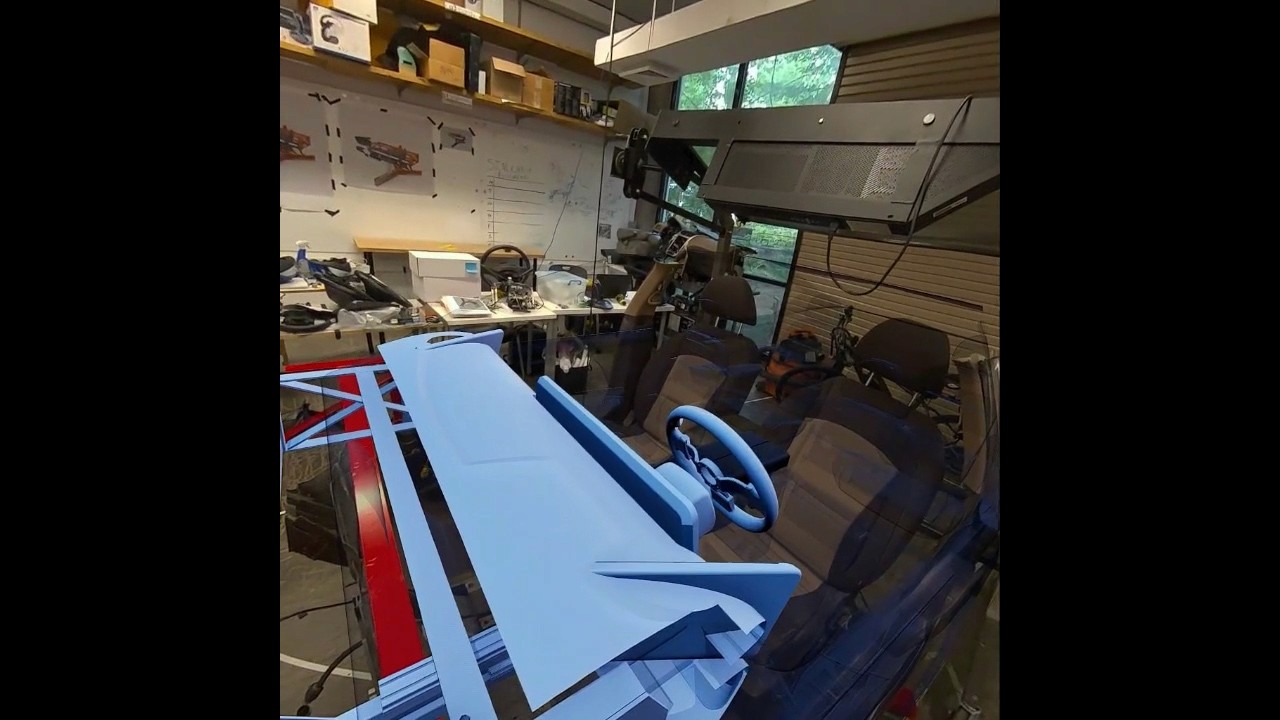
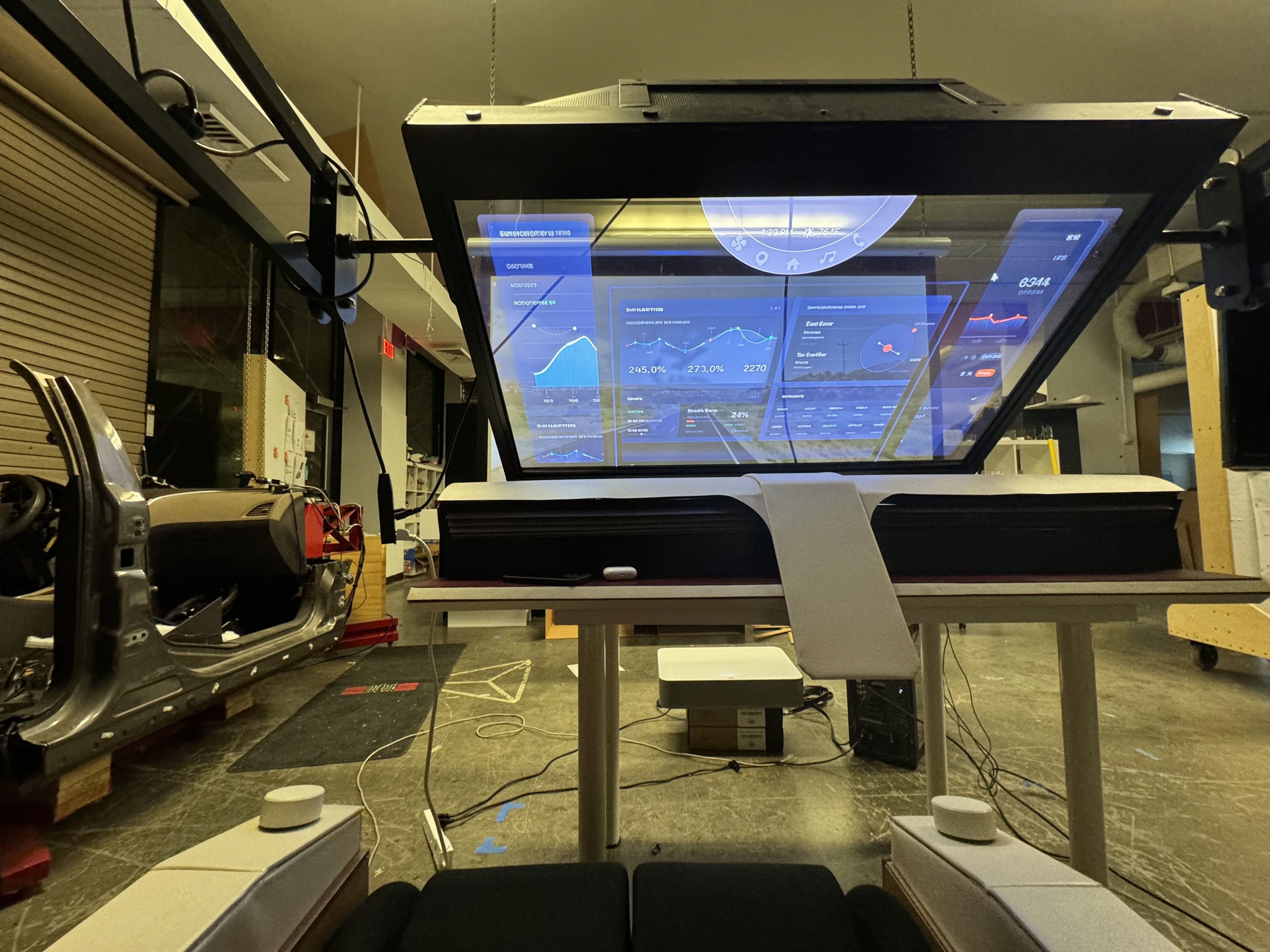
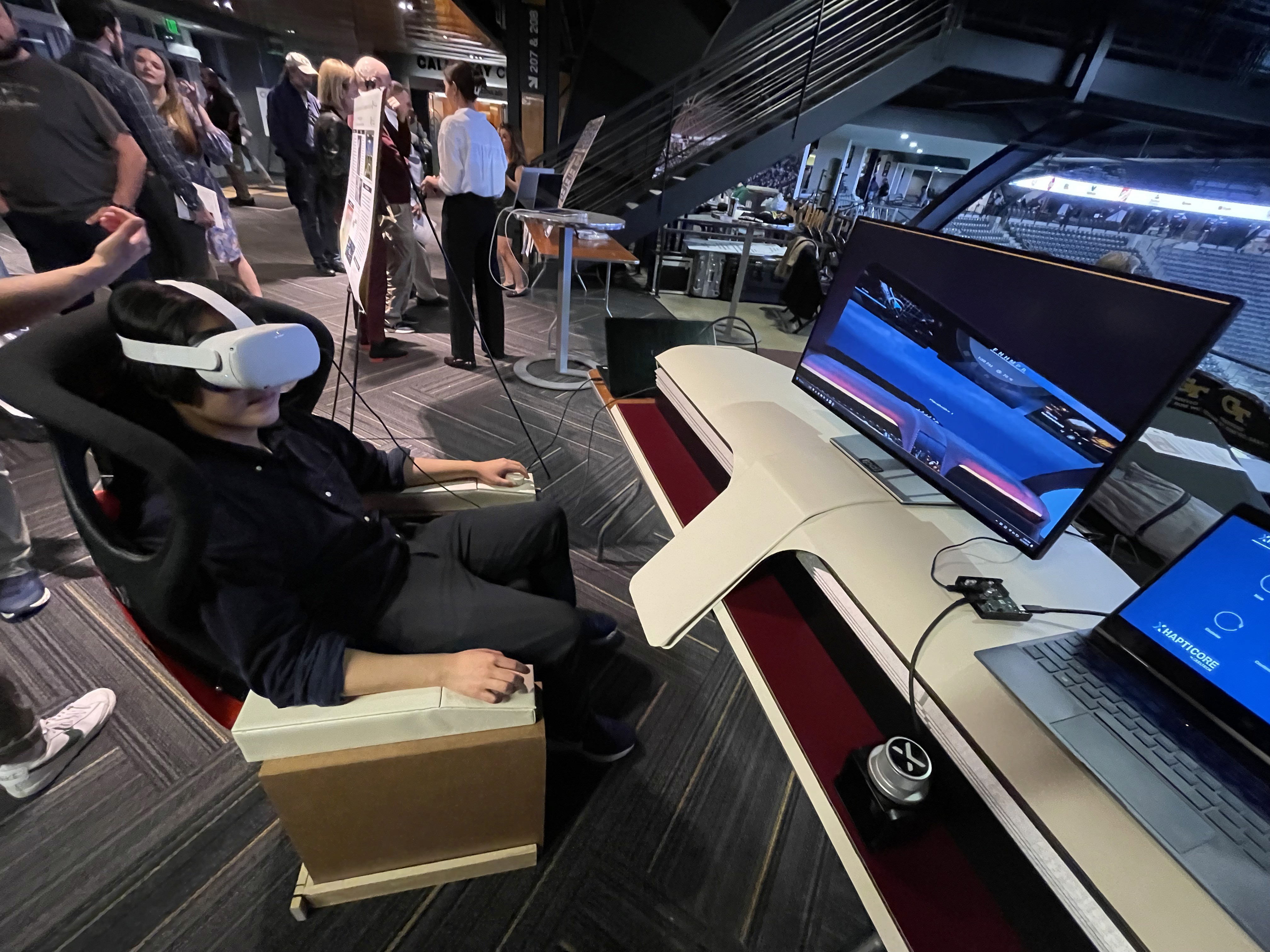
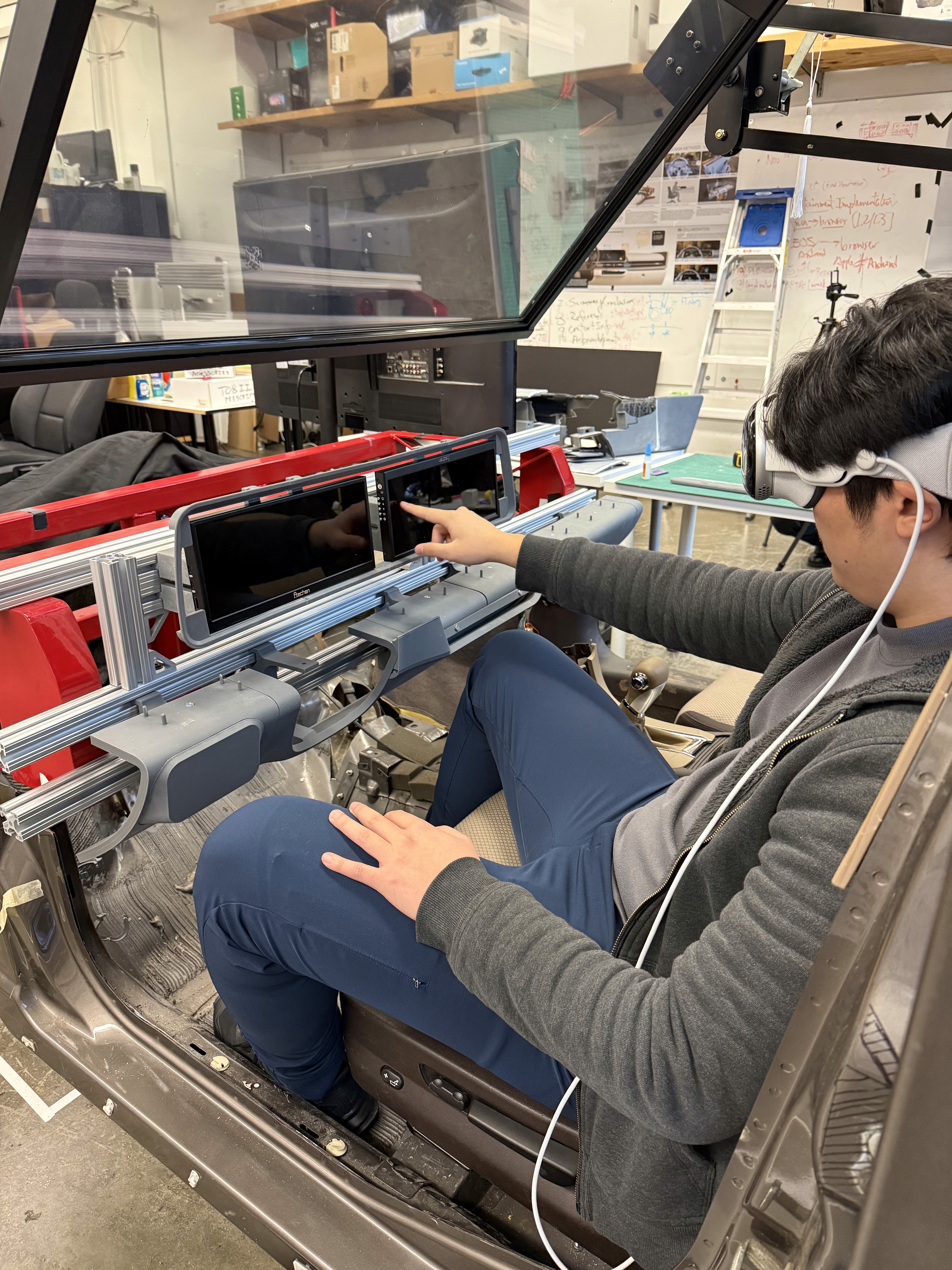
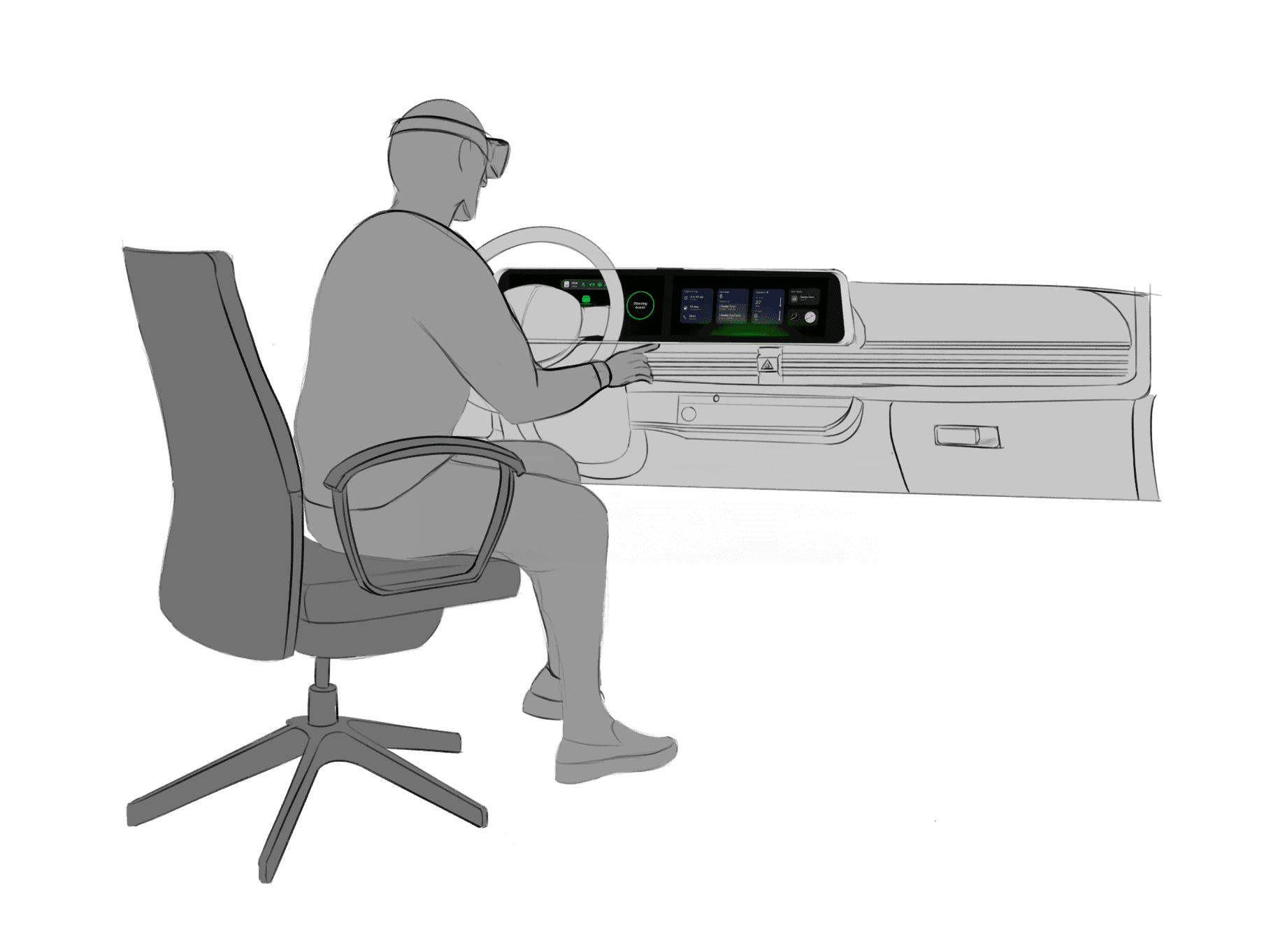
The virtual development environment was created to support the design, testing, and evaluation of spatial interfaces while maintaining alignment with a physical interior dash model. This environment enables the simultaneous use of 3D content, interactive screens, and external development tools, allowing rapid iteration and comparison across platforms. By combining virtual and physical elements, the system serves as a mixed-reality testbed for evaluating usability, interaction methods, and system behavior in an automotive HMI context across different user groups.
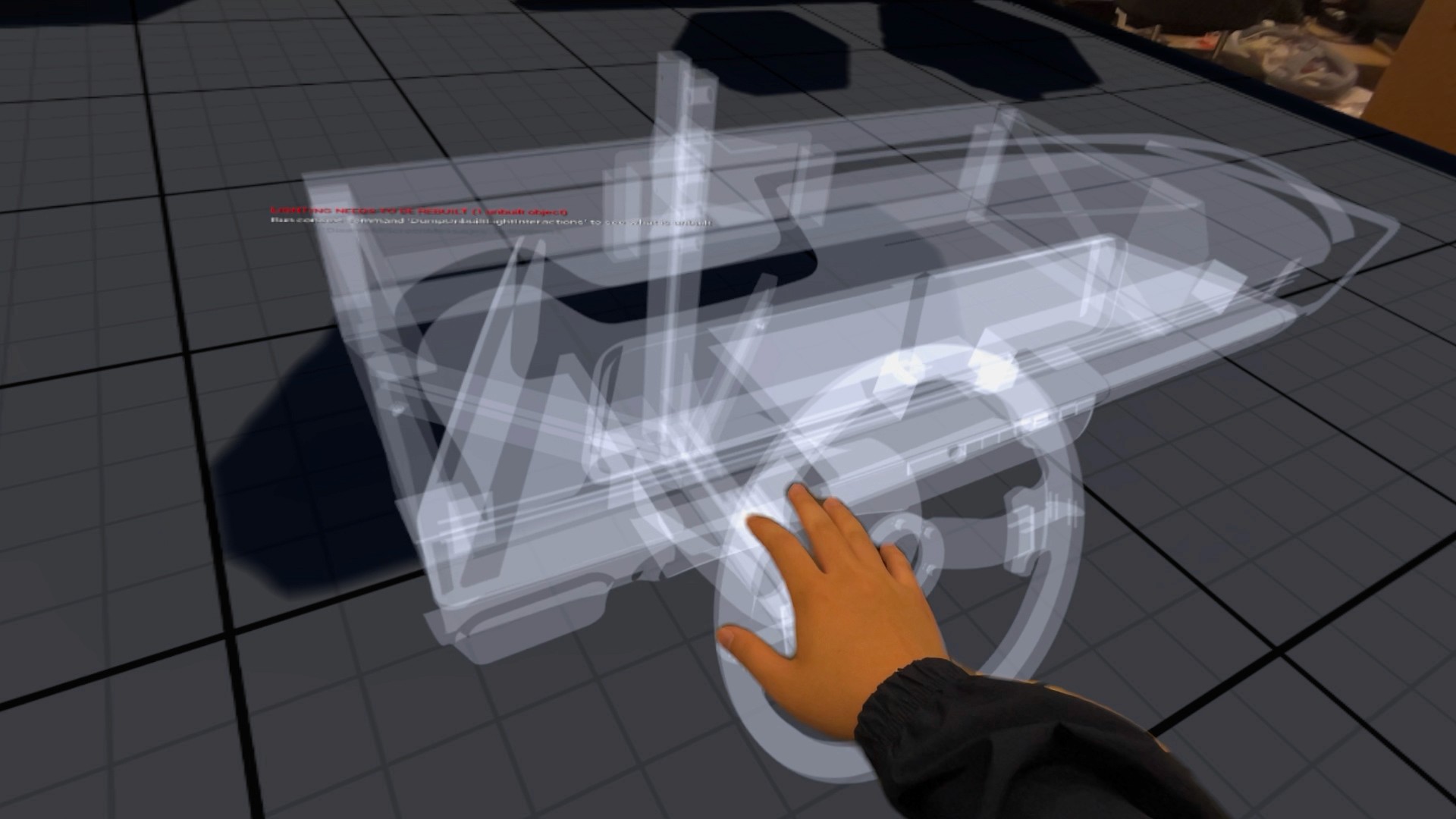
These are a high fidelity design that represents a final product
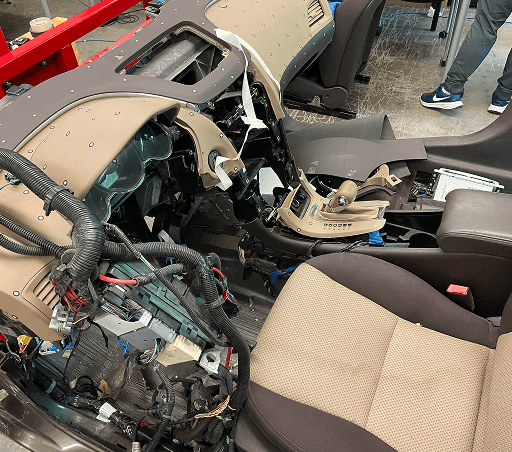
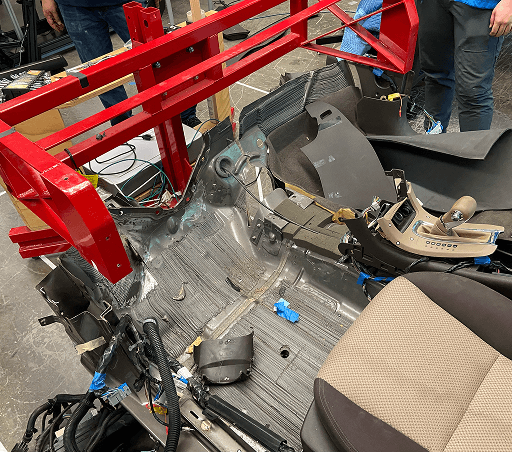
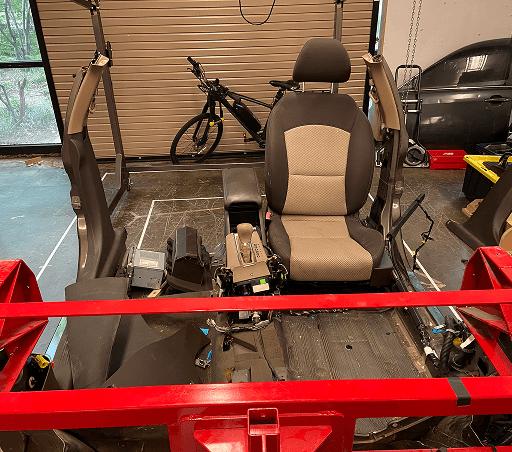
These are a high fidelity design that represents a final product
It's a structured scheme that outlines the pages and content hierarchy of the app.
Apps like your calendar and email lean heavily into the realm of work.
Almost all social media leans into the rest category.
It's a structured scheme that outlines the pages and content hierarchy of the app.
The sitemap highlights the core structure of the ArtisanCrafts marketplace, connecting product discovery, artisan storytelling, and purchasing into a seamless flow. Users can easily browse products, explore artisan profiles, and move through the checkout process without unnecessary navigation steps.
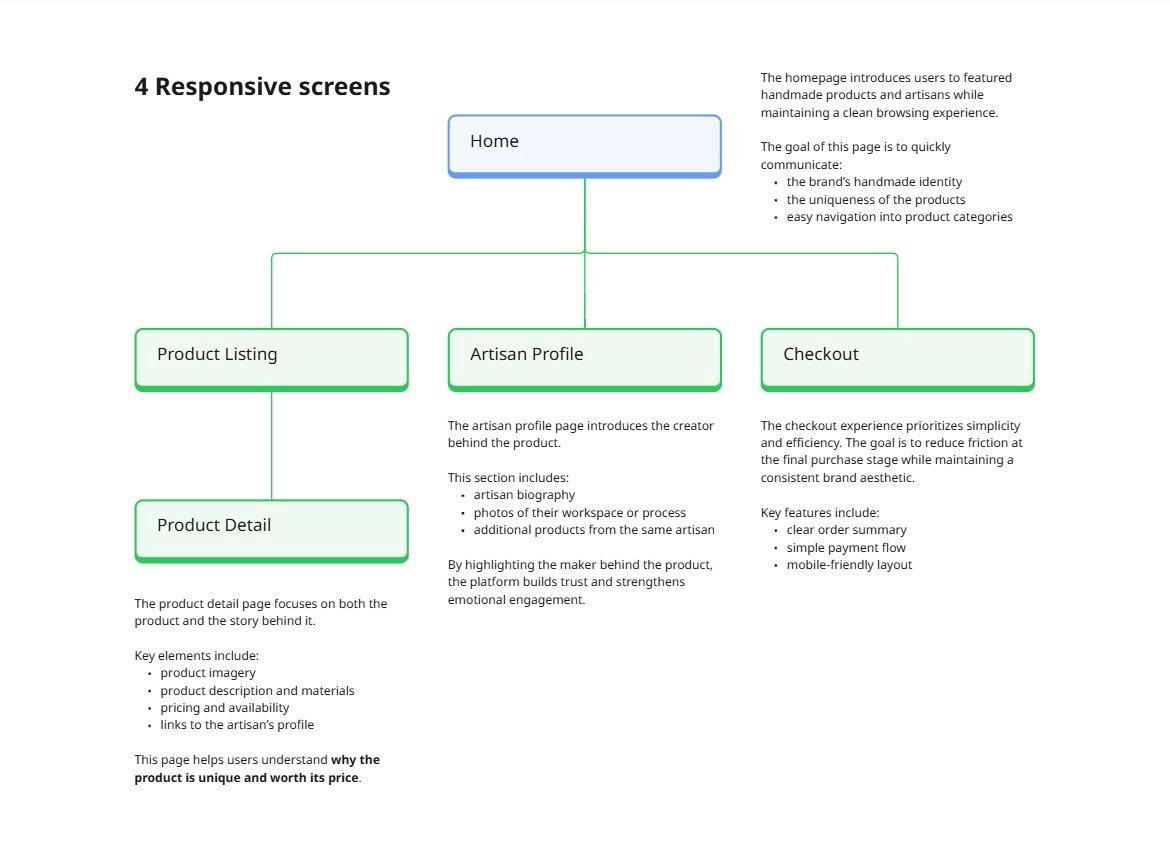
It's a structured scheme that outlines the pages and content hierarchy of the app.
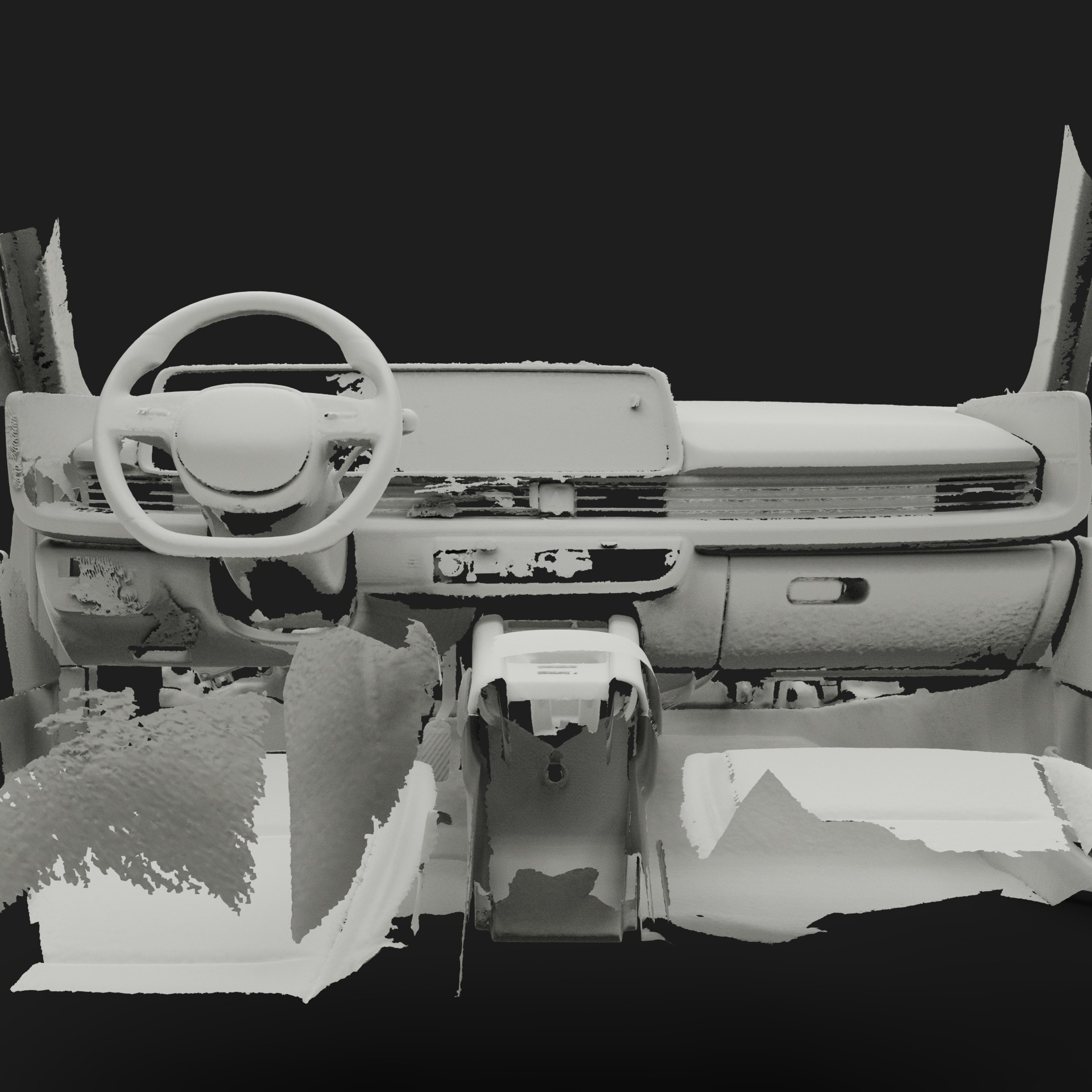
We first scanned the interior of an Ioniq 6 using an Artec Leo 3D scanner. This shows the raw output of this scan.
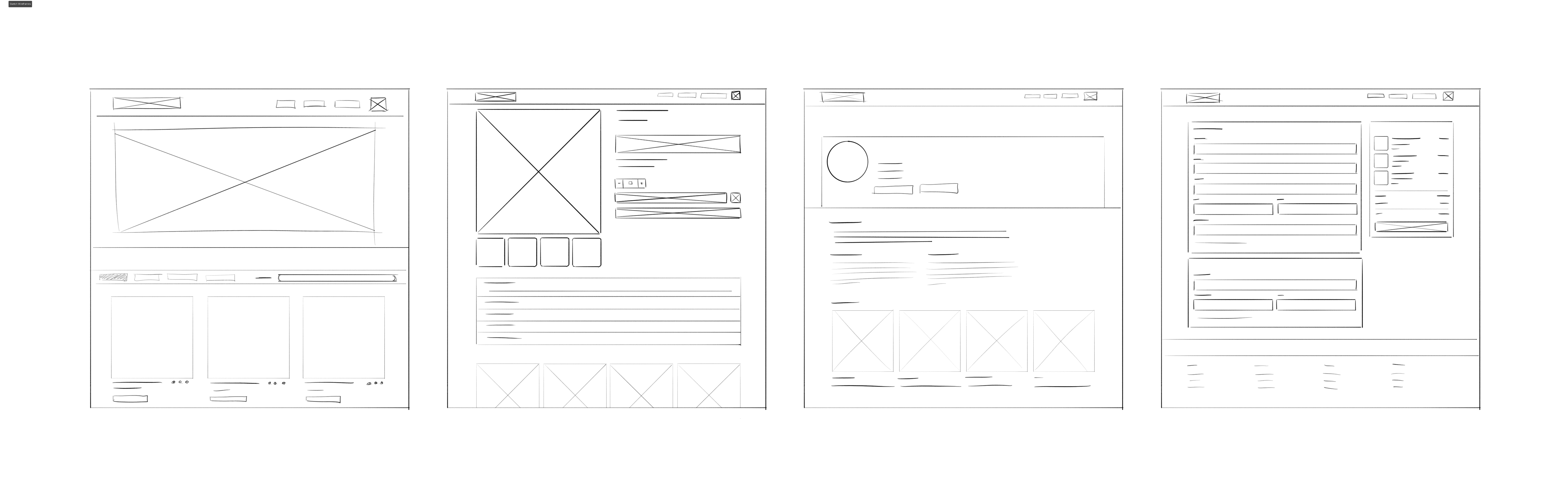
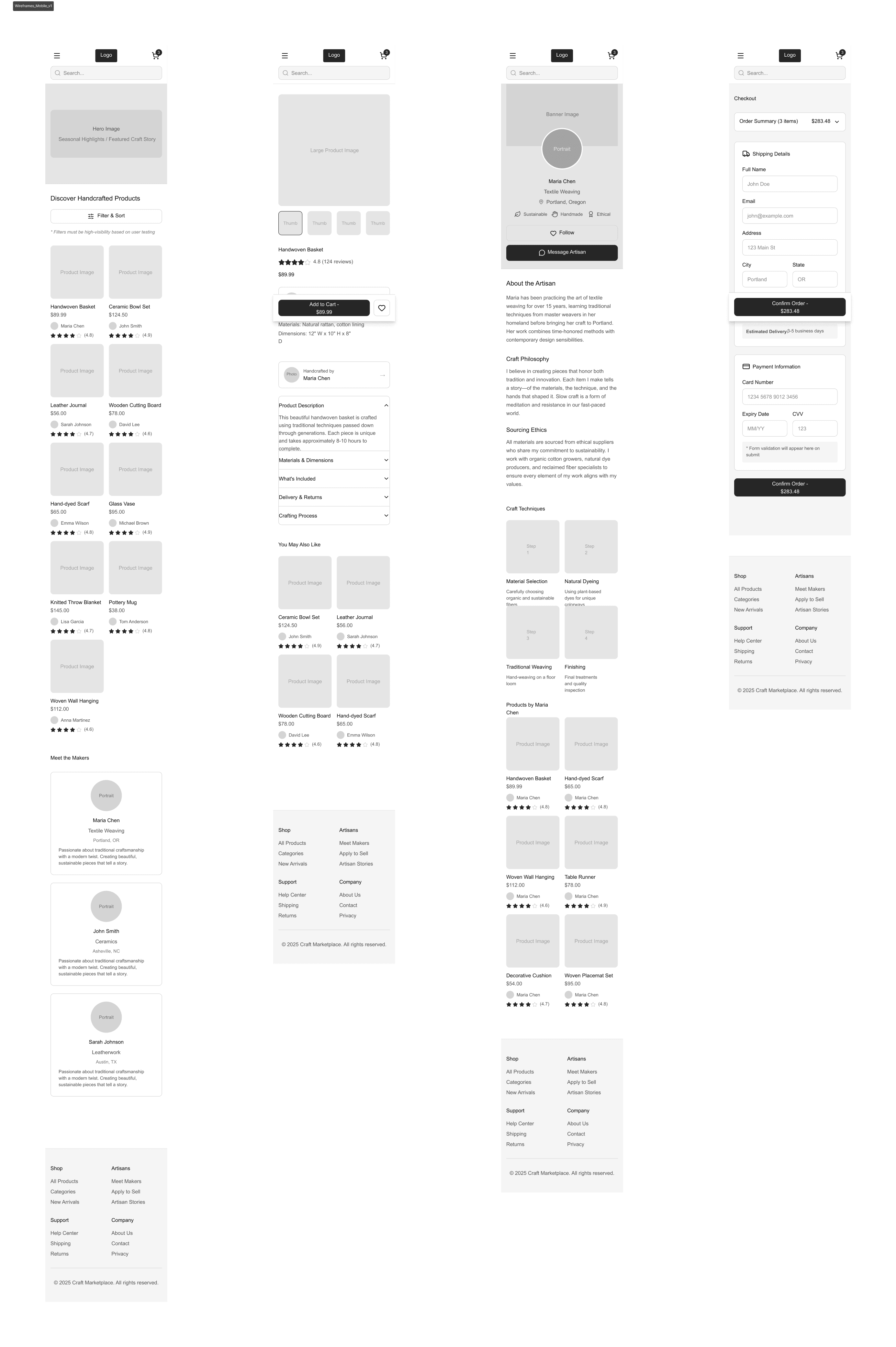
They initially oriented on the basic structure of the homepage and highlight the intended function of each element.
Initial sketches explored different layouts for product discovery and artisan storytelling. These sketches helped determine how product imagery and artisan information should be prioritized.
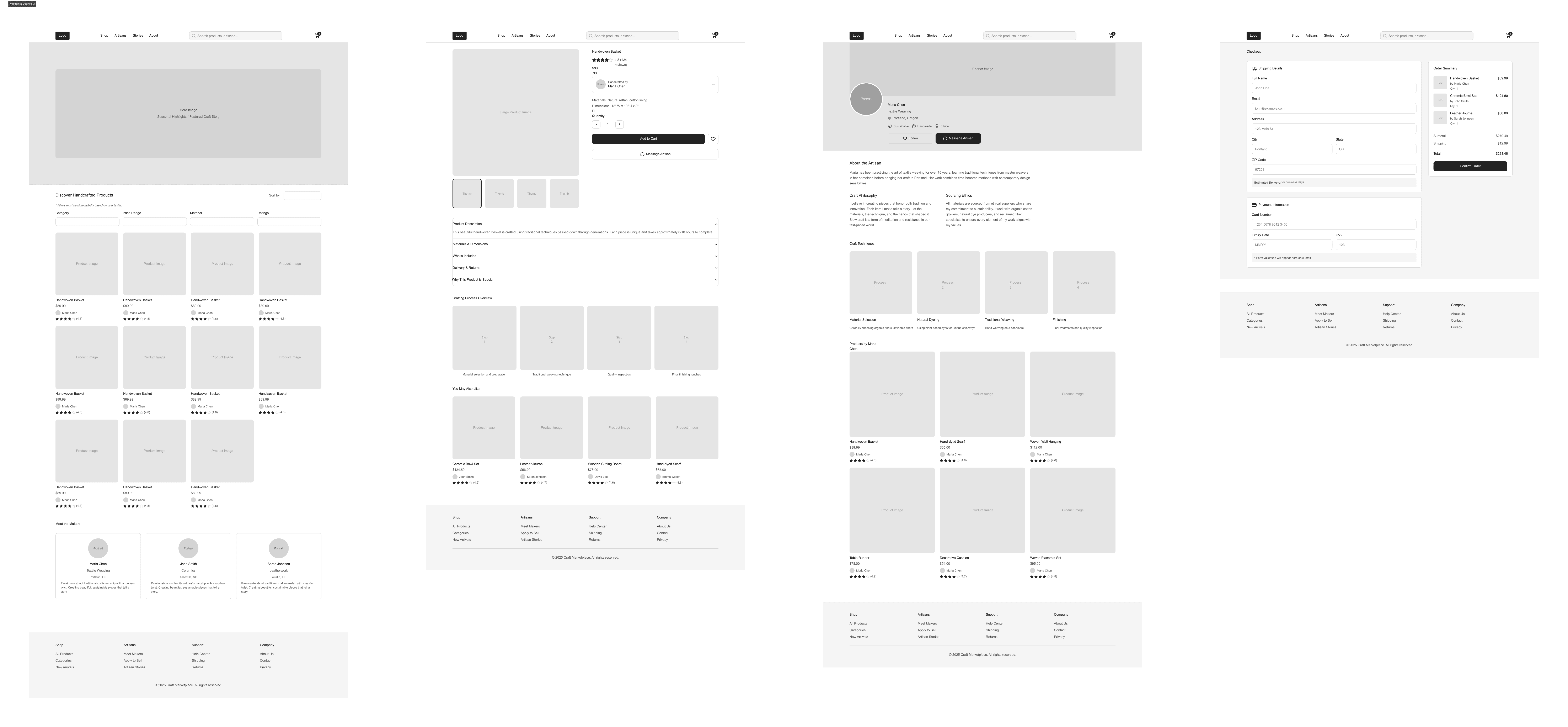
More "clear" version of wireframes in a digital form. Also all the important pages are added
in it.
Low fidelity wireframes translated early sketches into structured layouts that balanced product browsing with storytelling content. All wireframes built out in Figma.
More "clear" version of wireframes in a digital form. Also all the important pages are added
in it.
On this step I used the Figma design tool to create digital wireframes of all the pages. Then I bonded all of them into the clear and smooth structure.
The goal is to show how all the pages and things interact with each other.
This is an examination of users and their needs, which adds realistic context to the design process.
Early usability testing focused on evaluating how users discovered products and navigated artisan profiles. Participants were asked to find a product, learn about the artisan, and complete a purchase.
Users strongly responded to artisan storytelling content
Participants preferred large product imagery with minimal visual clutter
Some users wanted clearer navigation to explore additional products from the same artisan
The clear version :
The refinement stage focused on improving product visibility, strengthening storytelling elements, and optimizing the purchasing workflow across desktop and mobile devices.
It's a structured scheme that outlines the pages and content hierarchy of the app.
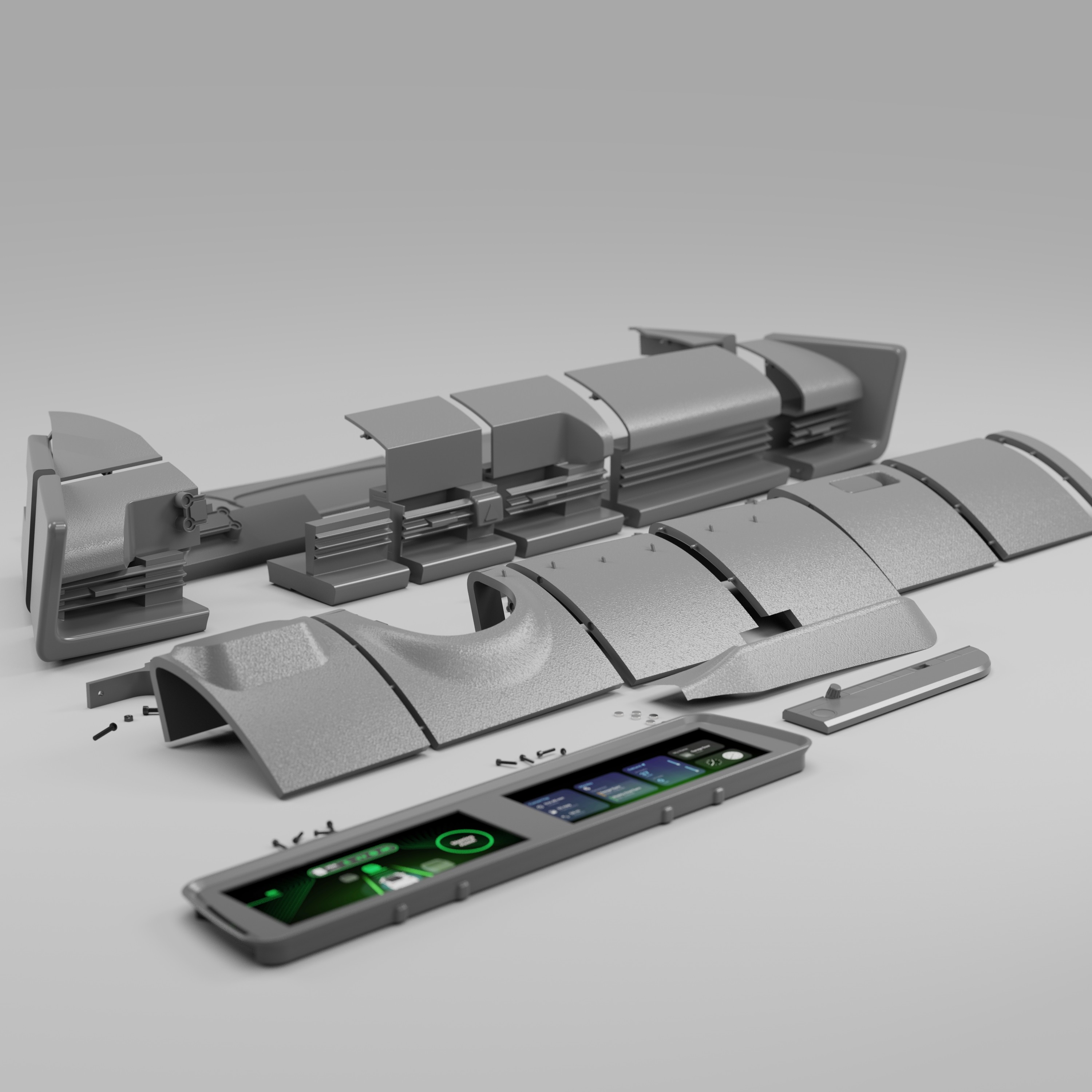
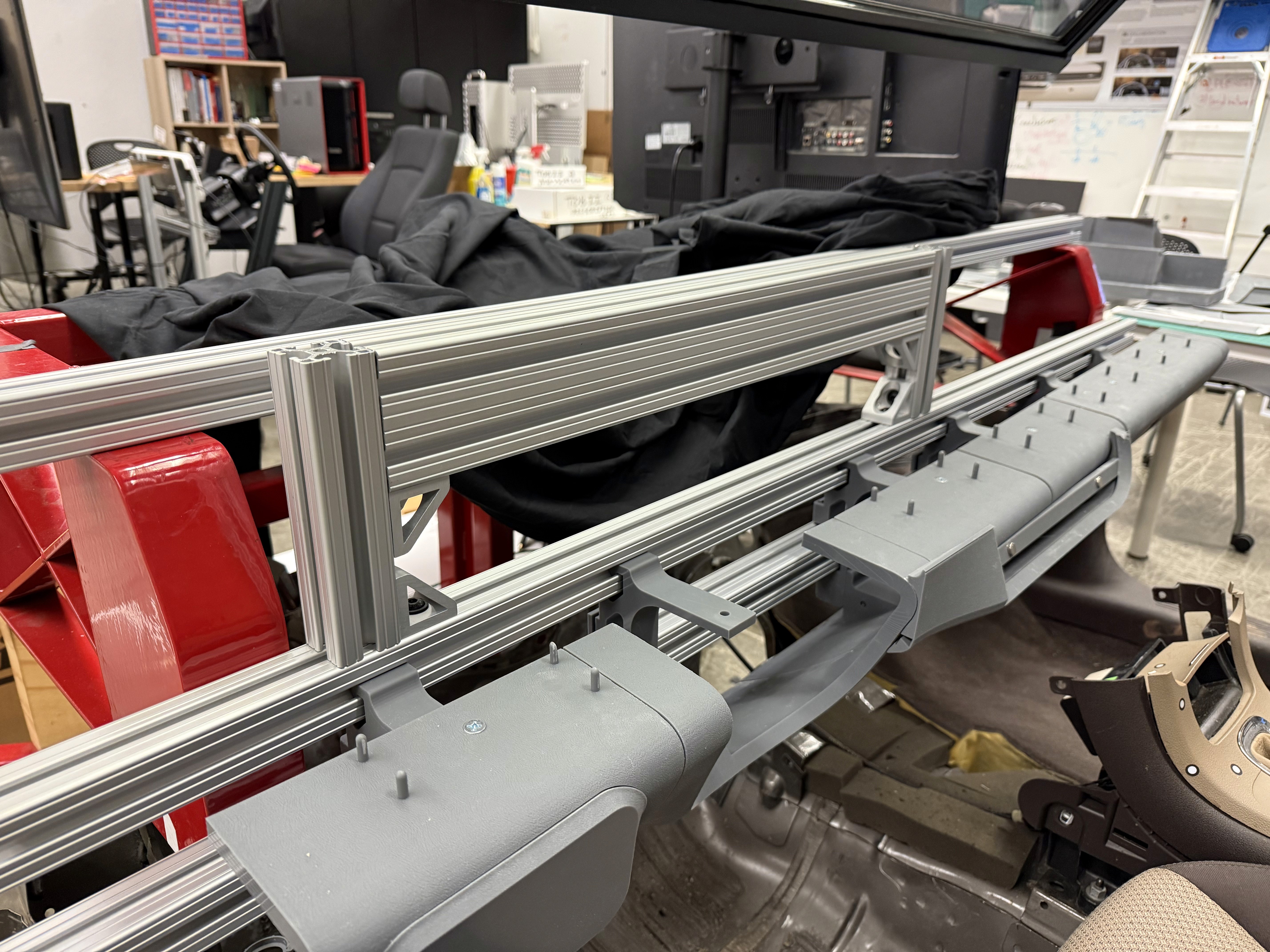
With the dashboard surfaces finalized in Alias, the next step was preparing the model for 3D printing. To accomplish this, we transitioned the design into Fusion 360, where we added material thickness, converted surfaces into solids, and introduced breakpoints to segment the dashboard based on the Formlabs Form 4L printer bed dimensions (13.9 x 7.7 x 13.8 inches).
It's a structured scheme that outlines the pages and content hierarchy of the app.
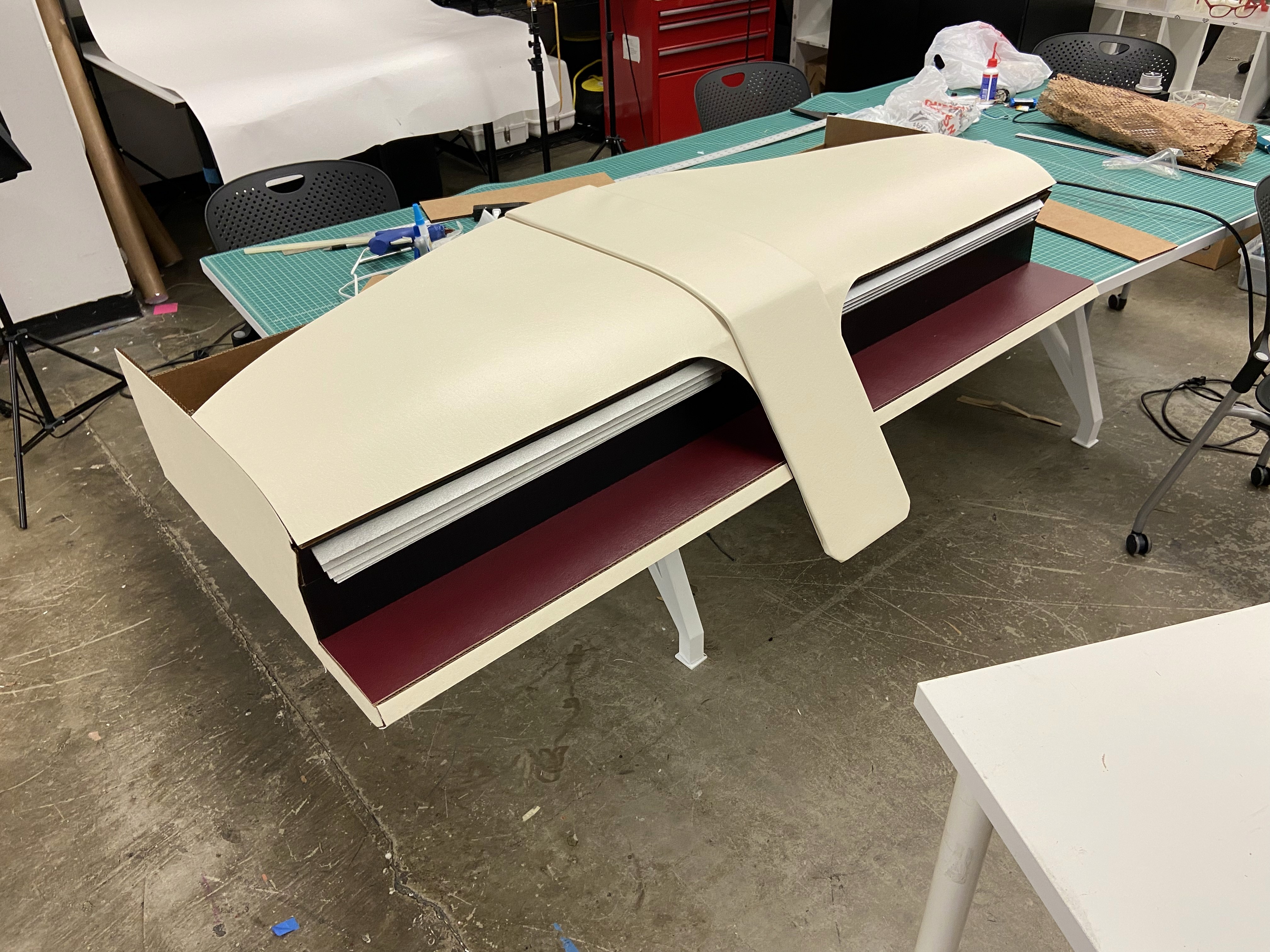
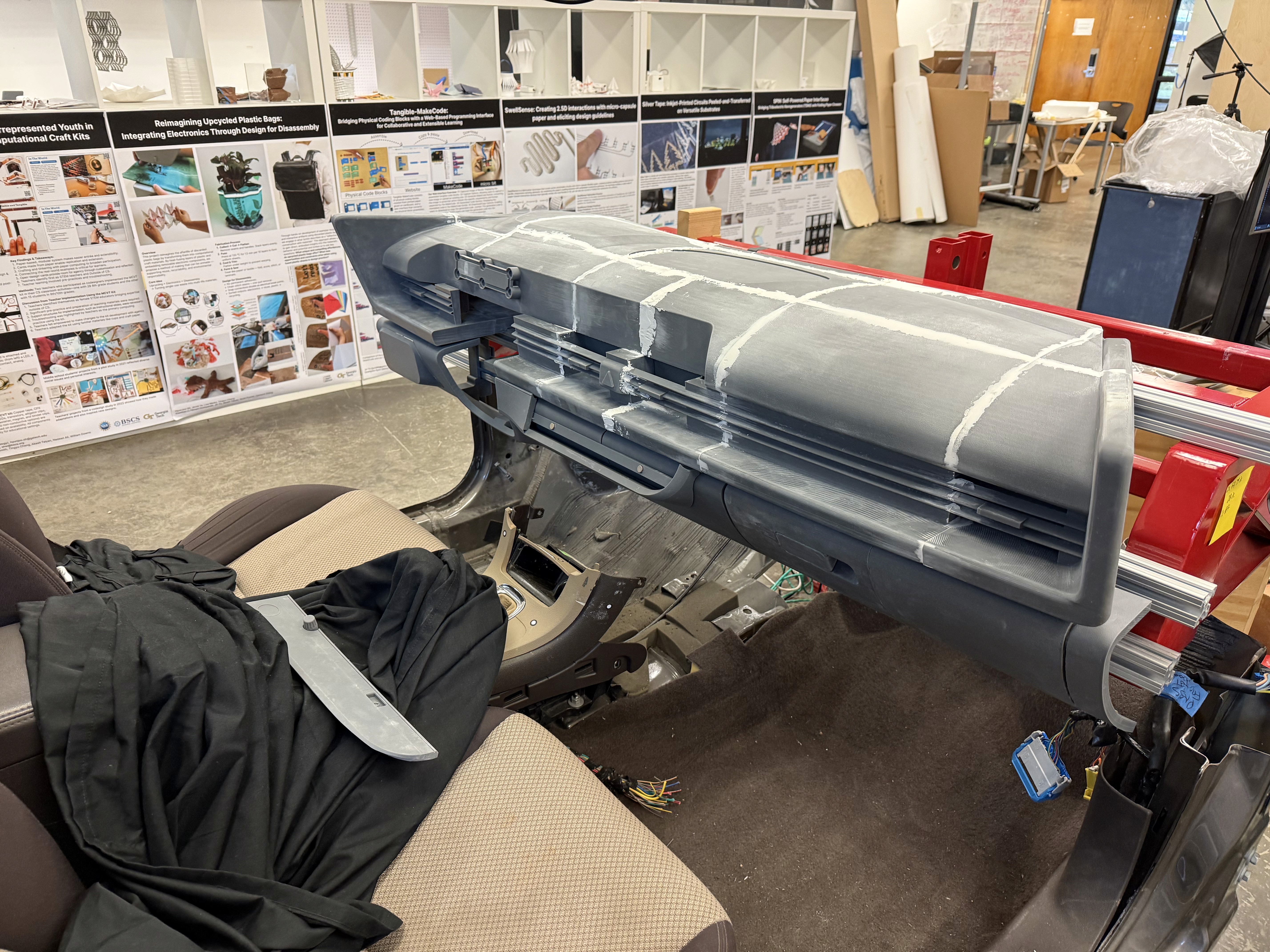
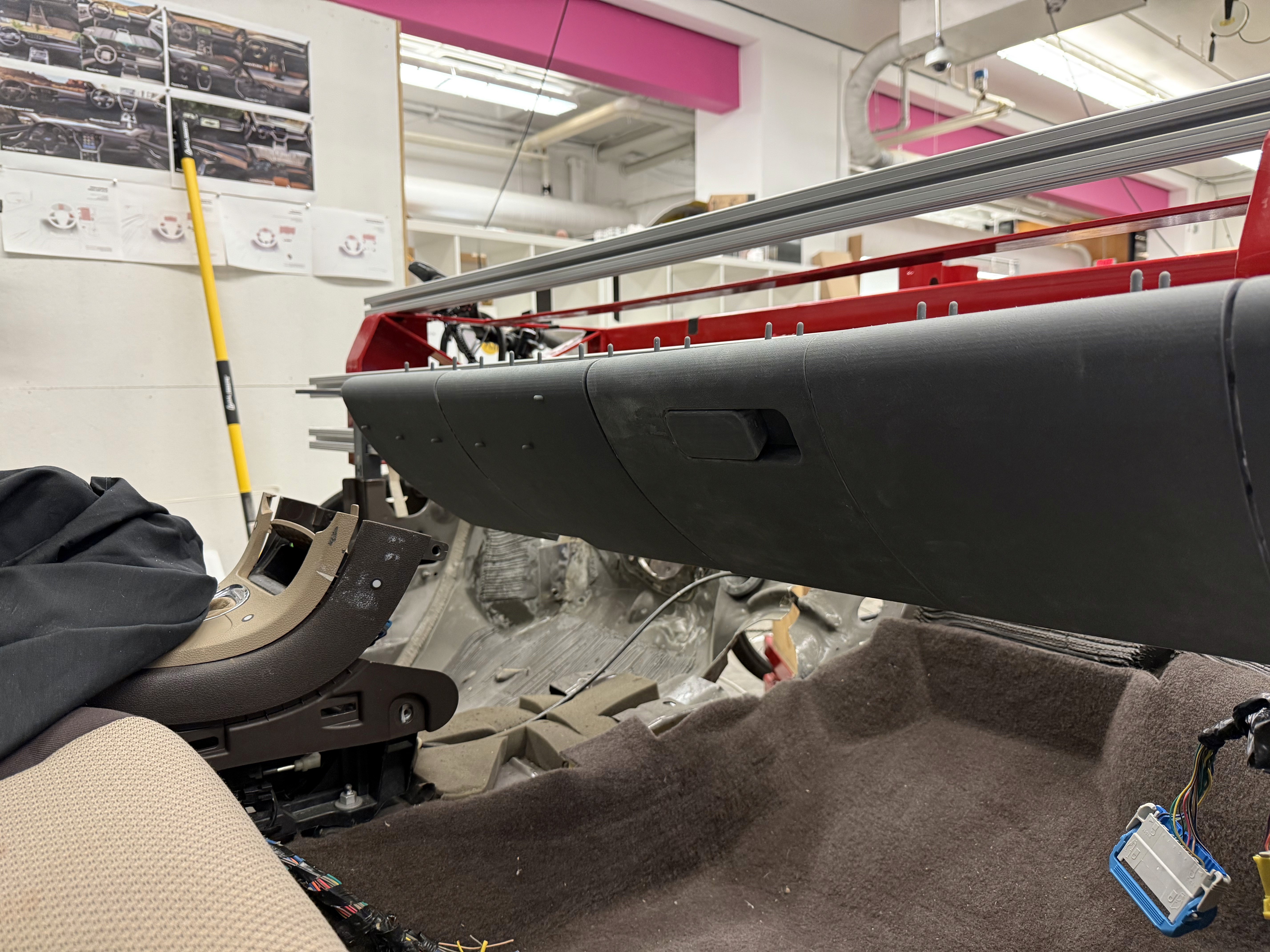
After all parts on the top half of the dash were attached together, light spackle was used to fill the seams created where parts met. This meant that now the top of the dash was one full piece. The model now fits in the lab’s buck as a 1:1 representation of a 2023 Hyundai Ioniq 6 dashboard.
These are a high fidelity design that represents a final product
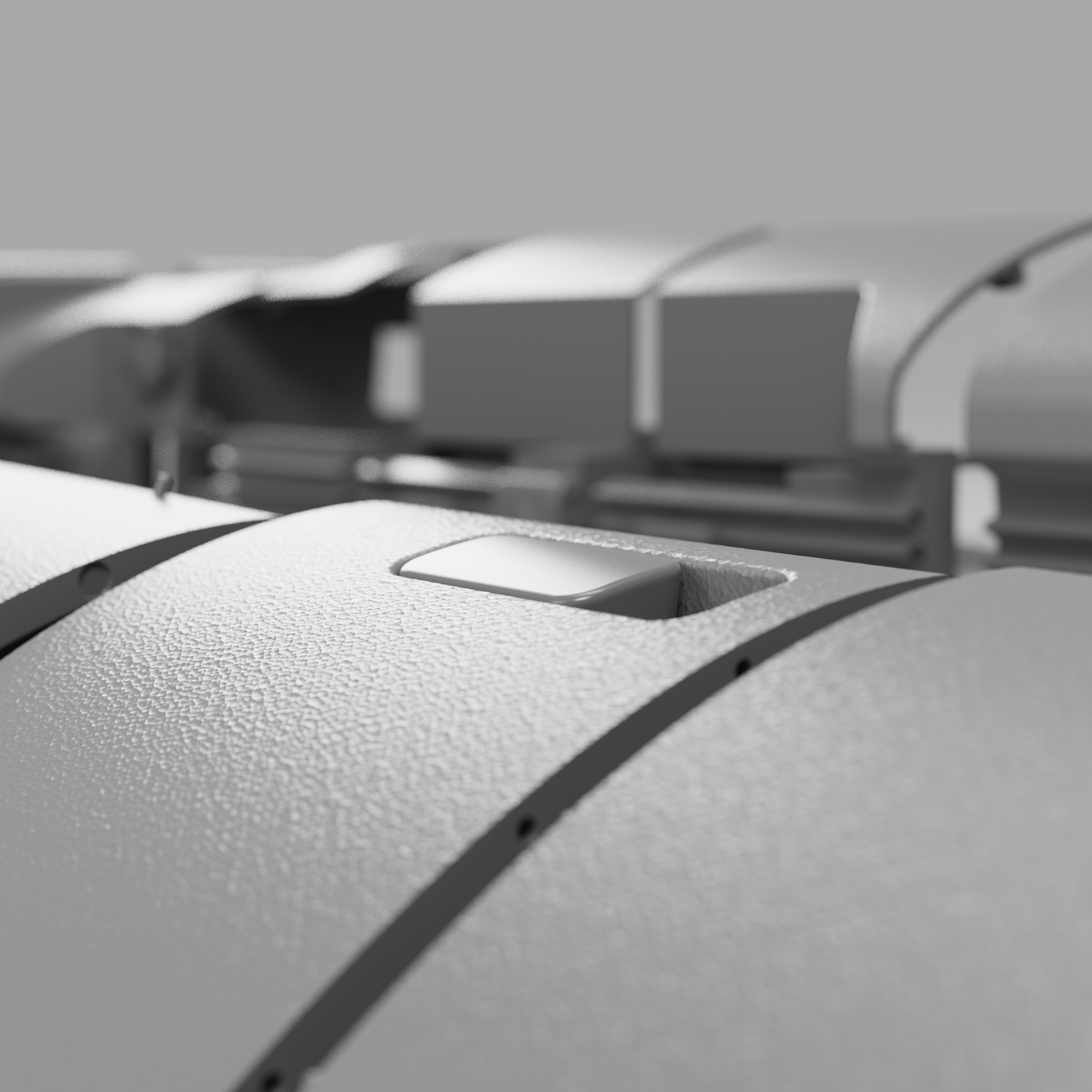
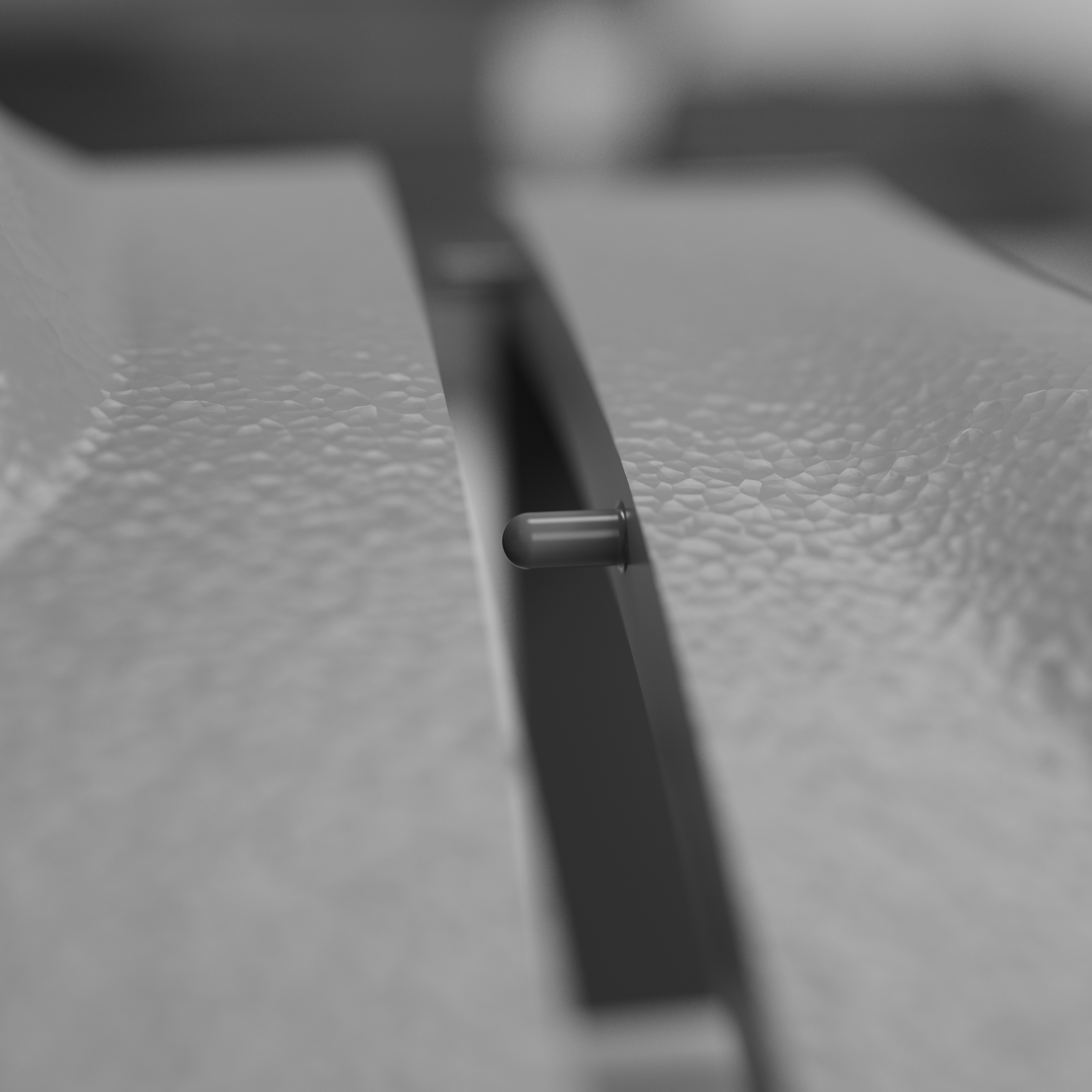
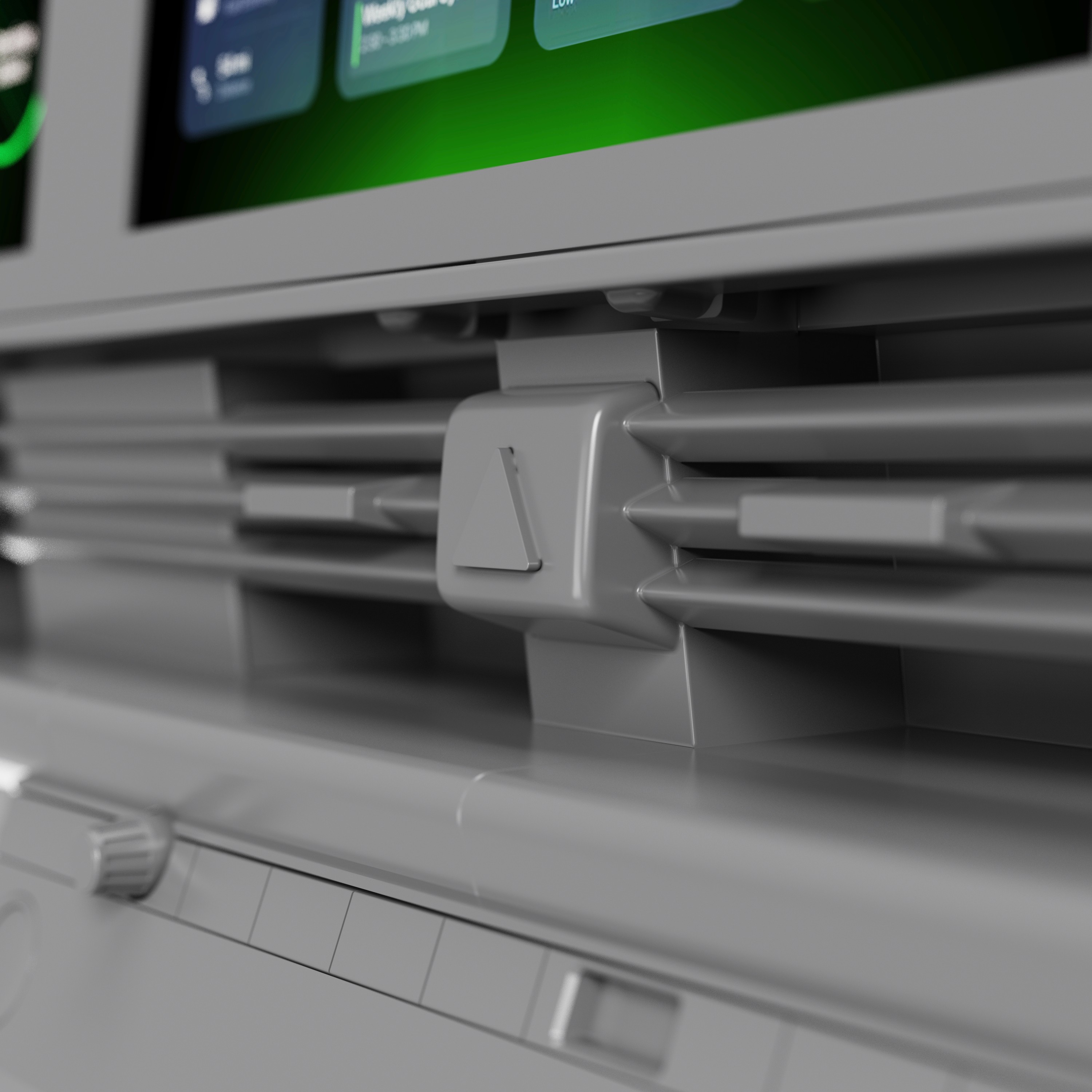
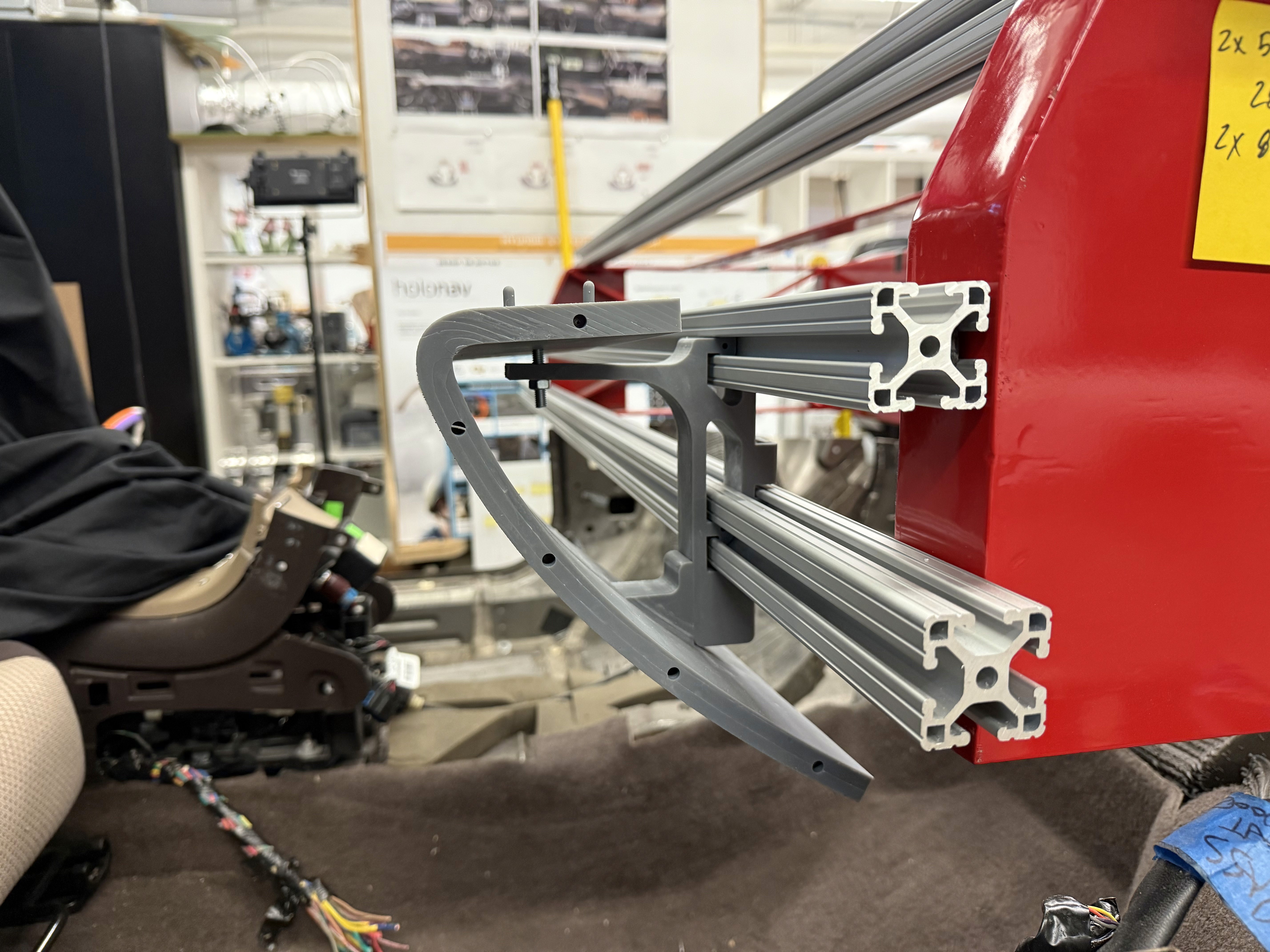
Assembling the model after printing out all the parts was simple. A lot of time and effort went into planning the B side of the parts so that slotting and gluing the parts together was as smooth as possible.
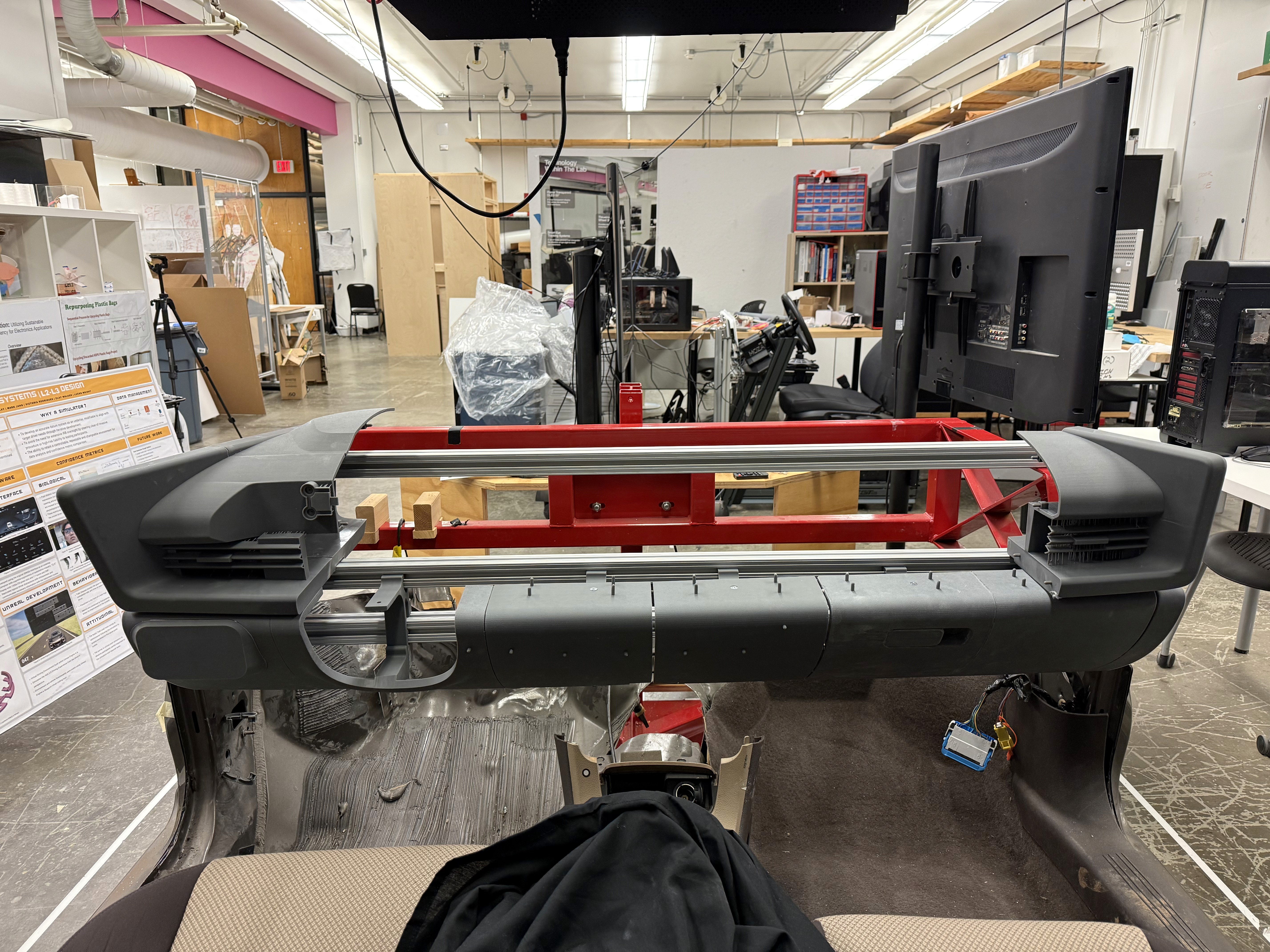
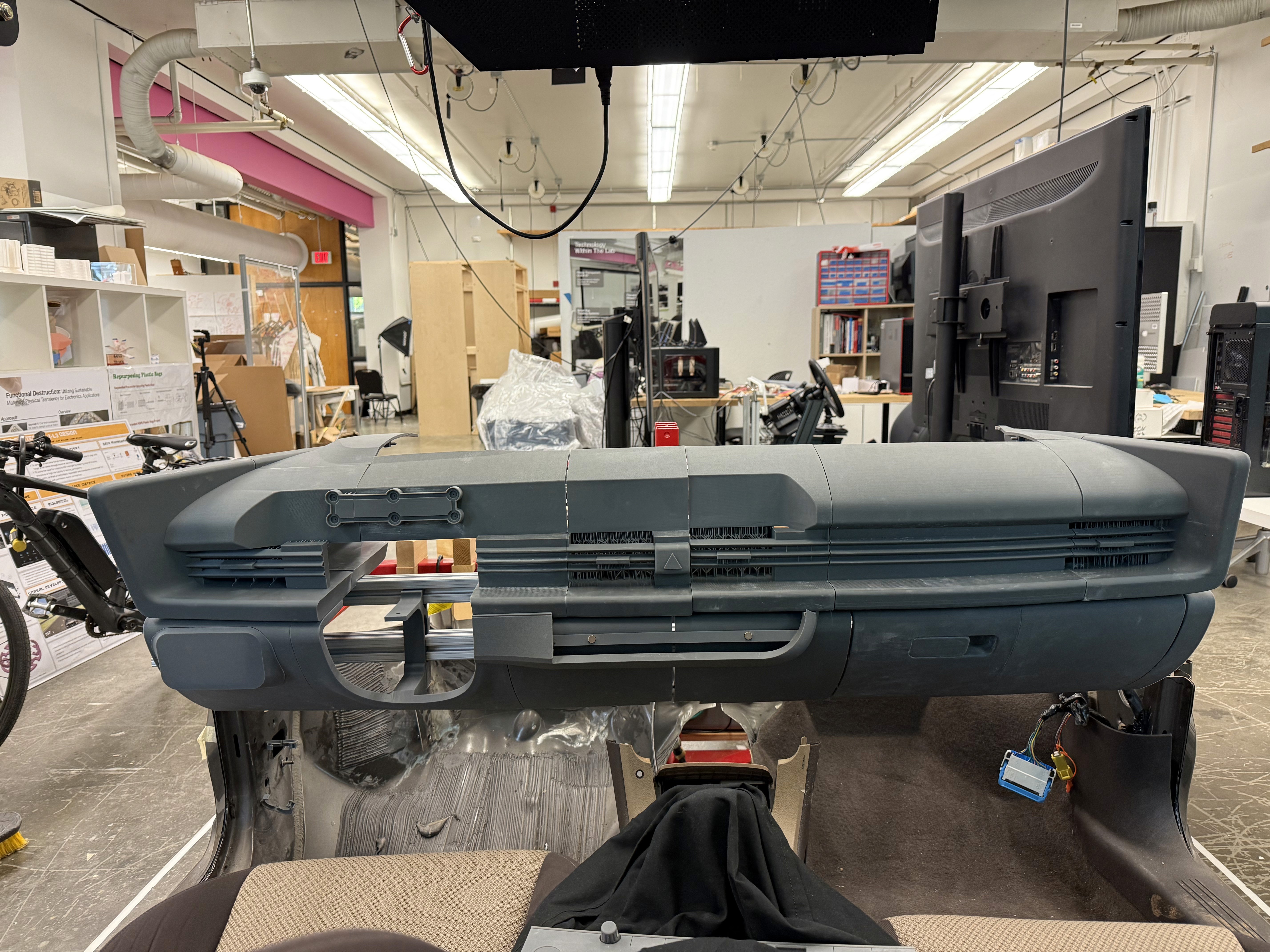
We were able to determine three zone of legibility when testing text elements on the HUD. From here we started creating an information hierarchy based on these zones to identify what should be displayed where.
When testing, users reported eye fatigue when there were large blocks of bright colors on the HUD. We pivoted to muted/ transparent elements in later designs.
We were able to determine three zone of legibility when testing text elements on the HUD. From here we started creating an information hierarchy based on these zones to identify what should be displayed where.
When testing, users reported eye fatigue when there were large blocks of bright colors on the HUD. We pivoted to muted/ transparent elements in later designs.
These are a high fidelity design that represents a final product
High fidelity wireframes introduced the final visual system of the marketplace including typography, layout spacing, and responsive grid structures. These screens refined the presentation of product information and artisan stories while maintaining a clean shopping experience.
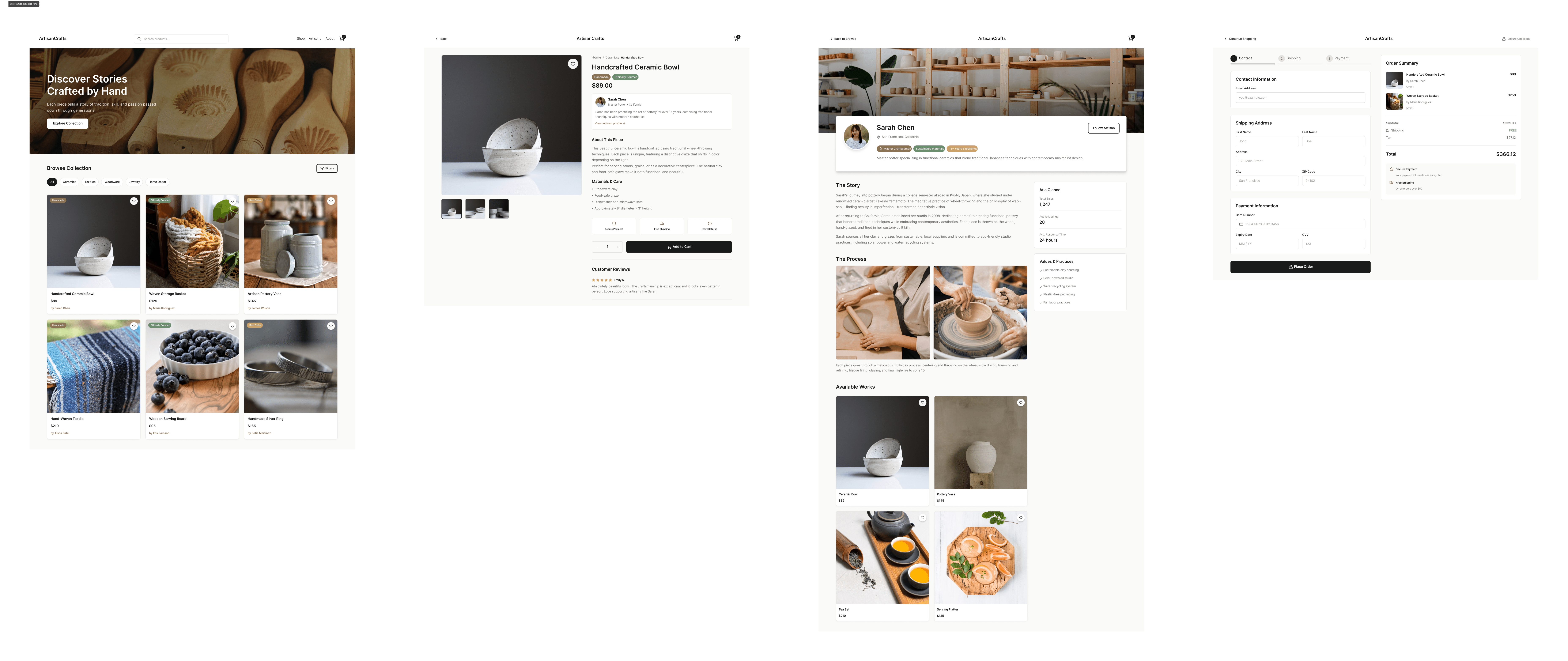
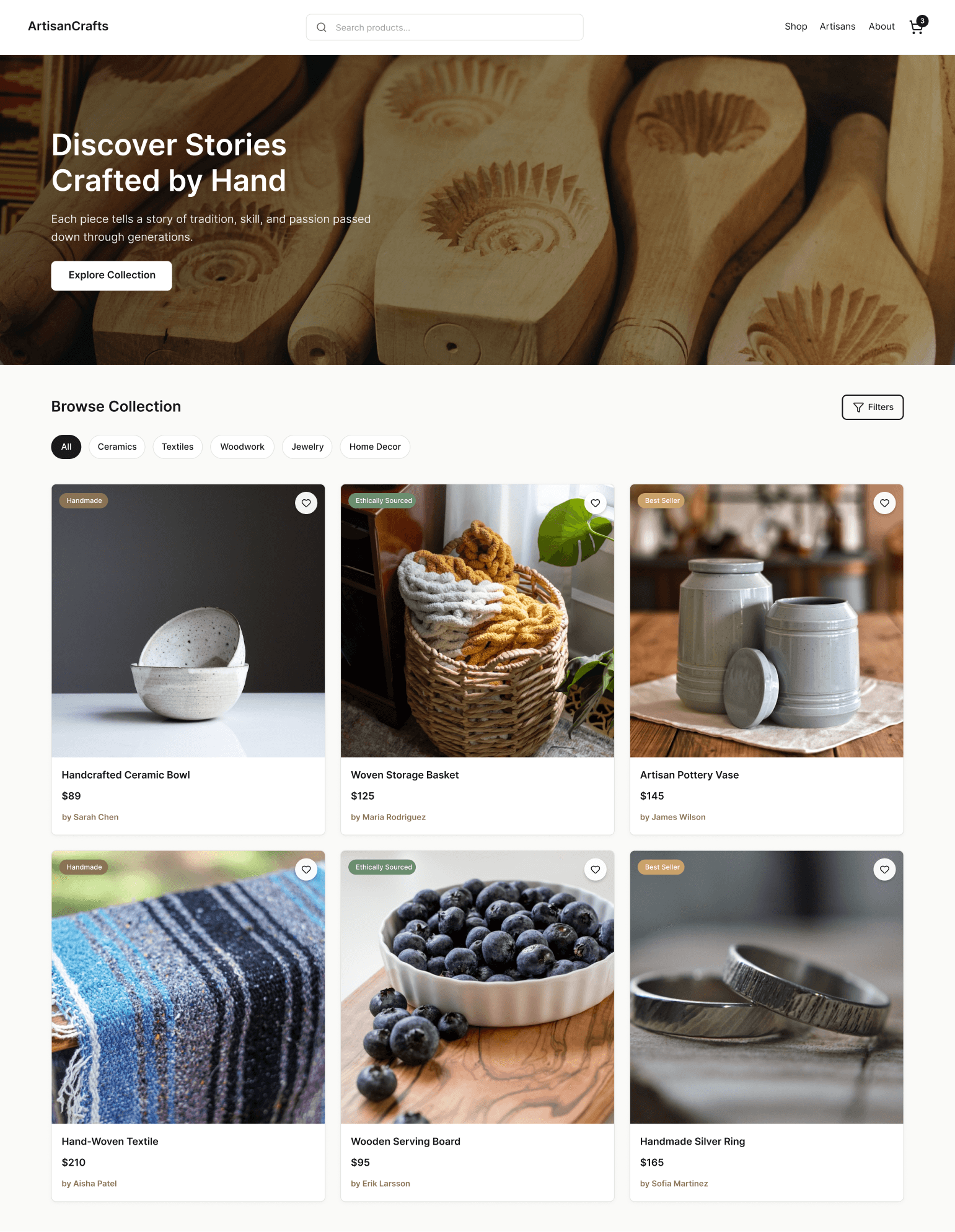
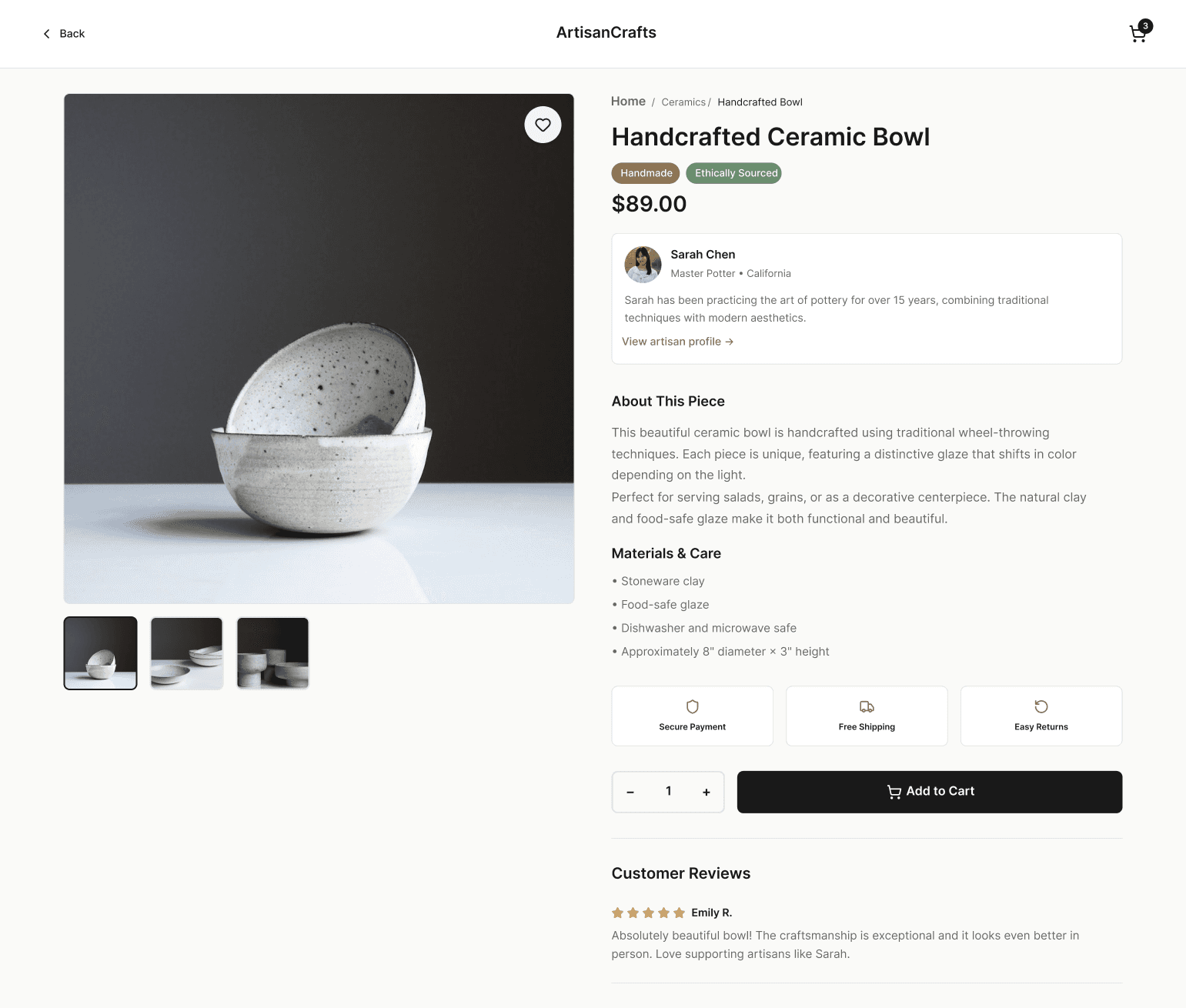
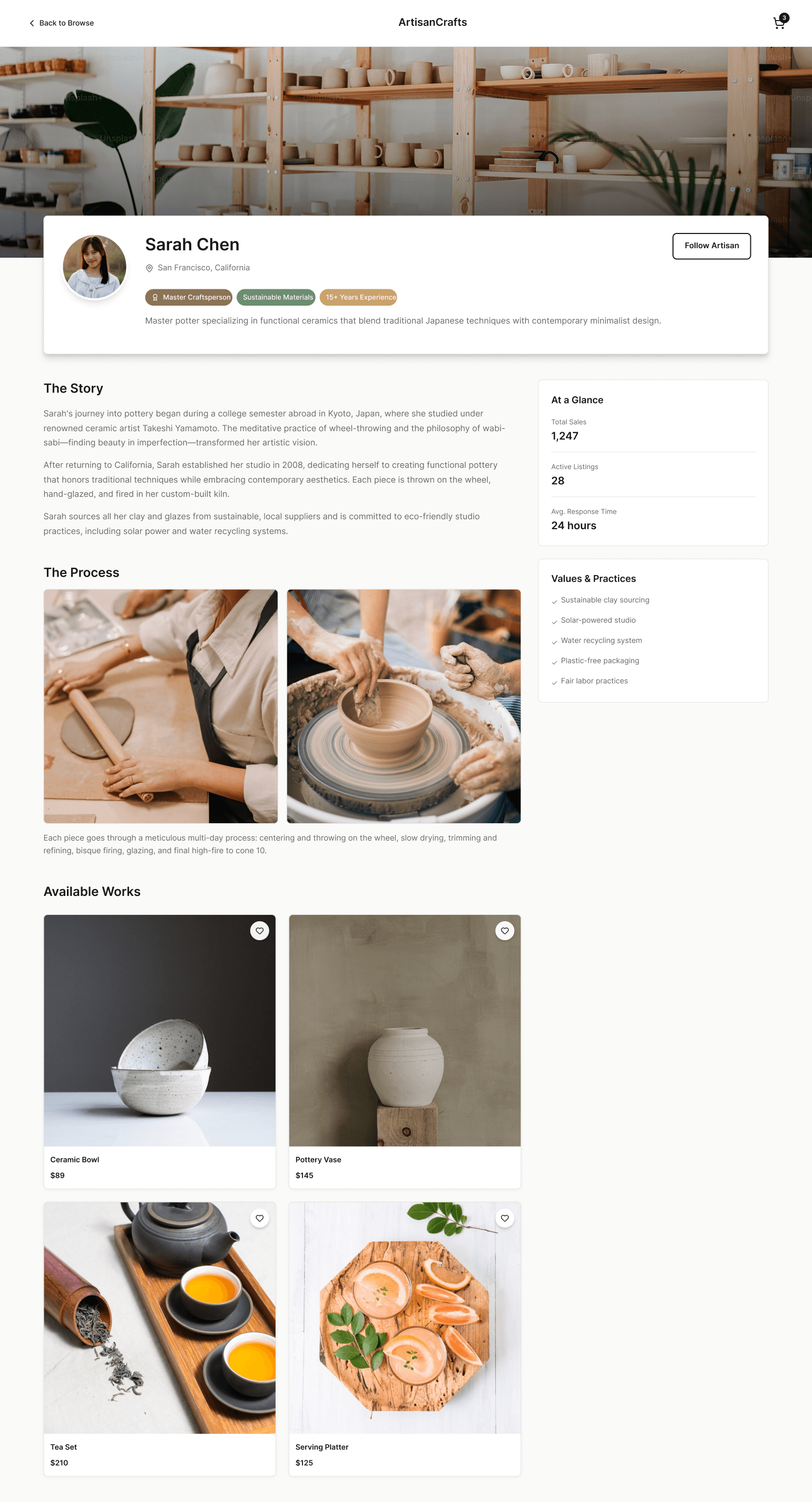
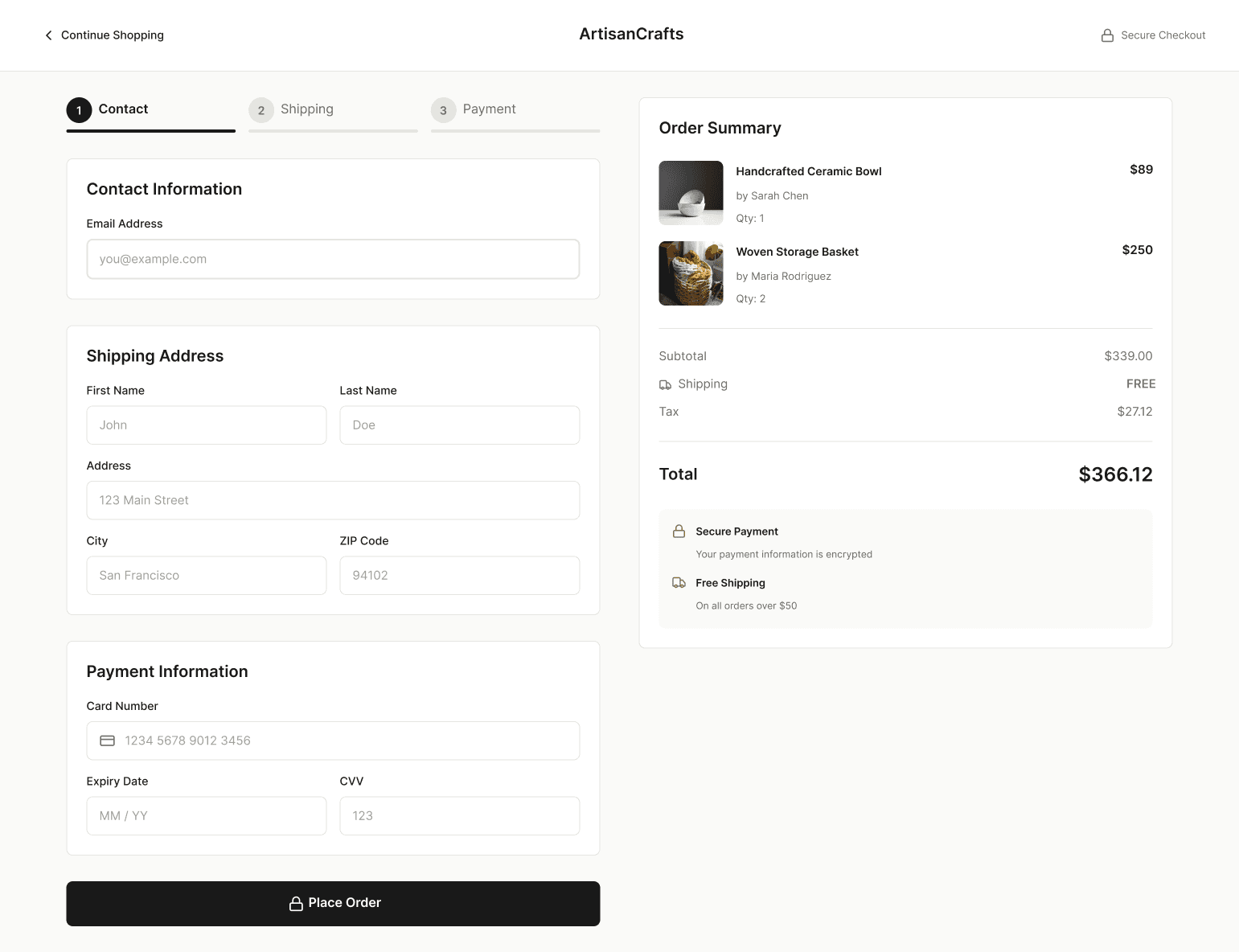
This is the primary user flow that was tested on my prototypes. The flow involves a user starting on the ArtisanCrafts homepage and stepping through various screens to ultimately complete a checkout sequence.

It's the detailed, interactive version of designs that closely match the look and feel of the final product.
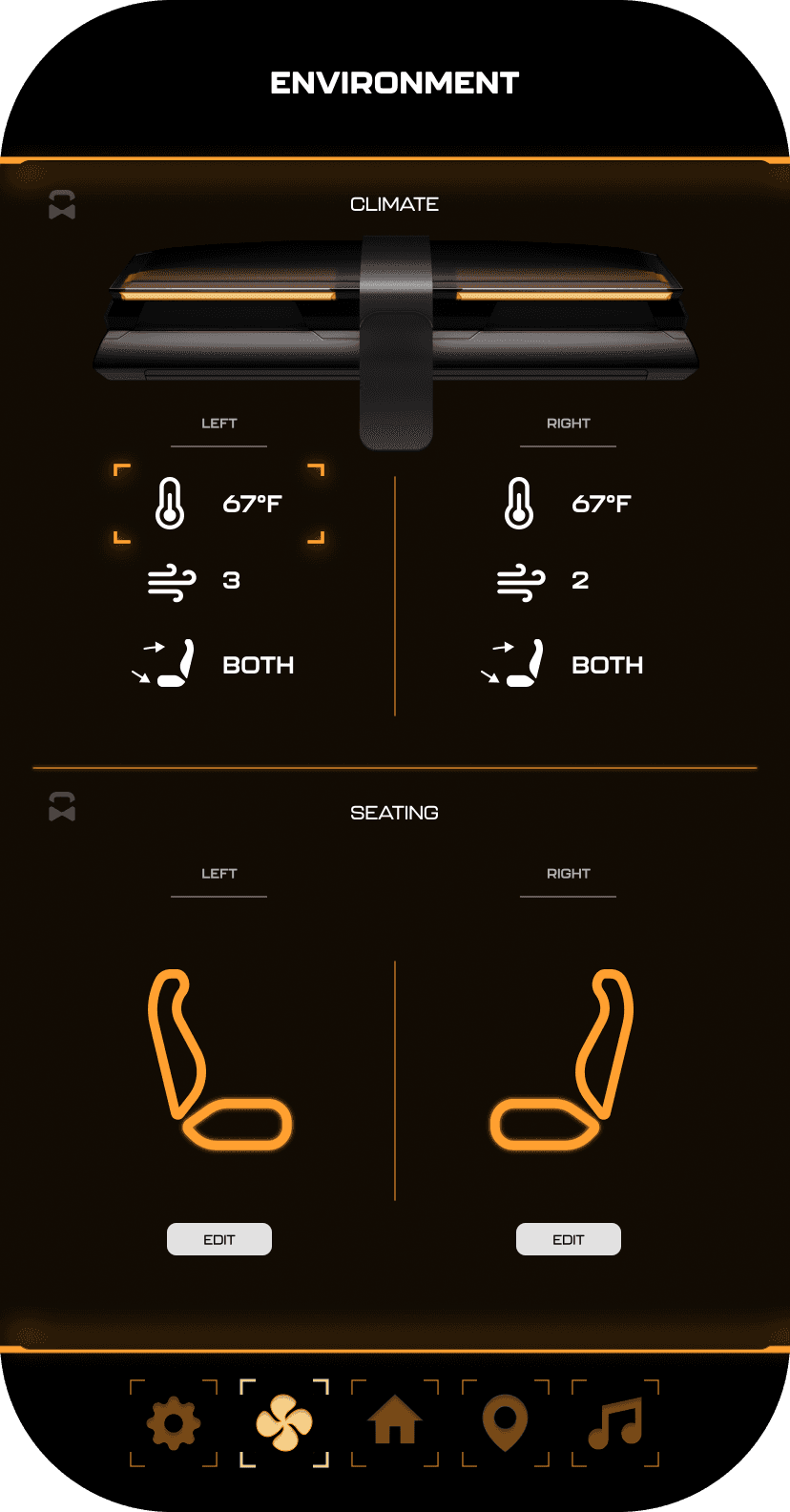
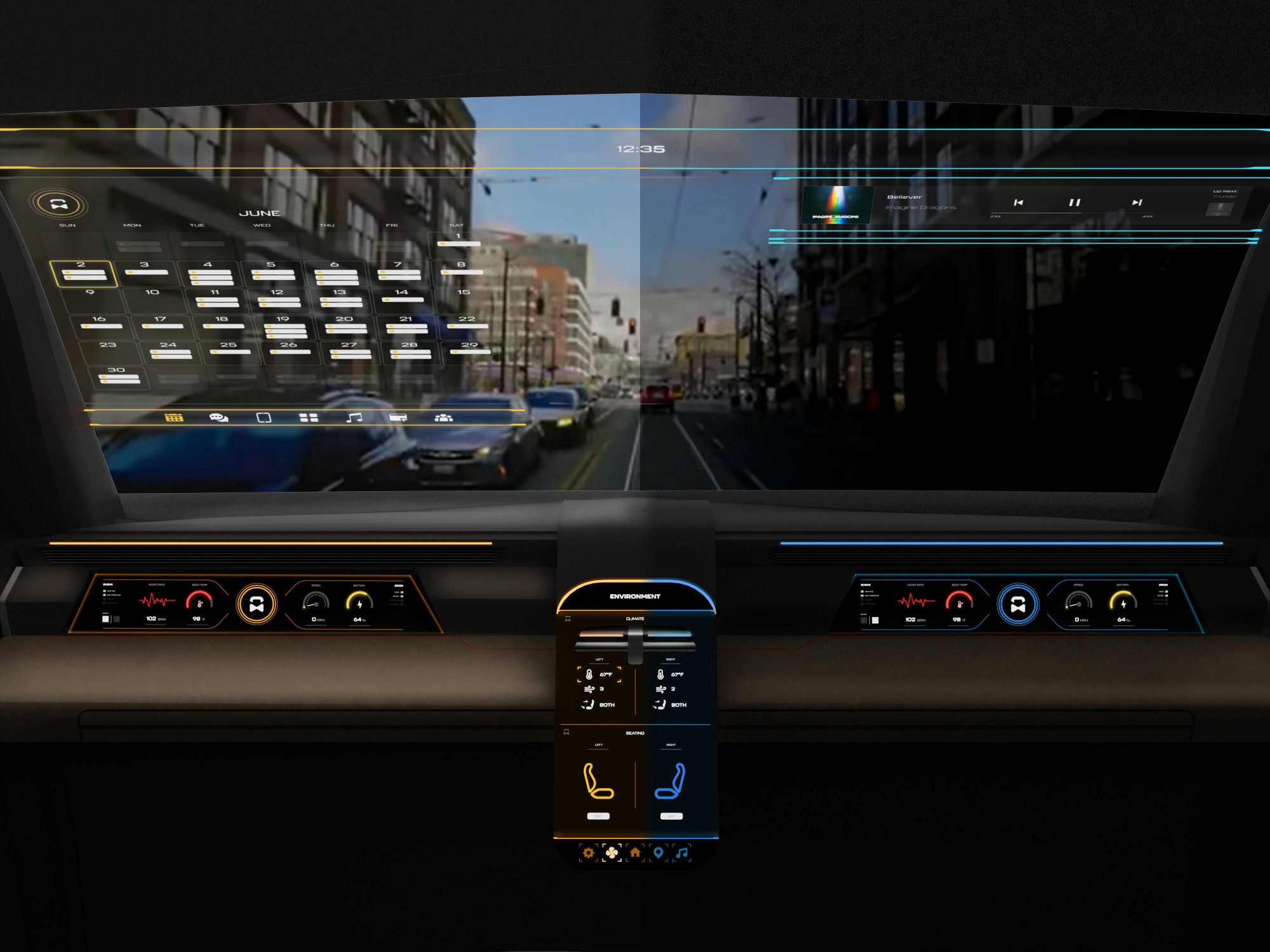
The center stack display and auxiliary displays carry most of the information related to the vehicle itself. They work in tandem with the HUD since the information being displayed on the HUD will either be work or social/ entertainment related.
All of these screens were fully built out in Figma.
HUD and UI Settings
Environment Settings
Home (General Vehicle Settings)
Map Settings
Multimedia Settings
These are a high fidelity design that represents a final product
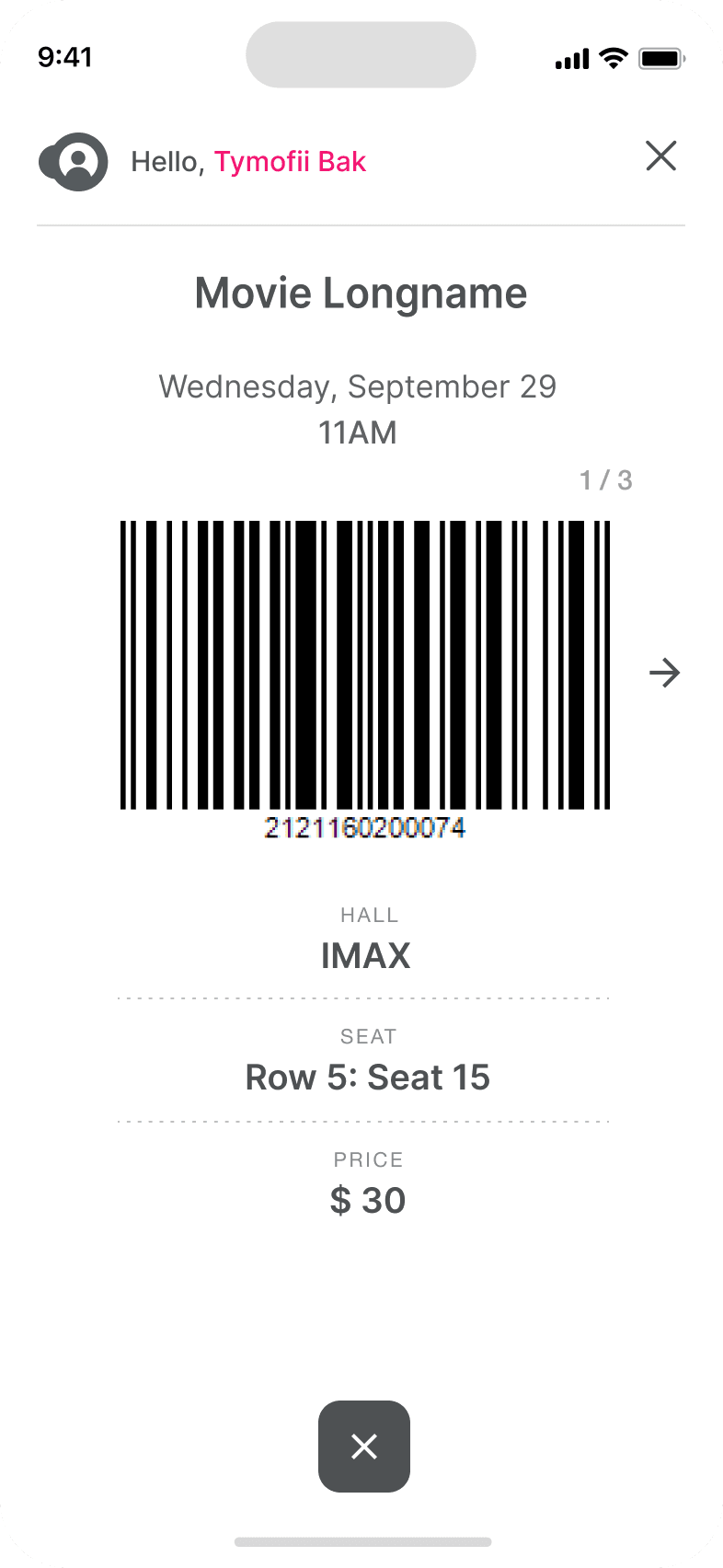
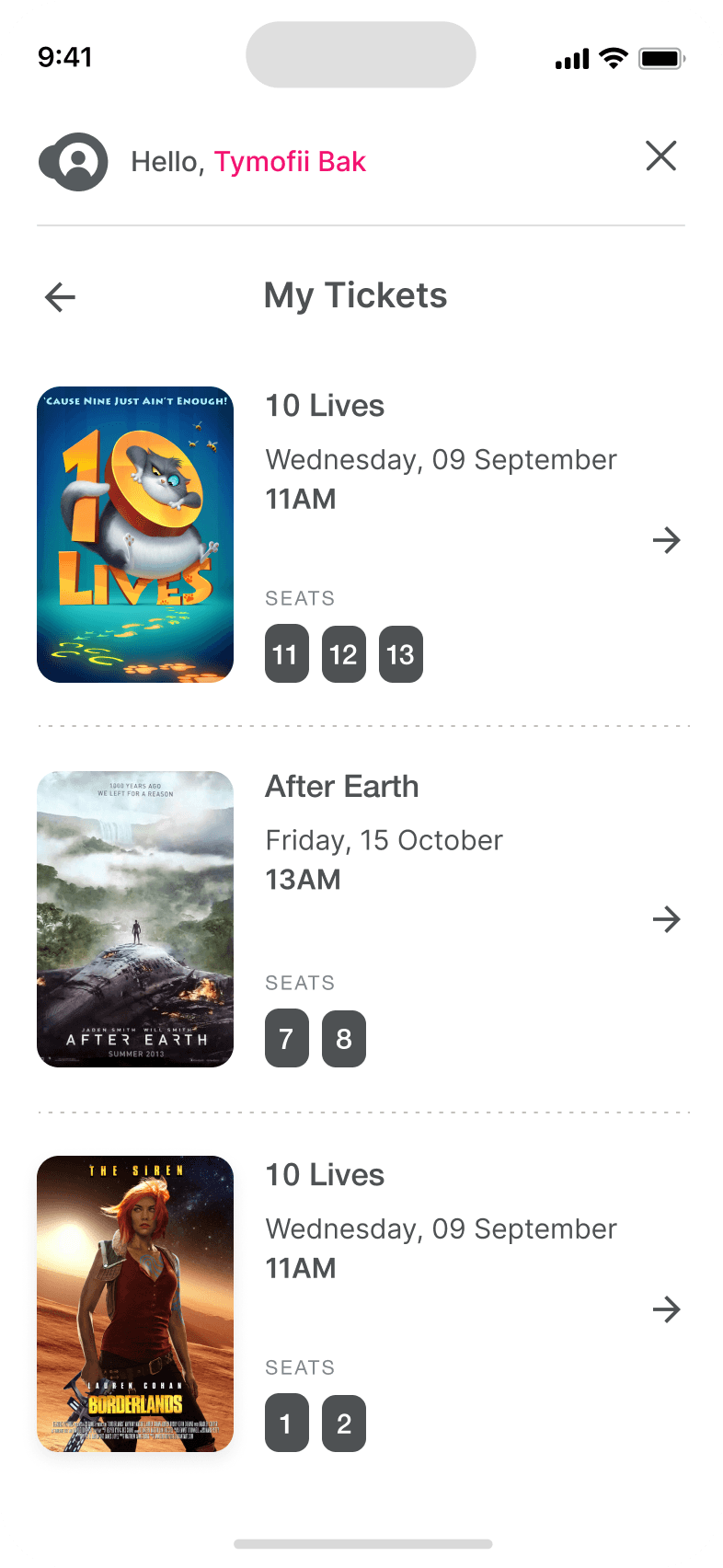
I created all the app pages mockups, incorporating the right design elements such as typography, color, and iconography. I also included captivating and visually appealing images, and developed all the necessary components and elements.
The goal was to demonstrate the final Voo's app in as much detail as possible.
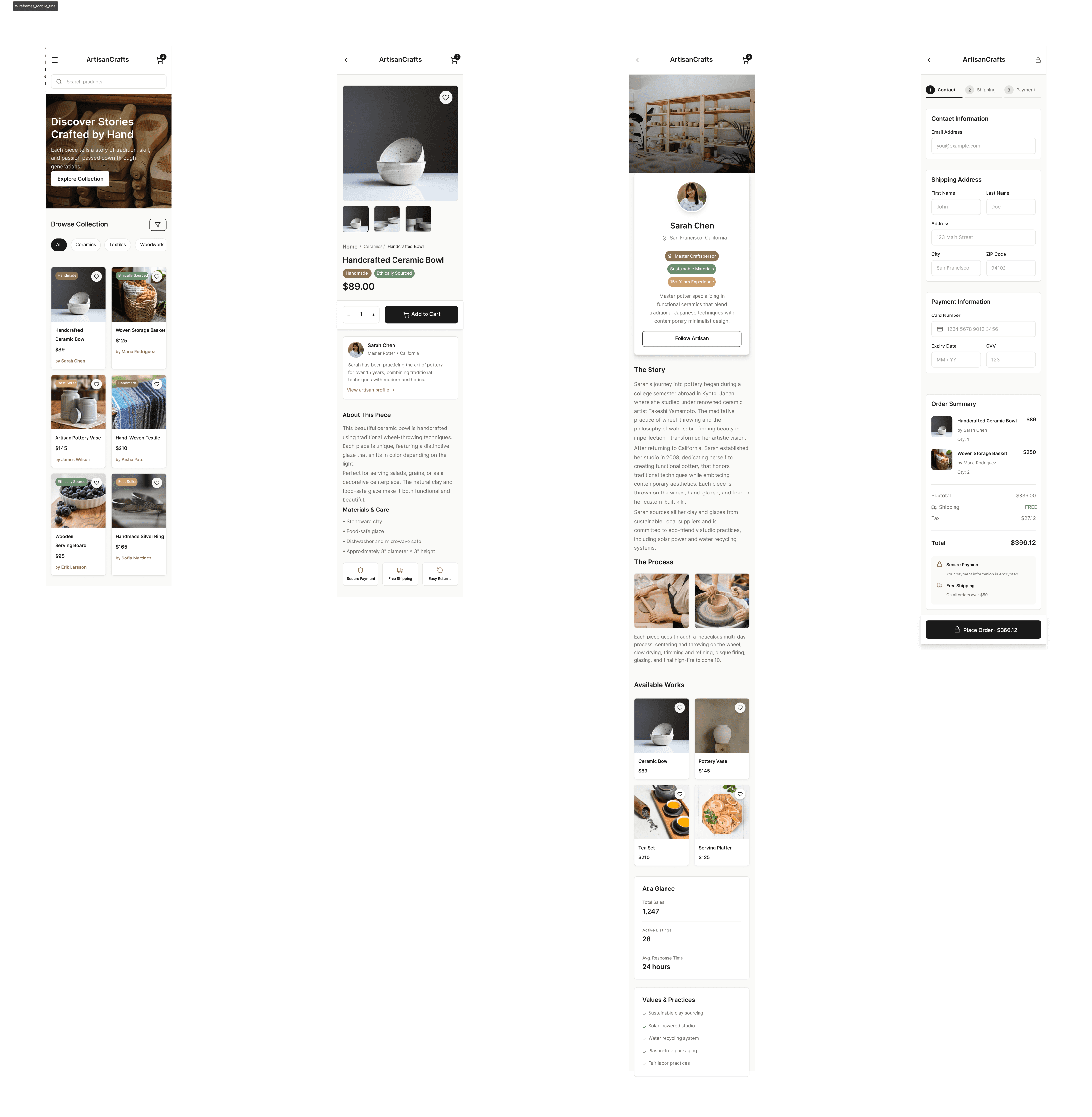
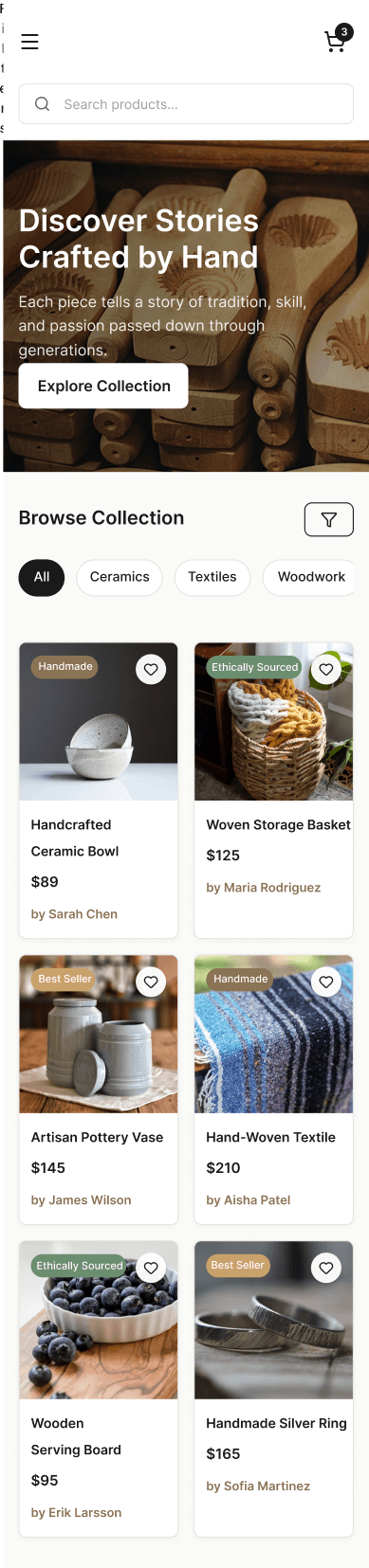
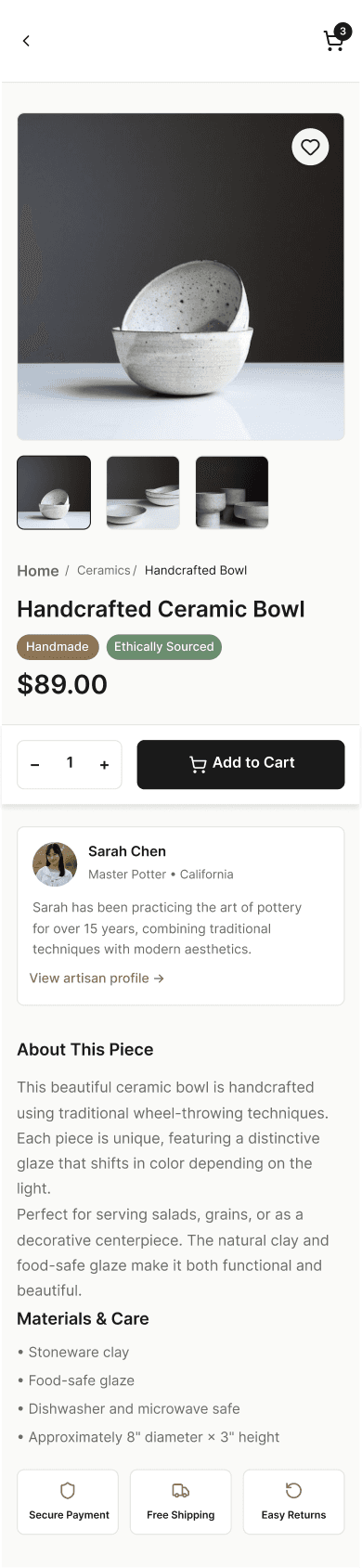

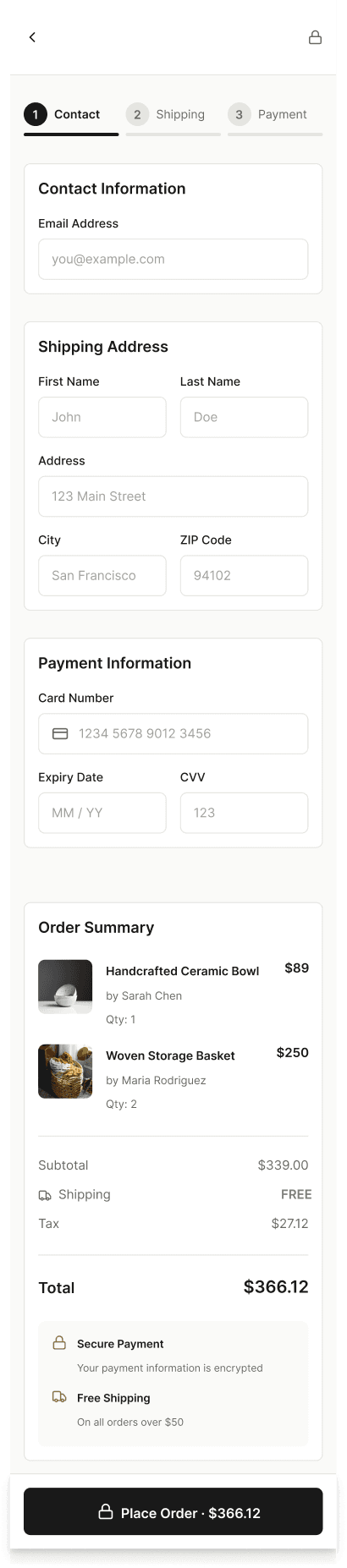
It's the detailed, interactive version of designs that closely match the look and feel of the final product.
A high fidelity prototype was developed to simulate the full purchasing experience across responsive breakpoints. The prototype demonstrates how users browse products, explore artisan stories, and complete purchases on both desktop and mobile devices.

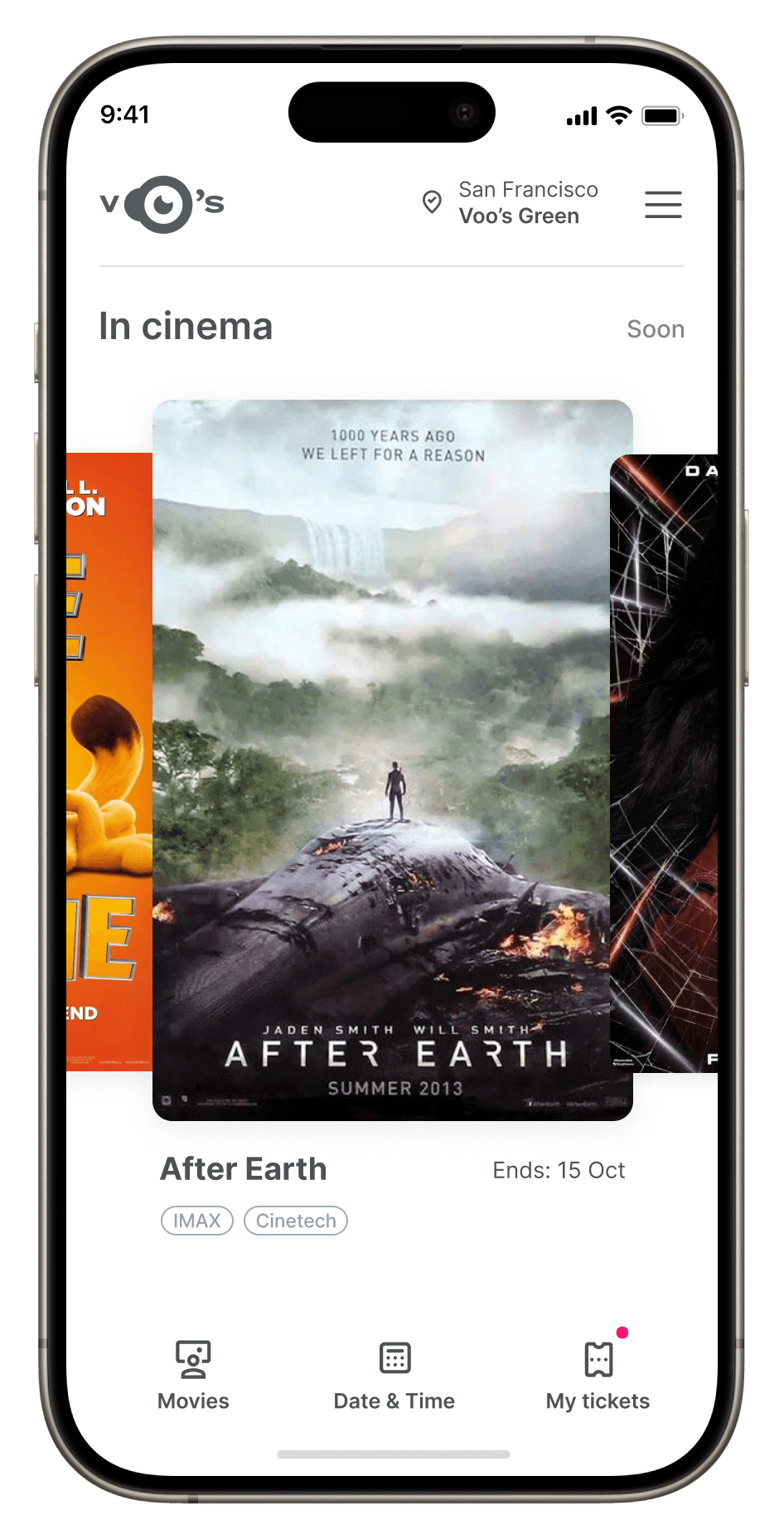
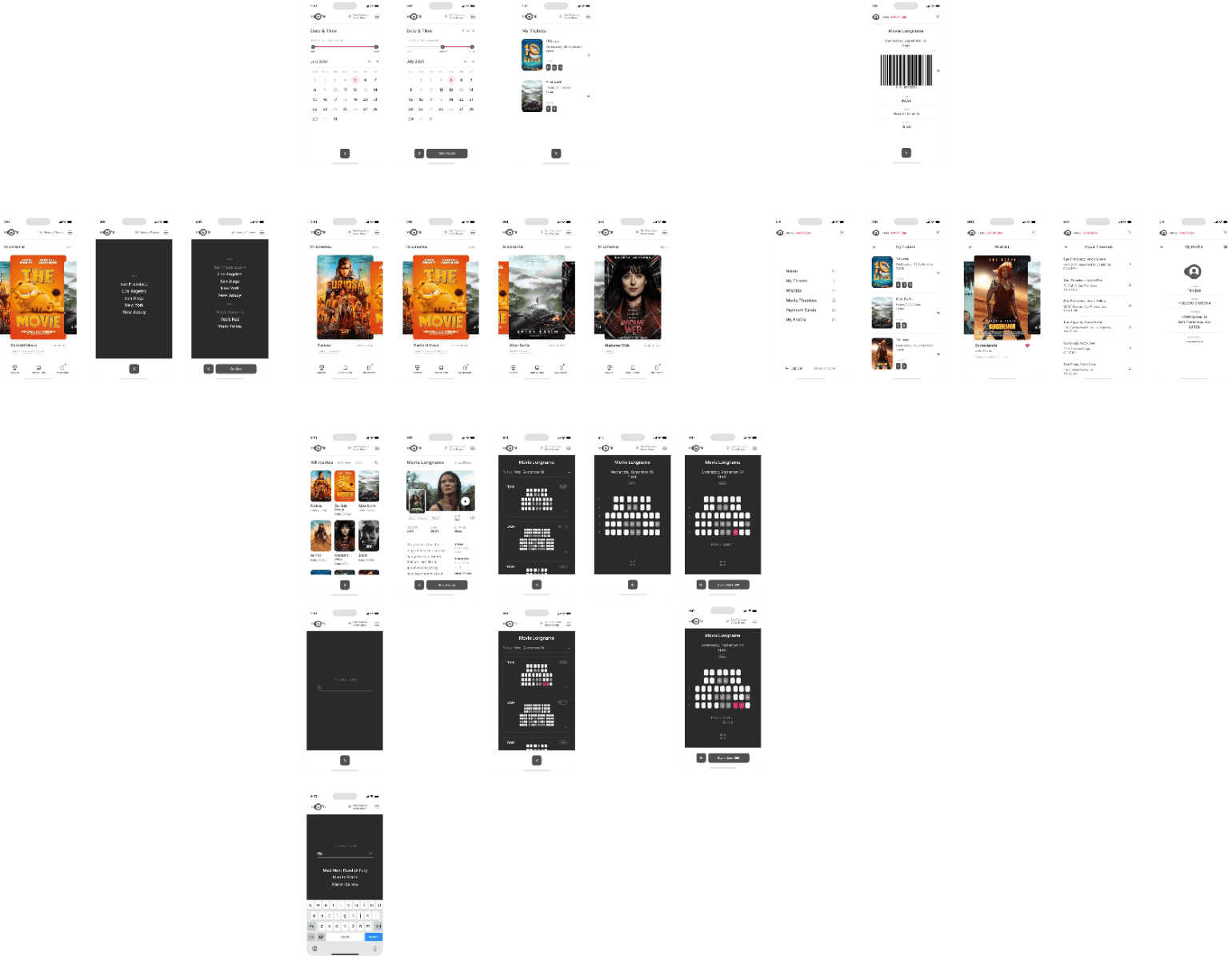
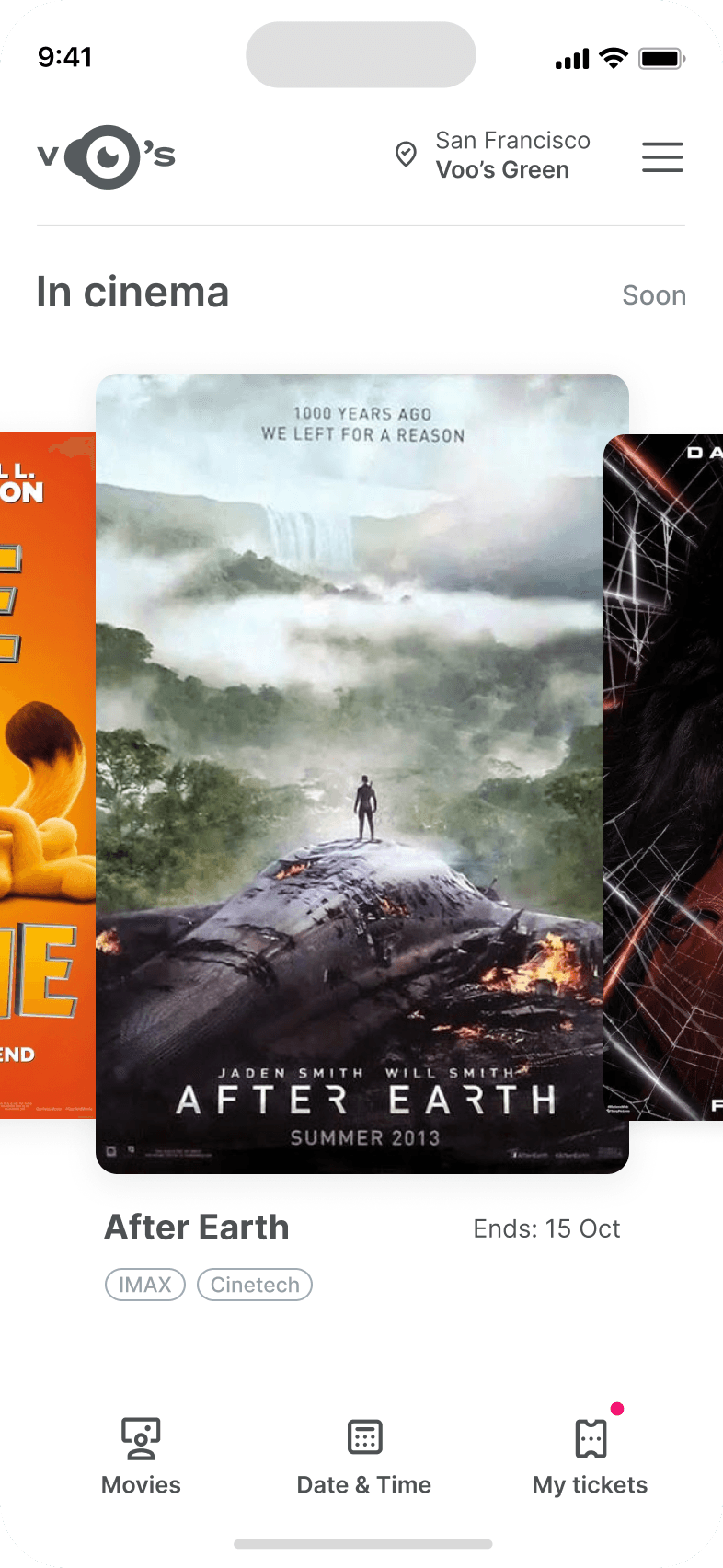
City and cinema theater selection
Movies slideshow
List of movies + search option
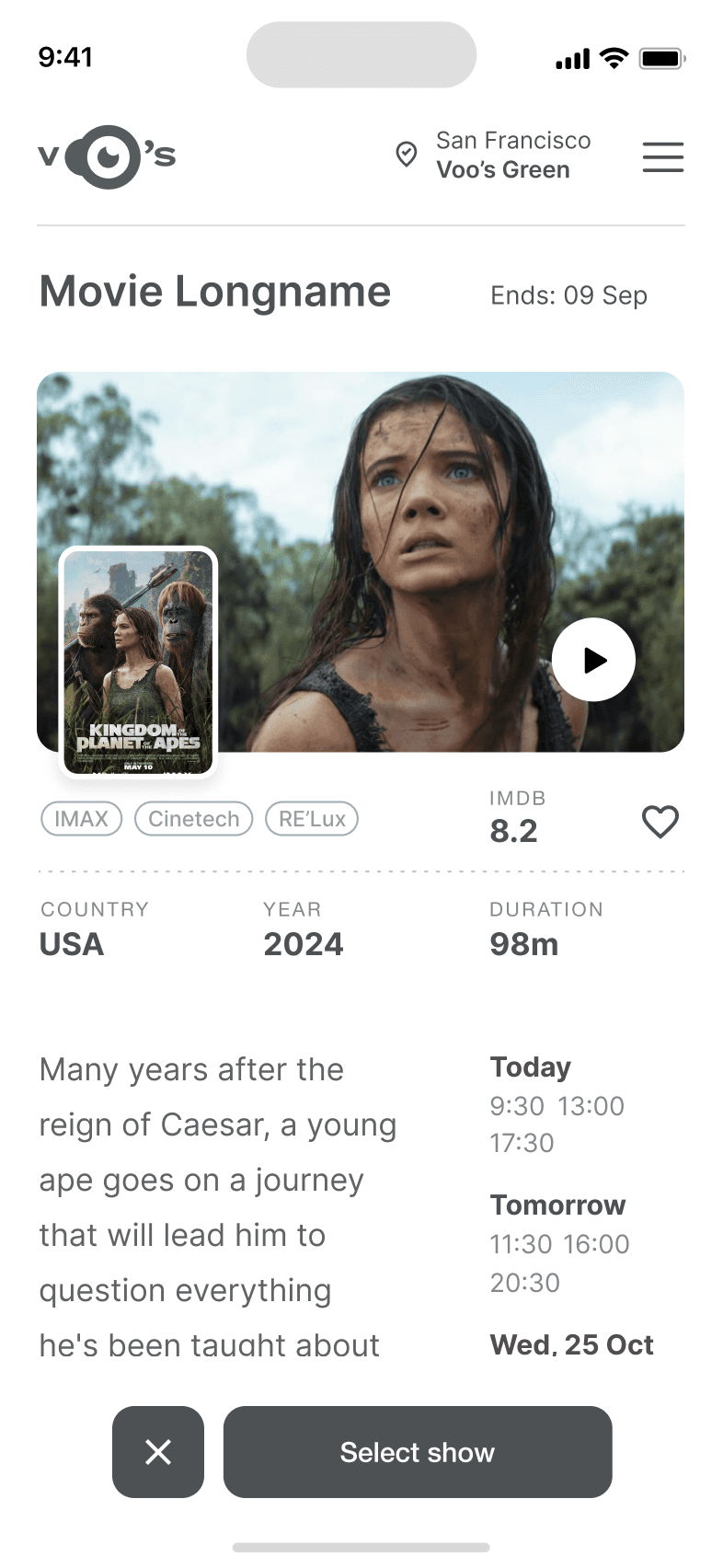
Separate movie page, adding to favourites
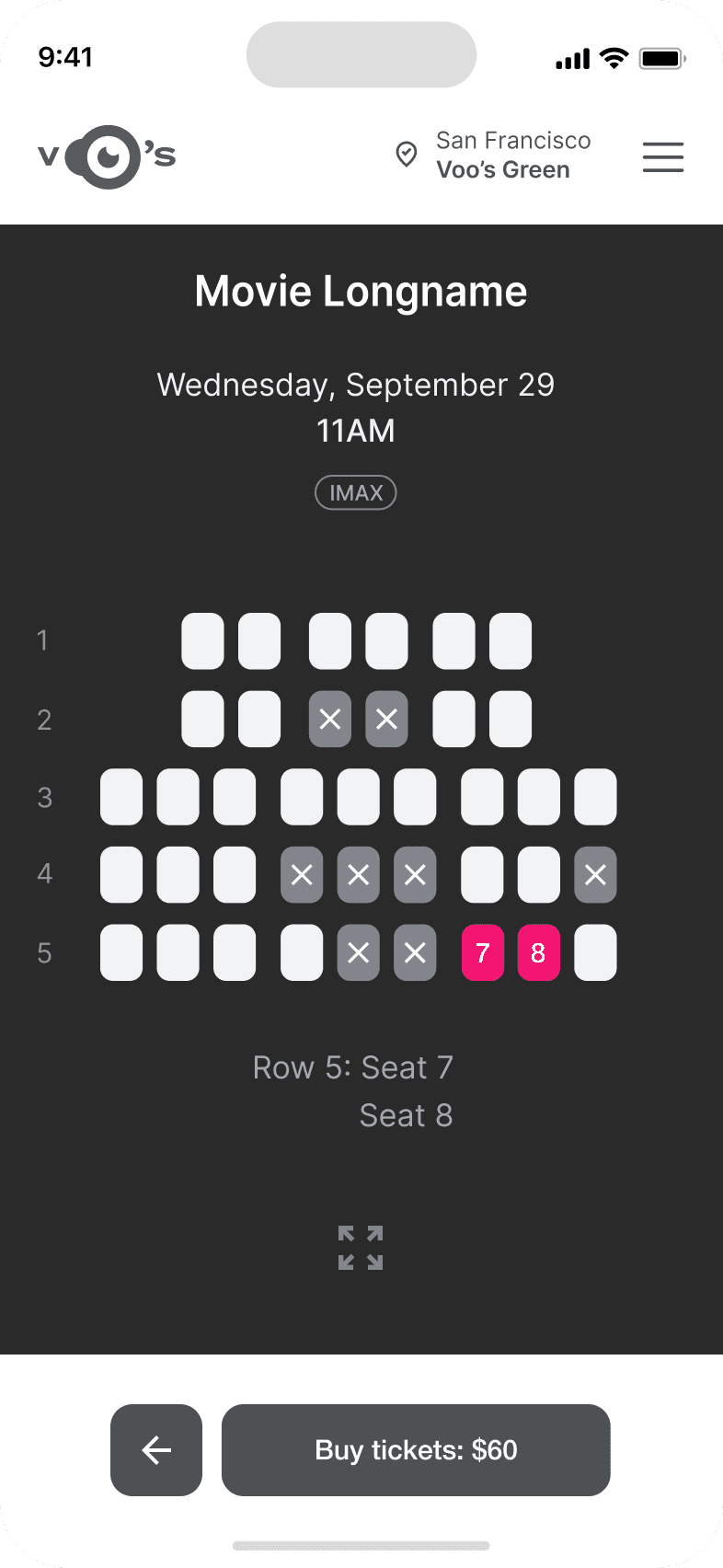
Show selection: date and time, hall and seats
Adding selected seats
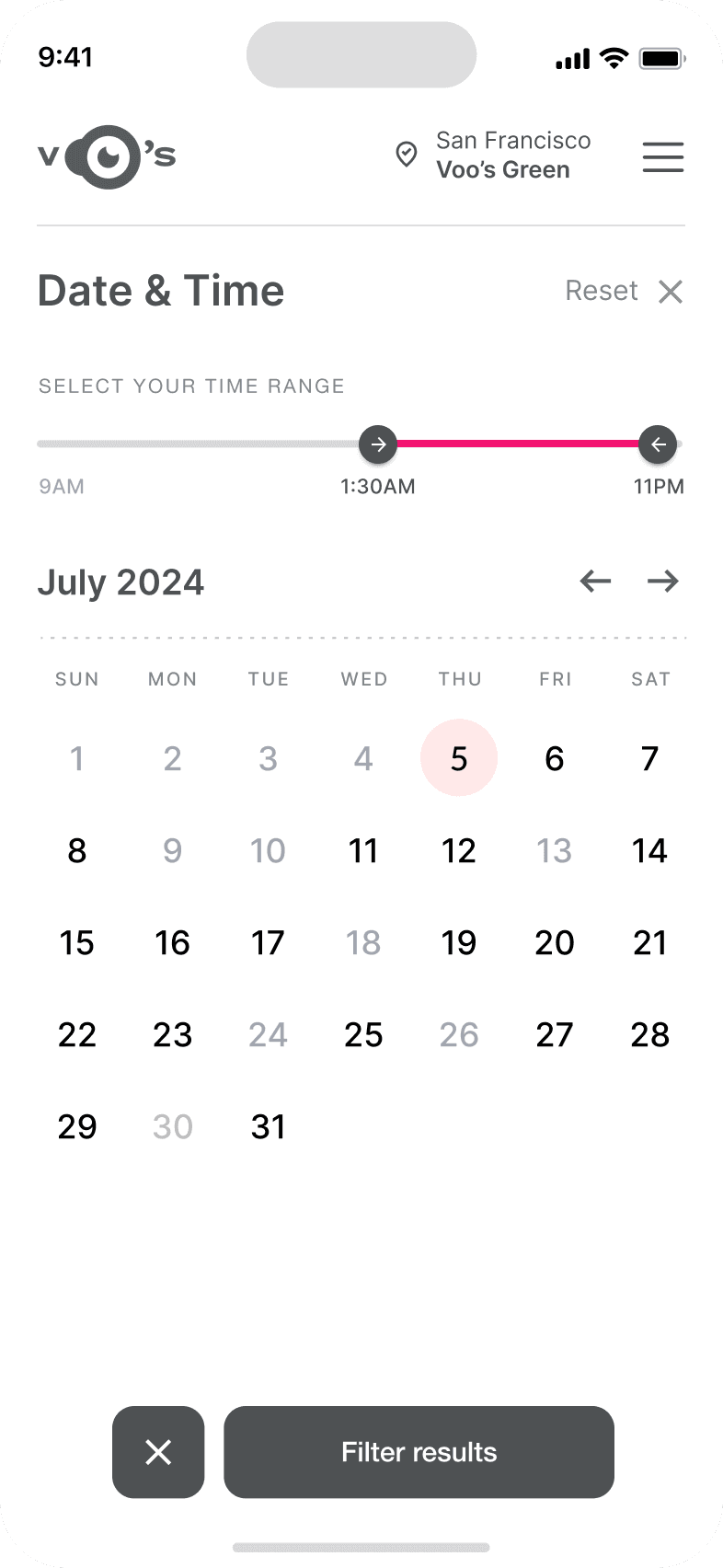
Calendar with results filtering
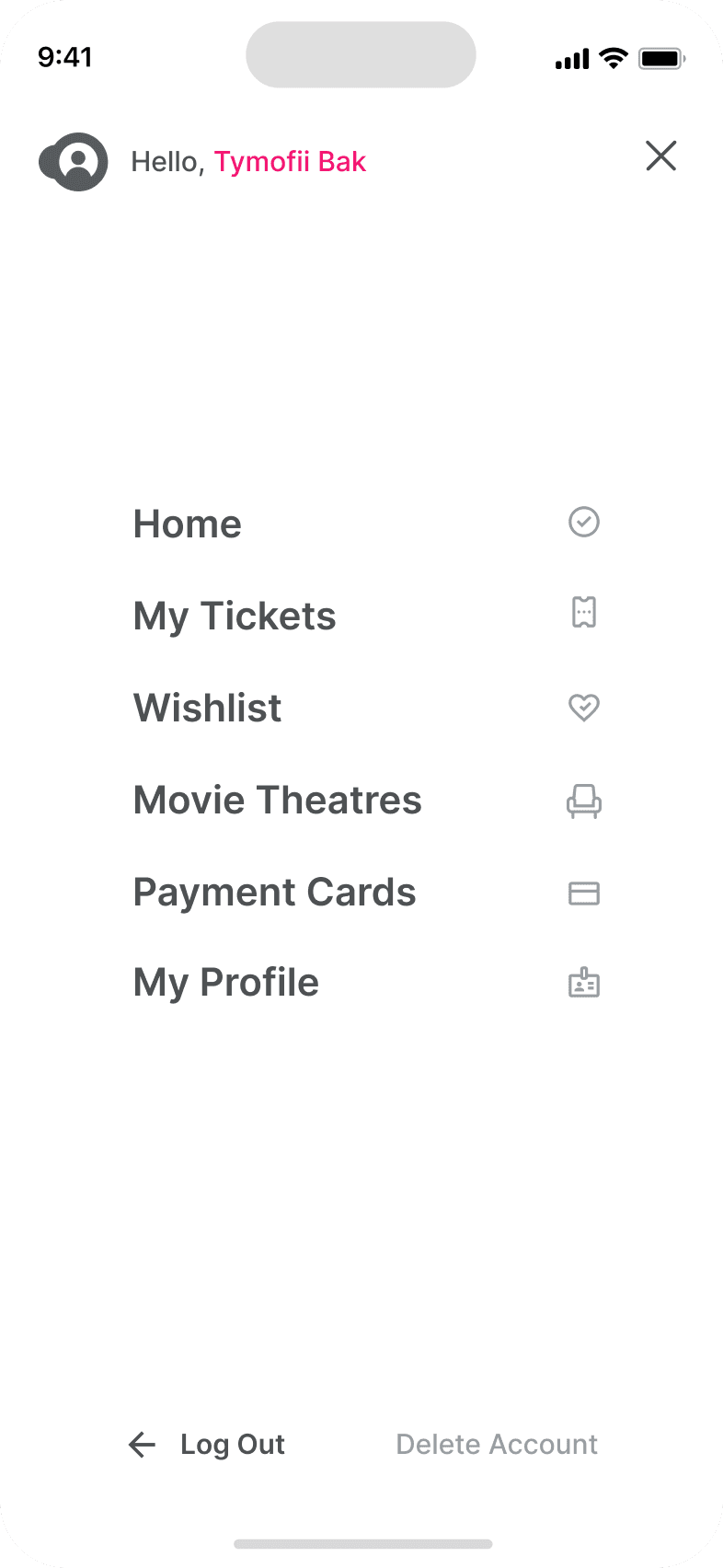
Menu and its sections
It's the detailed, interactive version of designs that closely match the look and feel of the final product.
I turned my mockups into a prototype that's ready for testing, using gestures and motion, which can help enrich the user experience and increase the usability of the app.

Homepage with suggested products
Product page with description
Artisan profile with process and sourcing materials
Checkout page
Early usability testing focused on evaluating how users discovered products and navigated artisan profiles. Participants were asked to find a product, learn about the artisan, and complete a purchase.
Increasing the prominence of artisan storytelling content
Improving navigation between product pages and artisan profiles
Simplifying the checkout process to reduce purchase friction
The project schematically :
The final outcome is a set of responsive, high fidelity screens which help capture and promote the essence of artisan craftwork.

It's a structured scheme that outlines the pages and content hierarchy of the app.
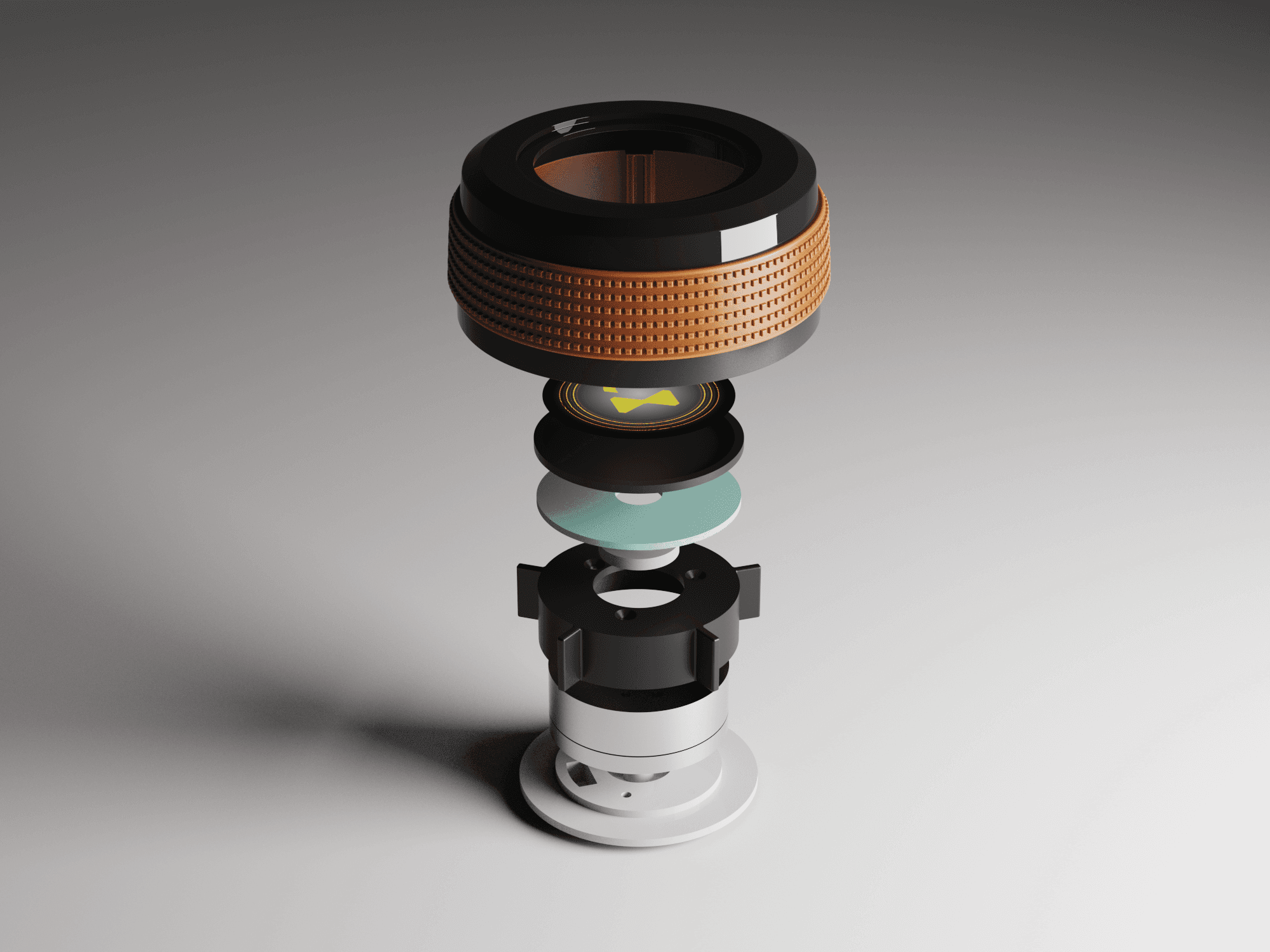
The new and improved haptic knob was built completely in-house and allowed us to customize the force feedback of the knob based on certain scenarios. This means as a user steps through the UI experience, the knob can be programmed to feel different at each step of the UI.
It's a structured scheme that outlines the pages and content hierarchy of the app.
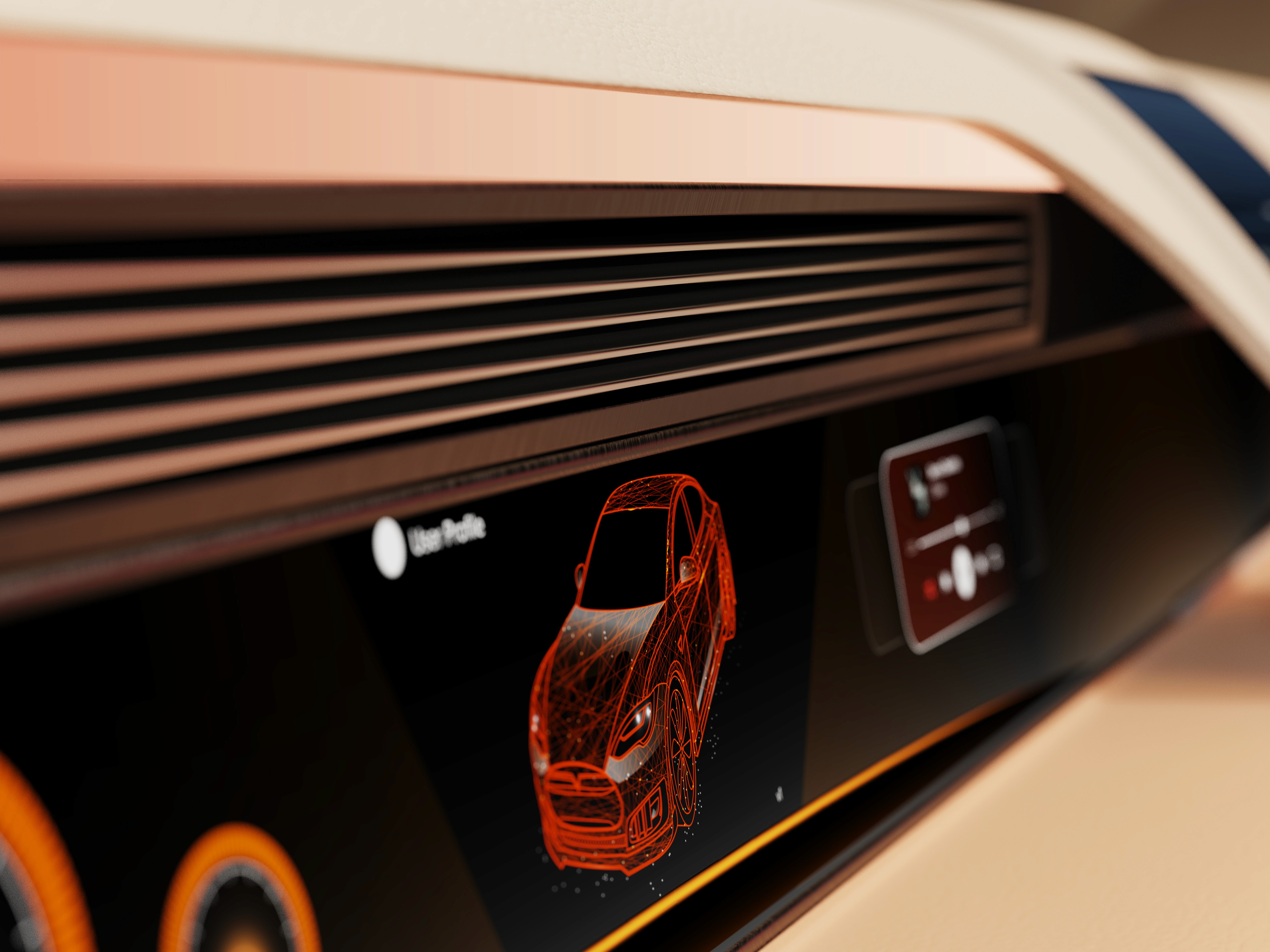
The final HUD has work (orange) and rest (blue) modes to account for whether the user is actively or passively engaging with the UI. This split perspective shows a difference in information density between the two different modes on the HUD
The project demonstrates how thoughtful UX design can translate the emotional experience of craft markets into an online marketplace.
The platform concept expands the reach of artisan businesses while helping customers discover meaningful handmade products online.
Storytelling can significantly influence purchasing decisions when selling handcrafted products online.
Future work for this app include adding a better filtering and browsing system for multiple product types and integrating community highlights.
Introduce category browsing and search filters
Add community features highlighting artisans and their work
Client
N/A
Year
2025
Tag
UI/UX
Duration
1 month
The project itself :
ArtisanCrafts is a handcrafted goods brand that traditionally sells products through local pop-up markets. While these markets allow artisans to connect directly with customers, they limit the brand’s ability to scale and reach a broader audience.
Handcrafted marketplaces often struggle to recreate the personal connection that customers experience when buying products directly from artisans at local markets.
The goal of this project was to design a responsive e-commerce platform that preserves the authenticity of handcrafted goods while providing a seamless online shopping experience.
An HMI-focused industrial designer, responsible for creating the physical and digital dashboard models used to support immersive evaluation and collaboration.
User research
Wireframing
Prototyping
Hi-Fidelity mockup design
iterating on designs,
making high-fidelity prototype
All about the user :
Handcrafted marketplaces often struggle to recreate the personal connection that customers experience when buying products directly from artisans at local markets. At a physical market, shoppers can meet the artisan, hear the story behind the product, and understand how the item was made. Traditional e-commerce platforms rarely capture this experience. This creates several challenges for independent artisans:
Difficulty standing out among mass-produced products
Limited opportunity to share their story and craft
Challenges justifying higher prices for handmade goods
A slight majority of surveyors would like to rest in a driverless car, but getting additional work done was a close second.
Visibility to the road is important to surveyors, so the HUD should not clutter their view.
Commute time often feels underutilized or disconnected from passengers’ goals
The primary audience for ArtisanCrafts consists of eco-conscious millennials who value handmade and ethically sourced products. These users often shop online for unique gifts or home items but prefer brands that demonstrate transparency and ethical production.
After figuring out our user group, we created a survey for Gen-Z commuters to help draw out insights that might lead to design opportunities. This survey was equipped with two different types of questions:
Current driving questions
Future thinking, Level 5 questions
51% of Americans ages 18-29 say they would ride in a driverless vehicle if they had the opportunity. So, now we can narrow our user group further to Gen-Z commuters.
Highlight artisan stories and craft processes
Emphasize product authenticity and uniqueness
Build trust through transparent product information
It is the series of experiences Carlos has as he achieve a specific goal. It was built on the his experience.
The purchasing journey for handmade products was mapped to understand where users struggle when shopping online.
The ideal journey begins with discovering unique products, learning about the artisans who create them, and completing a seamless purchase. By emphasizing artisan profiles and storytelling, the platform strengthens trust and emotional engagement.
In the beginning, before choosing a city and theater, it would be great to look through the whole app and learn everything about it.
There are no movie search - it's necessary to add it on the movies list page.
If user wants to change his account, he should be able to log out or delete it completely.
This is an examination of users and their needs, which adds realistic context to the design process.
First I conducted unmoderated usability studies with a few participants: they had to answer different questions about the app and share their observations while using the initial low-fi prototype. After getting the data, I analyzed it and synthesized the information obtained. Finally, I found themes and came up with several insights.
The goal was to identify pain points that the user experiences with the app designs so the issues can be fixed before the final product launches.
A slight majority of surveyors would like to rest in a driverless car, but getting additional work done was a close second.
Visibility to the road is important to surveyors, so the HUD should not clutter their view.
If user wants to change his account, he should be able to log out or delete it completely.
It is the series of experiences Carlos has as he achieve a specific goal. It was built on the his experience.
ArtisanCrafts bridges the gap between physical craft markets and digital commerce. By showcasing artisan stories alongside product listings, the platform helps customers connect emotionally with handmade goods while supporting independent creators.
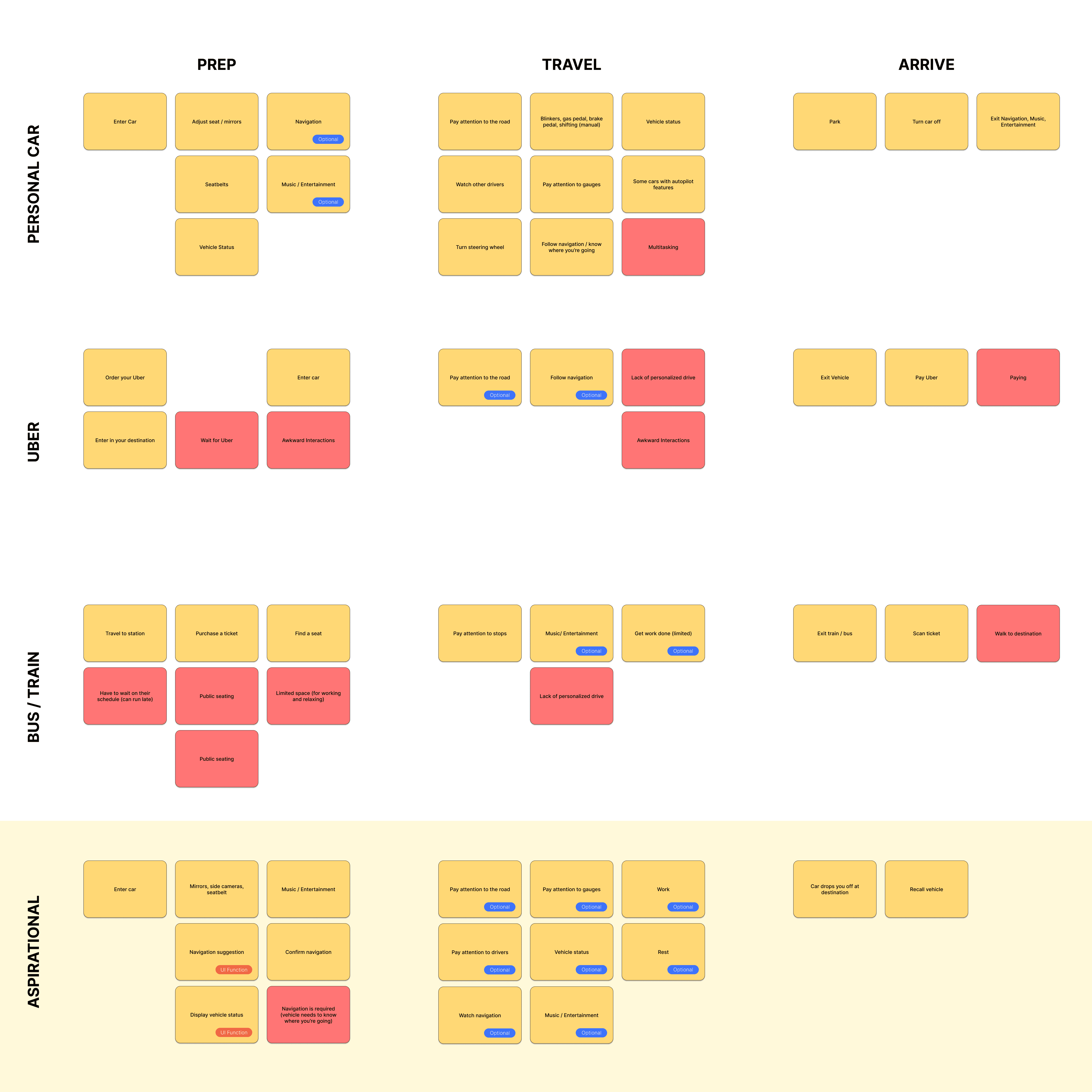
A fully autonomous vehicle can give you the best of both worlds. You can have your own personal space while the car does all the driving for you.
The question then becomes: What do you do with the time you spend riding in this vehicle?
Accurate alignment between physical and digital environments was critical to the success of this system. Scan data required careful reconstruction to preserve production vehicle proportions while meeting fabrication and simulator constraints. Considerations such as driver eye point, seating position, reach zones, and mounting tolerances informed how the digital model was engineered and how physical components were integrated, reinforcing the need for a tightly coupled physical and digital reference.
I developed a user journey map of Carlos's experience with the app to highlight potential pain points and identify areas for improvement.
Choose a good movie in a cinema theatre nearby and select seats in an app in a fast and clear way
The project schematically :
Concept exploration focused on translating the experience of browsing a craft market into a digital environment. The design emphasized strong product imagery, artisan storytelling, and clear navigation. Early design explorations focused on balancing storytelling with traditional e-commerce usability.
These are a high fidelity design that represents a final product
At the start of the project, the team identified the 2023 Hyundai Ioniq 6 at the target platform to test this mixed reality experience.
We were able to determine three zone of legibility when testing text elements on the HUD. From here we started creating an information hierarchy based on these zones to identify what should be displayed where.
When testing, users reported eye fatigue when there were large blocks of bright colors on the HUD. We pivoted to muted/ transparent elements in later designs.
After capturing the interior data of the Ioniq 6 with the Artec Leo 3D scanner, this mesh data became the digital reference that the team would use for the dashboard and all surrounding geometry to work from. The scan captured accurate proportions and spatial relationships, giving us the baseline needed for downstream modeling.
These are a high fidelity design that represents a final product
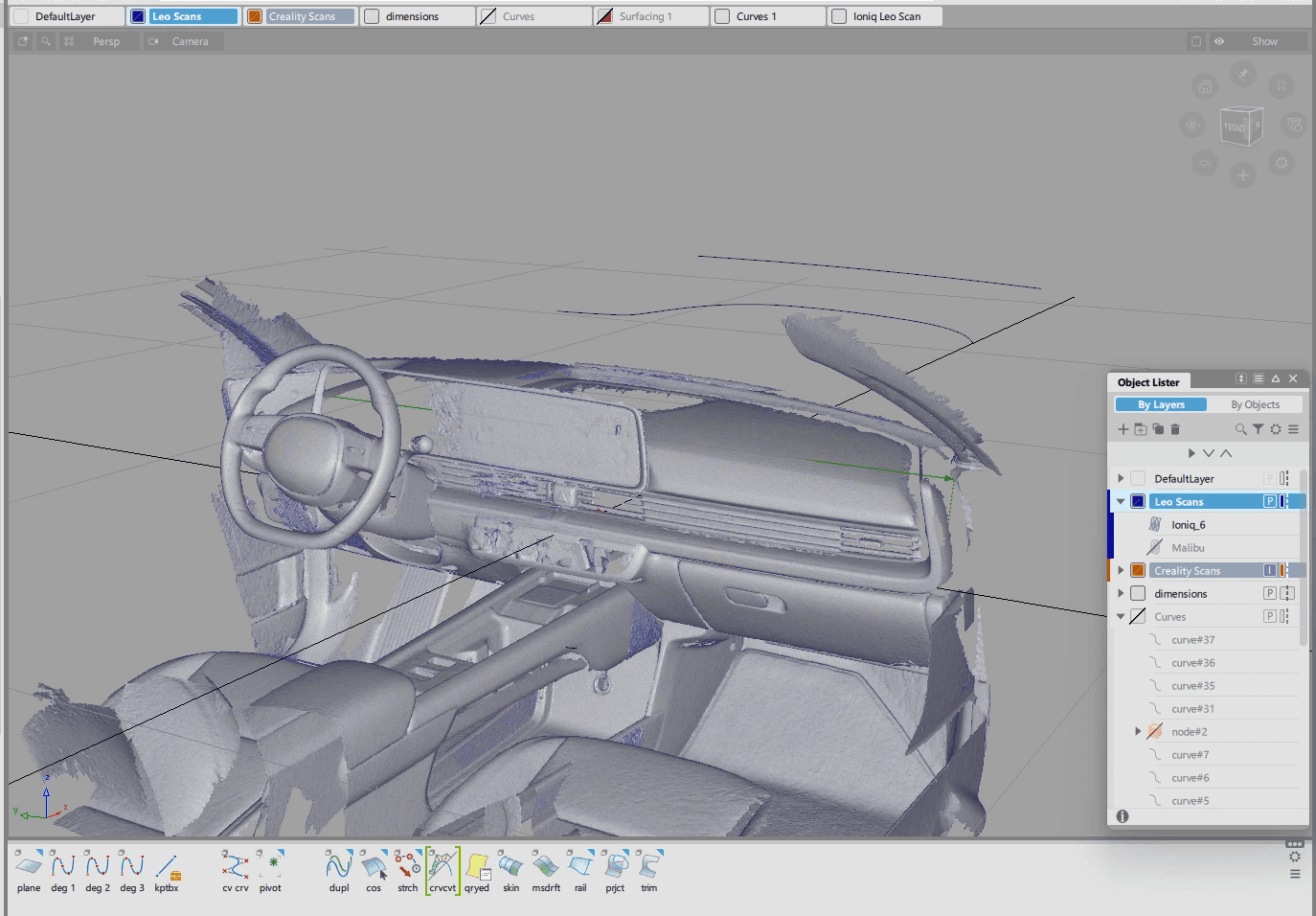
After placing the 3D scan into Autodesk Alias, we using the point data of the scan to guide the resurfacing of the Ioniq 6 interior. This shows the rebuilt surfaces in Alias.
The virtual development environment was created to support the design, testing, and evaluation of spatial interfaces while maintaining alignment with a physical interior dash model. This environment enables the simultaneous use of 3D content, interactive screens, and external development tools, allowing rapid iteration and comparison across platforms. By combining virtual and physical elements, the system serves as a mixed-reality testbed for evaluating usability, interaction methods, and system behavior in an automotive HMI context across different user groups.
The series of hand-drawing frames that visually describe and explore a user's experience with a product.
Storyboards illustrated the experience of a user searching for a unique gift, discovering an artisan product, and learning about the maker before completing a purchase. These storyboards helped clarify how storytelling could influence purchasing decisions.
Big picture storyboard, which focuses on the user experience. It's about how people will use the Voo's app during their day and it will be useful.
Close-up storyboard focuses on the app instead of on the user experiencing that product. Shows what happens on each screen of the app.
These are a high fidelity design that represents a final product
It's a structured scheme that outlines the pages and content hierarchy of the app.
It's a structured scheme that outlines the pages and content hierarchy of the app.
The sitemap highlights the core structure of the ArtisanCrafts marketplace, connecting product discovery, artisan storytelling, and purchasing into a seamless flow. Users can easily browse products, explore artisan profiles, and move through the checkout process without unnecessary navigation steps.
It's a structured scheme that outlines the pages and content hierarchy of the app.
We first scanned the interior of an Ioniq 6 using an Artec Leo 3D scanner. This shows the raw output of this scan.
They initially oriented on the basic structure of the homepage and highlight the intended function of each element.
Initial sketches explored different layouts for product discovery and artisan storytelling. These sketches helped determine how product imagery and artisan information should be prioritized.
More "clear" version of wireframes in a digital form. Also all the important pages are added
in it.
Low fidelity wireframes translated early sketches into structured layouts that balanced product browsing with storytelling content. All wireframes built out in Figma.
More "clear" version of wireframes in a digital form. Also all the important pages are added
in it.
On this step I used the Figma design tool to create digital wireframes of all the pages. Then I bonded all of them into the clear and smooth structure.
The goal is to show how all the pages and things interact with each other.
This is an examination of users and their needs, which adds realistic context to the design process.
Early usability testing focused on evaluating how users discovered products and navigated artisan profiles. Participants were asked to find a product, learn about the artisan, and complete a purchase.
Users strongly responded to artisan storytelling content
Participants preferred large product imagery with minimal visual clutter
Some users wanted clearer navigation to explore additional products from the same artisan
The clear version :
The refinement stage focused on improving product visibility, strengthening storytelling elements, and optimizing the purchasing workflow across desktop and mobile devices.
It's a structured scheme that outlines the pages and content hierarchy of the app.
With the dashboard surfaces finalized in Alias, the next step was preparing the model for 3D printing. To accomplish this, we transitioned the design into Fusion 360, where we added material thickness, converted surfaces into solids, and introduced breakpoints to segment the dashboard based on the Formlabs Form 4L printer bed dimensions (13.9 x 7.7 x 13.8 inches).
It's a structured scheme that outlines the pages and content hierarchy of the app.
After all parts on the top half of the dash were attached together, light spackle was used to fill the seams created where parts met. This meant that now the top of the dash was one full piece. The model now fits in the lab’s buck as a 1:1 representation of a 2023 Hyundai Ioniq 6 dashboard.
These are a high fidelity design that represents a final product
Assembling the model after printing out all the parts was simple. A lot of time and effort went into planning the B side of the parts so that slotting and gluing the parts together was as smooth as possible.
We were able to determine three zone of legibility when testing text elements on the HUD. From here we started creating an information hierarchy based on these zones to identify what should be displayed where.
We were able to determine three zone of legibility when testing text elements on the HUD. From here we started creating an information hierarchy based on these zones to identify what should be displayed where.
These are a high fidelity design that represents a final product
High fidelity wireframes introduced the final visual system of the marketplace including typography, layout spacing, and responsive grid structures. These screens refined the presentation of product information and artisan stories while maintaining a clean shopping experience.
This is the primary user flow that was tested on my prototypes. The flow involves a user starting on the ArtisanCrafts homepage and stepping through various screens to ultimately complete a checkout sequence.
It's the detailed, interactive version of designs that closely match the look and feel of the final product.
A high fidelity prototype was developed to simulate the full purchasing experience across responsive breakpoints. The prototype demonstrates how users browse products, explore artisan stories, and complete purchases on both desktop and mobile devices.
City and cinema theater selection
Movies slideshow
List of movies + search option
Separate movie page, adding to favourites
Show selection: date and time, hall and seats
Adding selected seats
Calendar with results filtering
Menu and its sections
High fidelity wireframes introduced the final visual system of the marketplace including typography, layout spacing, and responsive grid structures. These screens refined the presentation of product information and artisan stories while maintaining a clean shopping experience.
It's the detailed, interactive version of designs that closely match the look and feel of the final product.
The center stack display and auxiliary displays carry most of the information related to the vehicle itself. They work in tandem with the HUD since the information being displayed on the HUD will either be work or social/ entertainment related.
All of these screens were fully built out in Figma.
HUD and UI Settings
Environment Settings
Home (General Vehicle Settings)
Map Settings
Multimedia Settings
It's the detailed, interactive version of designs that closely match the look and feel of the final product.
I turned my mockups into a prototype that's ready for testing, using gestures and motion, which can help enrich the user experience and increase the usability of the app.
Homepage with suggested products
Product page with description
Artisan profile with process and sourcing materials
Checkout page
Early usability testing focused on evaluating how users discovered products and navigated artisan profiles. Participants were asked to find a product, learn about the artisan, and complete a purchase.
Increasing the prominence of artisan storytelling content
Improving navigation between product pages and artisan profiles
Simplifying the checkout process to reduce purchase friction
The project schematically :
The final outcome is a set of responsive, high fidelity screens which help capture and promote the essence of artisan craftwork.
It's a structured scheme that outlines the pages and content hierarchy of the app.
The new and improved haptic knob was built completely in-house and allowed us to customize the force feedback of the knob based on certain scenarios. This means as a user steps through the UI experience, the knob can be programmed to feel different at each step of the UI.
The project demonstrates how thoughtful UX design can translate the emotional experience of craft markets into an online marketplace.
The platform concept expands the reach of artisan businesses while helping customers discover meaningful handmade products online.
Storytelling can significantly influence purchasing decisions when selling handcrafted products online.
Future work for this app include adding a better filtering and browsing system for multiple product types and integrating community highlights.
Introduce category browsing and search filters
Add community features highlighting artisans and their work
Client
N/A
Year
2025
Tag
UI/UX
Duration
1 month
ArtisanCrafts is a handcrafted goods brand that traditionally sells products through local pop-up markets. While these markets allow artisans to connect directly with customers, they limit the brand’s ability to scale and reach a broader audience.
Handcrafted marketplaces often struggle to recreate the personal connection that customers experience when buying products directly from artisans at local markets.
The goal of this project was to design a responsive e-commerce platform that preserves the authenticity of handcrafted goods while providing a seamless online shopping experience.
UX/UI Designer responsible for product concept, user research synthesis, interaction design, and interface design.
User research
Wireframing
Prototyping
Hi-Fidelity mockup design
Handcrafted marketplaces often struggle to recreate the personal connection that customers experience when buying products directly from artisans at local markets. At a physical market, shoppers can meet the artisan, hear the story behind the product, and understand how the item was made. Traditional e-commerce platforms rarely capture this experience. This creates several challenges for independent artisans:
Difficulty standing out among mass-produced products
Limited opportunity to share their story and craft
Challenges justifying higher prices for handmade goods
The primary audience for ArtisanCrafts consists of eco-conscious millennials who value handmade and ethically sourced products. These users often shop online for unique gifts or home items but prefer brands that demonstrate transparency and ethical production.
The purchasing journey for handmade products was mapped to understand where users struggle when shopping online.
The ideal journey begins with discovering unique products, learning about the artisans who create them, and completing a seamless purchase. By emphasizing artisan profiles and storytelling, the platform strengthens trust and emotional engagement.
Highlight artisan stories and craft processes
Emphasize product authenticity and uniqueness
Build trust through transparent product information
ArtisanCrafts bridges the gap between physical craft markets and digital commerce. By showcasing artisan stories alongside product listings, the platform helps customers connect emotionally with handmade goods while supporting independent creators.
Concept exploration focused on translating the experience of browsing a craft market into a digital environment. The design emphasized strong product imagery, artisan storytelling, and clear navigation. Early design explorations focused on balancing storytelling with traditional e-commerce usability.
Storyboards illustrated the experience of a user searching for a unique gift, discovering an artisan product, and learning about the maker before completing a purchase. These storyboards helped clarify how storytelling could influence purchasing decisions.
The sitemap highlights the core structure of the ArtisanCrafts marketplace, connecting product discovery, artisan storytelling, and purchasing into a seamless flow. Users can easily browse products, explore artisan profiles, and move through the checkout process without unnecessary navigation steps.
Initial sketches explored different layouts for product discovery and artisan storytelling. These sketches helped determine how product imagery and artisan information should be prioritized.
Low fidelity wireframes translated early sketches into structured layouts that balanced product browsing with storytelling content. All wireframes built out in Figma.
Early usability testing focused on evaluating how users discovered products and navigated artisan profiles. Participants were asked to find a product, learn about the artisan, and complete a purchase.
Users strongly responded to artisan storytelling content
Participants preferred large product imagery with minimal visual clutter
Some users wanted clearer navigation to explore additional products from the same artisan
The refinement stage focused on improving product visibility, strengthening storytelling elements, and optimizing the purchasing workflow across desktop and mobile devices.
High fidelity wireframes introduced the final visual system of the marketplace including typography, layout spacing, and responsive grid structures. These screens refined the presentation of product information and artisan stories while maintaining a clean shopping experience.
This is the primary user flow that was tested on my prototypes. The flow involves a user starting on the ArtisanCrafts homepage and stepping through various screens to ultimately complete a checkout sequence.

A high fidelity prototype was developed to simulate the full purchasing experience across responsive breakpoints. The prototype demonstrates how users browse products, explore artisan stories, and complete purchases on both desktop and mobile devices.
Homepage with suggested products
Product page with description
Artisan Profile with process and sourcing materials
Checkout page
Increasing the prominence of artisan storytelling content
Improving navigation between product pages and artisan profiles
Simplifying the checkout process to reduce purchase friction
The final outcome is a set of responsive, high fidelity screens which help capture and promote the essence of artisan craftwork.
The project demonstrates how thoughtful UX design can translate the emotional experience of craft markets into an online marketplace.
The platform concept expands the reach of artisan businesses while helping customers discover meaningful handmade products online.
Storytelling can significantly influence purchasing decisions when selling handcrafted products online.
Future work for this app include adding a better filtering and browsing system for multiple product types and integrating community highlights.
Introduce category browsing and search filters
Add community features highlighting artisans and their work